
News
Apple Music tests Selfie Sing: karaoke video mode hits iOS 27.3 beta
It records one-minute vertical performances from a limited song list

- November 4, 2026
- Updated: November 4, 2026 at 5:48 PM
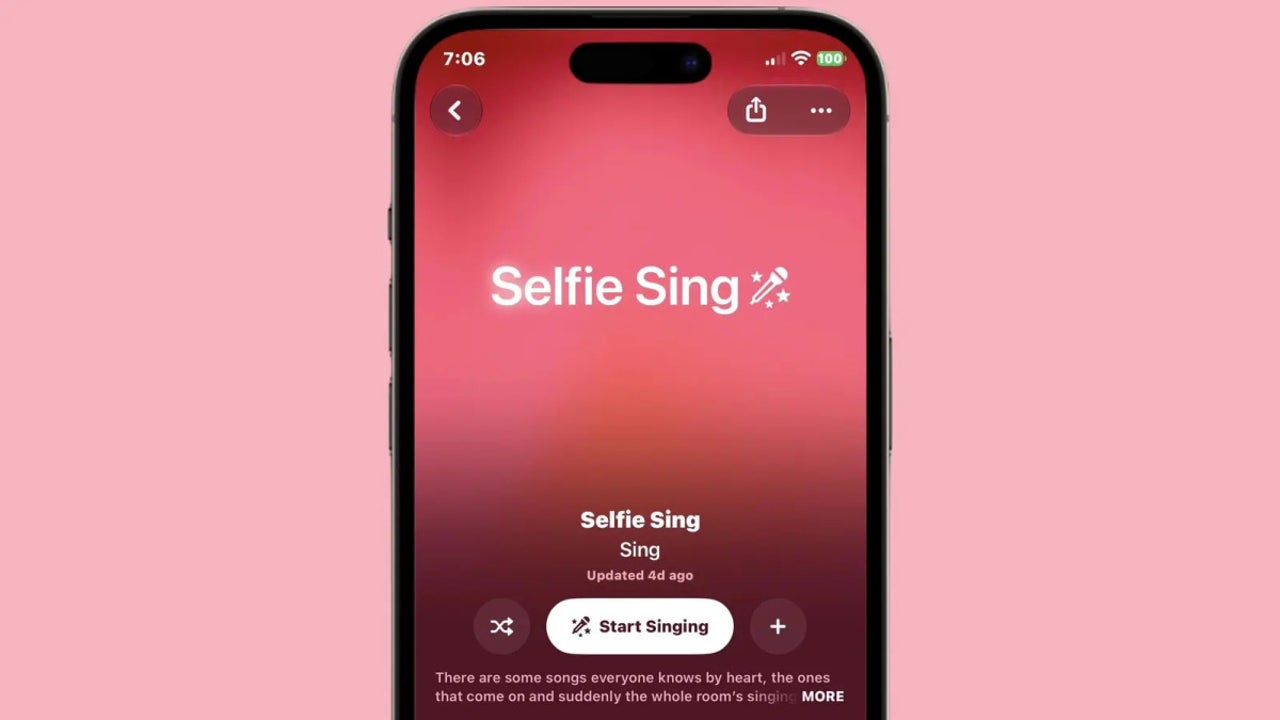
Apple is testing Selfie Sing in the iOS 27.3 beta right now, a karaoke video mode built into Apple Music that lets iPhone users record themselves singing without ever leaving the app.

It builds on Apple Music Sing, the lyrics-and-vocal-lowering feature Apple rolled out in 2022 with iOS 16.2. You can bring up synced lyrics, turn down the original vocals, and switch to the front camera to shoot a vertical video. After that, there are vocal-level controls plus four effects to play with: Megaphone, Echo, Concert Hall, and Studio. Then you can save the clip to Photos or share it. For now, videos top out at around a minute.
If you already use Apple Music Sing and you’re into short karaoke clips, this one is worth keeping an eye on. The catch, at least for now, is that it only works with a curated batch of supported songs, including “Respect,” “Wonderwall,” “Hungry Like the Wolf,” and “Like a Virgin.” Aaron Perris first spotted Selfie Sing on X. The Animoji in his demo, though, isn’t actually part of the feature.
What Apple seems to be after is pretty obvious: a more social version of Apple Music. Apple still hasn’t said when Selfie Sing will get a public release, or how privacy, content rules, and licensing are going to be handled.
You can try Selfie Sing now on iPhone if you’re running the iOS 27.3 beta. The related playlist can be viewed even without the beta, and so far there haven’t been any reports of iPadOS 27.3 support.
Choose Softonic on Google and you'll see more of our articles in Top Stories, AI Overviews and AI Mode.
Manuel Bosque covers software at Softonic: desktop programs, productivity tools and the small utilities that solve one problem well. His approach is practical — what a program actually does, what it asks in return and who it is for — which is why he distrusts feature lists and prefers to test. He is part of the team that decides how software gets covered on the site, and works daily with AI tools applied to editorial production.
Latest from Manuel Bosque
You may also like
 News
Nintendo Switch 2 hits $499: PS5, Xbox and Steam Deck prices are up too
Read more
 News
The Rings of Power season 3 forges the One Ring at last: Prime Video planned it for years
Read more
 News
Clockwork Revolution now targets 2027: the BioShock comparison is real
Read more
 News
GTA 6 on PS5 could unlock early in New Zealand: play up to 13 hours ahead
Read more
 News
Stellar Blade Complete Edition is out on Switch 2: Digital Foundry says it’s better than expected
Read more
 News
Fortnite reveals Pirate Shop Access odds after backlash: 1 in 137,500
Read more