
News
Canva launches Affinity for free on the iPad: Photoshop’s competition is already here
It bundles four workspaces and Apple Pencil Sketch Studio

- November 3, 2026
- Updated: November 3, 2026 at 12:40 PM
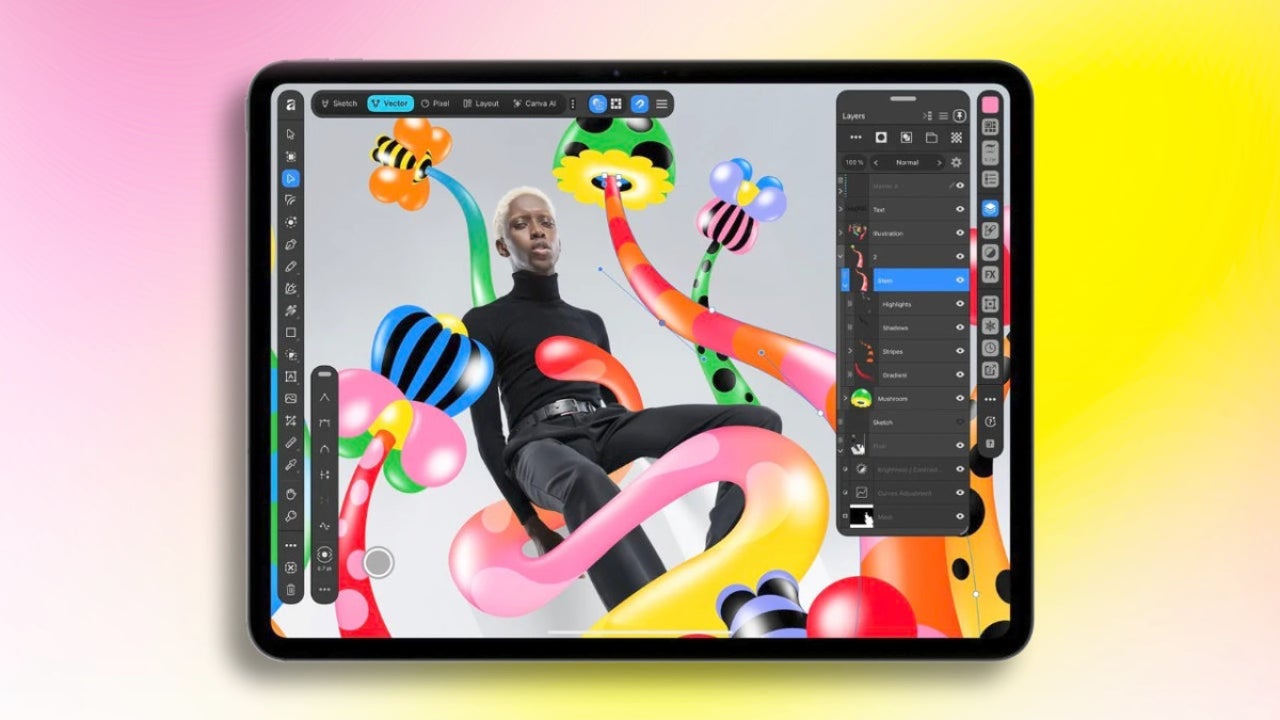
Canva has launched Affinity for the iPad. After bringing together Affinity Photo, Designer and Publisher on desktop into a single app, the company is making the jump to the iPad. It’s an excellent alternative to Photoshop that offers completely free professional editing and design tools.

Four workspaces in a single app
The new Affinity app for iPad brings together drawing, vector illustration, photo retouching and layout in four workspaces: Sketch, Vector, Pixel and Layout. We can switch between them while working on the same .af file and also keep working on the Mac whenever we want.
The app’s big new feature compared to the desktop version is Sketch Studio, an environment designed for drawing with the Apple Pencil. With gestures alone we can turn strokes into editable vector shapes using the pressure and gestures of the pencil itself. The app offers us RAW editing, masks and multi-page documents. With this app, the iPad gets a full-featured tool and an excellent free alternative to Photoshop.
Free to create, with optional AI
All the app’s features are free, you just need to sign in with a Canva account. The artificial intelligence tools, though, require a premium plan. It gives you access to generative expansion, noise reduction and splitting images into layers.
A different take on Photoshop’s AI features that, without a doubt, catches the eye. An excellent design app for going beyond the Mac or PC when it comes to working with our images.
Choose Softonic on Google and you'll see more of our articles in Top Stories, AI Overviews and AI Mode.
Architect | Founder of hanaringo.com | Apple Technologies Trainer | Writer at Softonic and iDoo_tech, formerly at Applesfera
Latest from David Bernal Raspall
- MacBook Pro PROLED XDR reviews: this is what those who’ve already tried it think
- You can now connect Claude to your bank account so it can help you with your finances: this is how the system works
- What it means that OpenAI is catching up to Google in search
- OpenAI launches Images 2.6 and changes everything: photos come to life, and in seconds
You may also like
 News
House of the Dragon is officially back on November 19 — and fans will want to see what’s planned
Read more
 News
The Super Mario Bros. Movie is leaving Netflix on November 10
Read more
 News
James Bond shortlist expands: Robert Pattinson reportedly screen-tests
Read more
 News
Disclosure Day reaches Prime Video’s top 10: a hit, but not its biggest
Read more
 News
The Rocky Horror Picture Show is now on Prime Video: why fans are revisiting it
Read more
 News
This 8-episode Netflix thriller miniseries delivers peak psychological horror
Read more