
How To
How to Mod Grand Theft Auto Vice City in 2 Easy Methods


- February 26, 2021
- Updated: July 2, 2025 at 4:12 AM
Grand Theft Auto Vice City or GTA Vice City remains one of the most popular GTA franchise installments.
However, once you’ve completed all the missions and the main story, the game can become a bit dull. Although cheat codes can be fun, they only get you so far. That’s where mods (modifications) come in.
GTA mods can bring the excitement back to your game. And we will teach you how to mod Grand Theft Auto Vice City on your laptop or computer.
How to Mod Grand Theft Auto Vice City
Below are two easy ways to install modifications on your computer. You should be able to install these mods and start enjoying your game quickly.
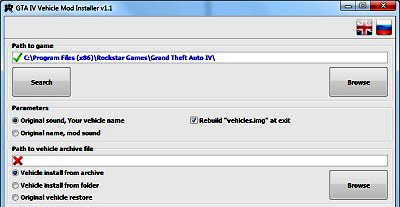
Method 1: Installing a Mod With an Auto-Installer
Here’s how to mod Grand Theft Auto Vice City with an auto-installer:
- Download the mod you want that has an auto-installer.
- In the mod file, click on the .exe file, and an install window will open.
- Follow the on-screen instructions to install the mod.
Method 2: Installing a Mod by Using a Modification Manager.
You can also mod Grand Theft Auto Vice City with a modification manager:
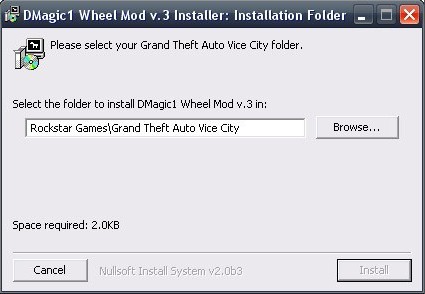
- Download the DMagic Wheel Mod, which includes the mod manager.
- Right-click on the DMagic Wheel file and select ‘decompress’ or ‘unzip’ to decompress the files into a new folder.
- Double click on the new folder and go into ‘Auto Install.’
- Double click on the DMagic Wheel Mod file to install it along with the mod manager
- Once the installation has finished, click on Start.
- Next, click on ‘Programs’ and then ‘Mod Manager.’
- This will launch the mod manager setup.
- Assign a destination folder for your mods. It should show C:\Program files\Rockstar Games\Grand Theft Auto: Vice City as the default folder.
- The mod manager will now show that it is ready to install mods.
- Now, download the mods you want to install with the mod manager. They will have the file extension .vcm.
- Right-click on the mod and ‘decompress’ or ‘unzip’ it.
- Extract it to the C:\Program Files\VCMM\Mods\vcm” folder.
- Launch the mod manager.
- The mod manager should show the new modification, and you can install it from here.
Enjoy your new mods!
GTA mods can significantly increase your game experience. And with these easy ways to install the mods, you’ll have no excuse not to give it a try. If you enjoyed GTA Vice City, you might also like GTA 3 or GTA San Andreas.
Let us know what your favorite GTA mods are in the comments.
Choose Softonic on Google and you'll see more of our articles in Top Stories, AI Overviews and AI Mode.
Latest from Shaun M Jooste
You may also like
 News
Mouse Work for Nintendo Switch 2 appears on eShop: date, price, and mouse controls
Read more
 News
GTA 6 pre-loads start soon: up to 212 GB on PS5 and Xbox
Read more
 News
Nintendo Switch 2 update 23.5.0: software exploit reportedly blocked
Read more
 News
Pokémon Center launches $59.99 Espeon sweater: a cute pick for its 2026 holiday collection
Read more
 News
The Institute season 2 is here: Stephen King’s series goes full Philip K. Dick
Read more
 News
GTA 6 pre-orders are already breaking records: launch is days away
Read more