
News
macOS 27.3 beta 1 now brings proper Markdown previews to Quick Look
Finder now shows formatted .md files instead of raw syntax

- November 4, 2026
- Updated: November 4, 2026 at 10:20 AM
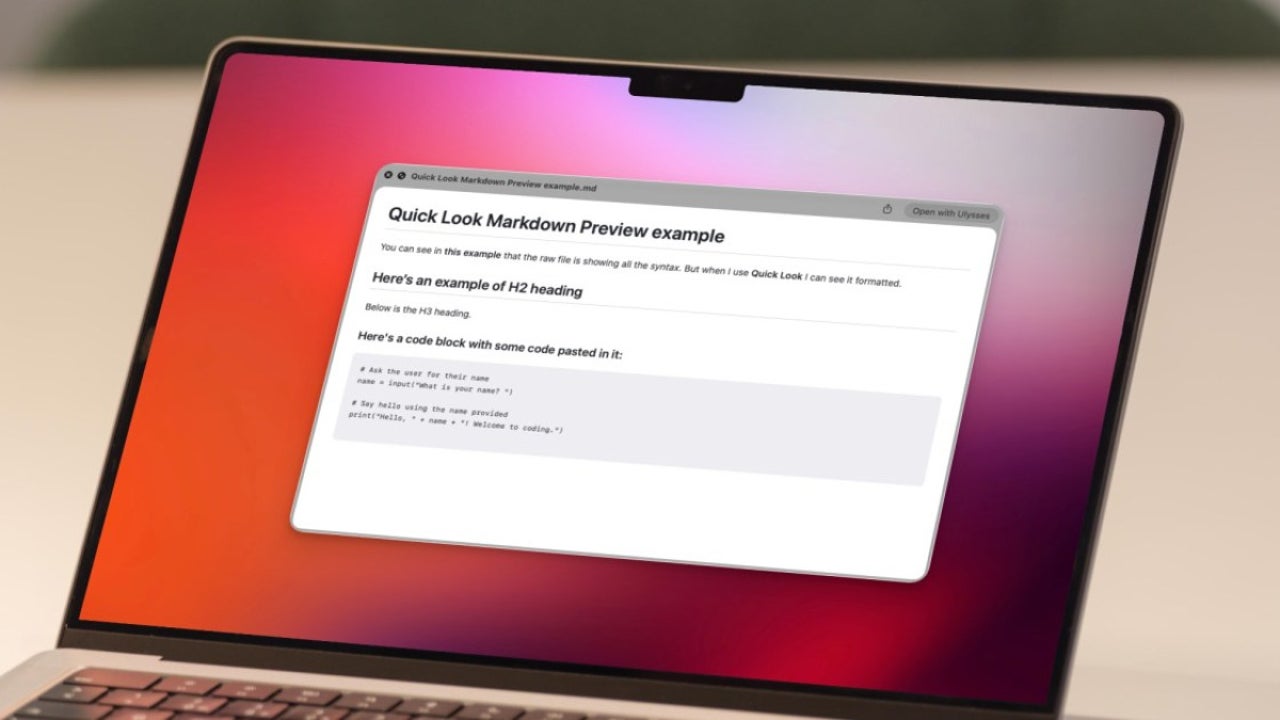
Apple has updated macOS 27.3 beta 1 so Quick Look now renders Markdown natively. In Finder, .md files finally preview as formatted documents instead of showing raw syntax.
Until now, pressing the Space bar on a Markdown file gave you plain text full of hashtags, asterisks, and list markup. In macOS 27.3 beta 1, Quick Look displays headings, lists links, and the rest of the formatting directly.
If you write, code, or spend time managing Markdown notes, README files, documentation, blog drafts, or instruction files, this makes day-to-day browsing a lot easier. You can scan files faster, check structure at a glance, and avoid bouncing out to an editor or browser just to confirm that something looks right.
For people who use Markdown all the time, macOS 27.3 beta 1 is an easy update to justify. It saves small bits of time over and over across the day, and it lines up with Apple’s broader Markdown push in Notes and in newer Apple developer tools that use SKILL.md files.
This also cuts into the need for utilities like QLMarkdown or Peekdown. Those apps still have a place if you want extras like custom themes, richer code highlighting, or diagram rendering, but for basic previewing, macOS now handles the job on its own.
You can get it in Apple’s macOS 27.3 beta 1 for Mac.
Choose Softonic on Google and you'll see more of our articles in Top Stories, AI Overviews and AI Mode.
Manuel Bosque covers software at Softonic: desktop programs, productivity tools and the small utilities that solve one problem well. His approach is practical — what a program actually does, what it asks in return and who it is for — which is why he distrusts feature lists and prefers to test. He is part of the team that decides how software gets covered on the site, and works daily with AI tools applied to editorial production.
Latest from Manuel Bosque
- White House network appeared as residential proxy exit, researchers say
- Apple confirms $7.5 billion bond sale: orders top $30 billion
- Alphabet discloses Qualcomm stake: nearly 3 million shares worth $547.9 million
- Nvidia reportedly eyes 130 mini data centers: former telecom sites could speed AI expansion
You may also like
 News
House of the Dragon is officially back on November 19 — and fans will want to see what’s planned
Read more
 News
The Super Mario Bros. Movie is leaving Netflix on November 10
Read more
 News
James Bond shortlist expands: Robert Pattinson reportedly screen-tests
Read more
 News
Disclosure Day reaches Prime Video’s top 10: a hit, but not its biggest
Read more
 News
The Rocky Horror Picture Show is now on Prime Video: why fans are revisiting it
Read more
 News
This 8-episode Netflix thriller miniseries delivers peak psychological horror
Read more