3D Animation Software for Modeling and Motion Design | 5

Update: Sep 7, 2026 · 60 apps reviewed

3D animation software turns static models into moving scenes, from character performances and product demos to architectural walkthroughs and motion graphics. The strongest tools balance modeling, rigging, keyframing, simulation and rendering without making every project feel like a technical exam. Choice usually comes down to workflow: some creators need precise control for film-quality animation, while others want faster tools for explainer videos, game assets or social content. Good options make scene setup, timeline editing and export reliable, with enough flexibility to handle both stylized visuals and realistic motion.

Gerard Patrick Cadiang

Gerard Patrick Cadiang

Games & Software Writer

Gamer-turned-writer and 3D artist, Gerard covers software and video games with a blend of technical knowledge and creative flair. His passion for games since childhood now fuels his professional work.

Top programs about 3d Animation

  • 4.7

    Kid-friendly 3D animation with guided character motion

    • 9 pre-built 3D cartoon characters to animate
    • Make characters walk, run, jump, and talk
    • Video tutorials teach walking, talking, and acting
    • Built by animators for a child-friendly workflow

    Ideal for

    • Young animators on iPhone and iPad
    • Character-based storytelling projects
    • Tutorial-led animation practice
    • Animation & Motion

      8 / 10
    • Modeling & Rendering Power

      4 / 10
    • File Compatibility & Pipeline

      3 / 10
    The strongest part of this tool is its animator-made approach: it gives kids ready-made characters and guided lessons that make basic motion and performance concepts approachable. It stays focused on learning rather than pro-level modeling or pipeline work, so it suits early animation practice more than advanced 3D production.
    Gerard Patrick Cadiang
  • Keep up with Softonic

    Get our latest tech news first, wherever you read.

  • 4.5

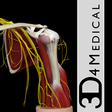
    Shoulder anatomy visuals for Mac-based clinical study

    • 3D shoulder anatomy model for detailed study
    • Animated movements to show joint function
    • Mac-only full version for desktop access
    • Built by 3D4Medical.com for health education

    Ideal for

    • Mac-based health education
    • Clinical presentation prep
    • Desktop anatomy reference
    • Modeling & Rendering Power

      6 / 10
    • Animation & Motion

      5 / 10
    • File Compatibility & Pipeline

      4 / 10
    The animated shoulder model gives this tool clear value for anatomy review and teaching on Mac, especially when motion matters more than static diagrams. It stays narrowly focused, so it is best suited to clinical study and presentation prep rather than broader 3D modeling work.
    Gerard Patrick Cadiang
  • 4.1

    3D text intros with live preview and GIF output

    • Create realistic 3D text animations from images
    • Preview text effects before finalizing the render
    • Build GIF dynamic text expressions for sharing
    • Customize fonts and text colors for branded intros

    Ideal for

    • QQ and WeChat sharing
    • Personal name animations
    • Brand intro graphics
    • Animation & Motion

      6 / 10
    • Modeling & Rendering Power

      5 / 10
    • File Compatibility & Pipeline

      4 / 10
    The app focuses on lightweight 3D text animation rather than full modeling or CAD work, so it suits quick intro graphics and GIF-style motion pieces. I like the live preview and font customization, but it stays firmly in the text-effect lane instead of offering deeper animation or pipeline tools.
    Gerard Patrick Cadiang
  • 4.9

    Step-by-step 3D character scenes for video marketers

    • Step-by-step guidance for 3D animated video creation
    • Build explainer videos for marketing and sales
    • Create doodle videos and social media ads
    • Add bobble-head and clay-style character animation

    Ideal for

    • Internet marketers
    • Explainer video projects
    • Clay-style character scenes
    • Animation & Motion

      6 / 10
    • Modeling & Rendering Power

      5 / 10
    • File Compatibility & Pipeline

      4 / 10
    The checklist turns Create Studio work into a guided workflow, with a clear focus on 3D character scenes, explainer content, and ad-friendly output. It is strongest for marketers who want structured help producing animated videos, but it is not a general-purpose 3D modeling or rendering tool.
    Gerard Patrick Cadiang
  • 4

    Detailed 3D figures built for posing and display

    • Highly detailed 3D character models with realistic sculpting
    • Vibrant color treatment designed to make figures stand out
    • Multiple points of articulation for dynamic posing
    • Built for custom scenes, display setups, and imaginative play

    Ideal for

    • Collectors building display shelves
    • Fans of articulated character figures
    • Scene builders for imaginative play
    • Modeling & Rendering Power

      6 / 10
    • Animation & Motion

      5 / 10
    • File Compatibility & Pipeline

      4 / 10
    Nano Banana - 3D Action Figure focuses on detailed figure presentation rather than technical 3D production tools, so it stands out more as a creative display app than a modeling suite. I’d recommend it to collectors and fans who want vivid, poseable characters, but it does not replace software for animation, CAD, or pipeline work.
    Gerard Patrick Cadiang
  • 4.4

    Free 3D drawing lessons for absolute beginners

    • Step-by-step 3D shape drawing guidance
    • Free to use with no payment required
    • Works on Android phones and tablets
    • Designed to help beginners learn fast

    Ideal for

    • Android tablet practice sessions
    • First-time 3D sketch learners
    • Free drawing app with no cost
    • Animation & Motion

      5 / 10
    • Modeling & Rendering Power

      4 / 10
    • File Compatibility & Pipeline

      3 / 10
    The app’s main strength is its guided, step-by-step approach to learning 3D shape drawing, backed by free access on Android phones and tablets. It’s a straightforward pick for beginners, but it stays firmly in the learning-drawing lane rather than offering the modeling, animation, or export tools expected in a full 3D, Animation & CAD app.
    Gerard Patrick Cadiang
  • 4.8

    3D battery animations with customizable themes

    • Shows battery status on a clear 3D display
    • Uses animated visuals to make charge levels stand out
    • Offers a wide range of themes and animation styles
    • Turns battery monitoring into a more engaging screen

    Ideal for

    • Personalized phone displays
    • Colorful home screen setups
    • Battery status at a glance
    • Animation & Motion

      3 / 10
    • Modeling & Rendering Power

      3 / 10
    • File Compatibility & Pipeline

      3 / 10
    The app’s strength is its lively 3D presentation, which makes routine battery checks feel more polished and visual. It’s more about style than deep utility, so it suits anyone who wants a distinctive battery screen rather than advanced system controls.
    Gerard Patrick Cadiang
  • 4.7

    Papercraft Russell with print-and-assemble precision

    • Printable Russell papercraft pages for 3D assembly
    • Cut, fold, and glue tabs to build the character
    • Includes Russell's backpack, flag, and arms
    • Detailed template designed for a clean paper model

    Ideal for

    • Disney-Pixar Up fans
    • Kids' craft projects
    • Paper model assembly
    • Animation & Motion

      5 / 10
    • File Compatibility & Pipeline

      3 / 10
    • Modeling & Rendering Power

      3 / 10
    This tool turns Russell into a simple print-and-assemble paper model, so it works best as a hands-on craft rather than a digital 3D workflow. It offers a carefully designed template, but there are no animation, modeling, or CAD features here.
    Gerard Patrick Cadiang
Signed in to Softonic as