

Editor's choice
3D Screensaver Software for Animated Desktop Scenes
Update: Sep 7, 2026 · 184 apps reviewed
3D screensavers turn an idle monitor into a moving scene, from abstract animations and futuristic tunnels to nature effects and interactive visual loops. The best options balance smooth performance with visual depth, so they look polished without draining system resources or causing display issues. When choosing one, pay attention to customization controls, animation quality, compatibility with your operating system, and whether it can also work as a wallpaper or background effect. Strong 3D screensavers feel immersive, stay responsive, and add personality to a desktop without becoming distracting.
Top programs about 3d Screensaver
Choose Softonic on Google and you'll see more of our articles in Top Stories, AI Overviews and AI Mode.
- 2.5
33 reviews
MatrixSaver is a free screen saver application designed specifically for Mac users, offering a visually captivating experience inspired by the iconic digital rain from…
- 3.5
277 reviews
Amazing 3D Aquarium is a free to download screensaver that transforms any desktop computer or laptop into a virtual aquarium. This aquarium comes complete…
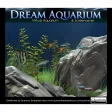
Dream Aquarium Screensaver
- 3.6
- Trial version
- 331.6K
Enhance Your Desktop with Dream Aquarium Screensaver
Download for WindowsOther platforms
3.6740 reviews
Animated aquarium visuals for a calmer desktop
- Live aquarium animation built for screen saver use
- Multiplatform support for Mac and Windows
- Trial version lets you test the visual effect first
- Focuses on a decorative background, not static images
Ideal for
- Mac desktop personalization
- Windows screen saver setup
- Decorative idle-screen visuals
Dynamic Features
8 / 10Live and interactive wallpapers: animation quality and performance impact.Image Quality & Variety
5 / 10Wallpaper collection: resolution, category diversity, and freshness of content.Personalization Options
5 / 10Scheduling, cropping, lock vs home screen differentiation, and ease of setting.
The draw here is the animated aquarium effect, which gives desktops a more atmospheric idle screen than a static wallpaper. As a trial version, it suits anyone who wants to preview the look before committing, though it stays firmly in the screen saver lane rather than offering broad wallpaper controls.
Alijah Raechel Nuestro - Free Download for Android
Other platforms
4.5SCREENSAVER is a free Android app designed by SZRKTL in the Personalization category. The app is created to provide convenience and practicality with its…
- Download for Windows
Other platforms
4.5SereneScreen Marine Aquarium is a captivating screen saver application designed for Mac users, offering a stunning underwater experience. This trial version software allows users…
- Free Download for Windows
Other platforms
2.737 reviews
Flurry Screensaver is a free personalization tool designed for Windows users who want to enhance their desktop experience. This screensaver features a visually appealing…

Frequently asked questions (FAQs) about this topic
Do 3D screensavers use a lot of system resources?
They can, especially if they render complex effects in real time. Lightweight screensavers are usually fine on most modern PCs, but older hardware may need simpler animations. If performance matters, look for low-CPU options and adjustable graphics settings.
Can 3D screensavers damage an LCD monitor?
No, modern LCD and LED displays are not harmed by screensavers. They were originally used to prevent burn-in on older CRT monitors. Today they are mostly decorative, though they can still help avoid static images staying on screen for long periods.
Can a 3D screensaver also work as a wallpaper?
Some can, but not all. A few tools offer both screensaver and animated background modes, while others are limited to idle-screen display only. Check the feature list if you want the same visual effect on your desktop all day.
How do I choose a good 3D screensaver?
Look for smooth animation, clear visuals, and settings that let you adjust speed, quality, and sound. Compatibility with your operating system is essential, and a good screensaver should wake cleanly without glitches. If you want something practical, choose one that stays lightweight in the background.