Animation Studio for Windows: Tools for Creators | 10
Update: Sep 7, 2026 · 80 apps reviewed
Animation studio software for Windows covers everything from frame-by-frame drawing and cut-out animation to motion graphics, compositing and simple 3D scenes. The best tools balance a smooth timeline, responsive playback and strong export options, while also giving creators enough control over layers, rigs, effects and audio sync. Some are built for beginners who want an approachable workspace; others are aimed at artists producing professional shorts, explainers or game assets. Choosing well depends on your workflow, hardware and whether you need 2D animation, 3D support or a full post-production pipeline. Explore top picks for Windows.

Top programs about Animation Studio For Windows
Choose Softonic on Google and you'll see more of our articles in Top Stories, AI Overviews and AI Mode.
- 3.5
101 reviews
Template-based banner and intro animation creation
- Build flash banners, intros, and web animations from templates
- Customize text, background, font, color, and text position
- Create up to five lines of animated text effects
- Choose from a wide range of themed text and background layouts
Ideal for
- Website banners for small businesses
- Flash-style intros for landing pages
- Themed text animations with custom copy
Animation & Motion
4 / 10Keyframing, rigging, physics, particles, and broadcast-quality animation.File Compatibility & Pipeline
3 / 10Import/export formats and compatibility with Unity, Unreal, and Adobe.Modeling & Rendering Power
3 / 10Modeling tools, texturing, lighting, and render quality and speed.
Anim-FX keeps animation work focused on templates, so it suits quick website banners and simple intros more than complex motion pipelines. The trade-off is clear: you get fast, inexpensive results with flexible text styling, but not the modeling, rigging, or export depth expected in pro 3D or CAD tools.
Gerard Patrick Cadiang - 3.2
84 reviews
Beginner-friendly animation on a Windows trial build
- Animation-focused tools for creating beginner-level motion
- Trial version lets you test the workflow before buying
- Windows-only build for desktop animation projects
- Published by Toon Boom, a known animation software maker
Ideal for
- Windows animation learners
- Trial-based evaluation projects
- Desktop cartoon storyboards
Animation & Motion
7 / 10Keyframing, rigging, physics, particles, and broadcast-quality animation.File Compatibility & Pipeline
3 / 10Import/export formats and compatibility with Unity, Unreal, and Adobe.Modeling & Rendering Power
3 / 10Modeling tools, texturing, lighting, and render quality and speed.
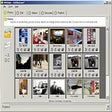
Toon Boom Studio Express is a stripped-down entry point into animation, with a trial build that lets beginners explore the workflow on Windows before committing. It fits early-stage desktop animation work, but the limited trial-only access makes it more of a testing ground than a full production tool.
Gerard Patrick Cadiang - 4.7
Physically based rendering for animation and VFX
- Physically based global illumination for realistic light transport
- Built for animation and visual effects rendering workflows
- Works with 3ds Max, Blender, and Maya pipelines
- Open-source engine backed by VFX industry volunteers
Ideal for
- 3D artists in studio pipelines
- Blender and Maya production handoff
- TV docs and promo video renders
Modeling & Rendering Power
8 / 10Modeling tools, texturing, lighting, and render quality and speed.File Compatibility & Pipeline
7 / 10Import/export formats and compatibility with Unity, Unreal, and Adobe.Animation & Motion
6 / 10Keyframing, rigging, physics, particles, and broadcast-quality animation.
appleseed focuses on high-quality final rendering rather than broad modeling or animation tools, and that makes it valuable when lighting realism matters most. I like its compatibility with major 3D apps and its open-source, industry-backed development, but it is best understood as a rendering engine, not a full production suite.
Gerard Patrick Cadiang - 4.8
Real-time Lottie playback for After Effects animations
- Renders Adobe After Effects animations in real time
- Uses media-player style controls for quick scrubbing
- Lets you save animations for later review
- Share and analyze motion samples from the app
Ideal for
- Android animation QA
- After Effects preview workflows
- Motion sample review
Animation & Motion
6 / 10Keyframing, rigging, physics, particles, and broadcast-quality animation.File Compatibility & Pipeline
4 / 10Import/export formats and compatibility with Unity, Unreal, and Adobe.Modeling & Rendering Power
3 / 10Modeling tools, texturing, lighting, and render quality and speed.
The app’s main value is real-time playback of After Effects animations on Android, which makes it useful for checking motion without leaving the phone. It is clearly a sample for the broader Lottie platform, so the trade-off is limited depth beyond viewing, saving, sharing, and analysis.
Gerard Patrick Cadiang