

Editor's choice
Audio Recording Software for Clean, Flexible Capture
Update: Sep 7, 2026 · 8 apps reviewed
Audio recording software is built to capture voices, instruments and ambient sound with enough control to keep every take usable. The strongest options go beyond a simple record button, offering low-latency monitoring, multi-track capture, editing tools, and export settings that match podcasts, music demos or voiceovers. Some users need a lightweight recorder for quick notes, while others want studio-grade workflows with routing, effects and session management. The best choice depends on how cleanly it records, how much control it gives over levels and inputs, and whether it fits your hardware and workflow.
Top programs about Audio Opname Software
Keep up with Softonic
Get our latest tech news first, wherever you read.
- Download for Windows
Other platforms
51 reviews
Practice-focused audio tools for Mac sessions
- Tools for shaping audio practice sessions on Mac
- Supports music, speech, and other audio workflows
- Built for both beginners and advanced users
- Trial version for exploring the workflow first
Ideal for
- Mac audio learners
- Music and speech rehearsal
- Trial-before-buy evaluation
Editing Toolset
5 / 10Depth of editing: multitrack, effects, MIDI, and instrument or loop libraries.Export & Workflow
5 / 10Output formats, batch processing, plugin support, and DAW integration.Recording Quality
5 / 10Input flexibility, recording fidelity, latency, and monitoring features.
PracticeSession is built around structured audio practice rather than full-scale editing depth, so it fits Mac users who want a focused rehearsal environment. I’d treat it as a practical trial-first tool for refining music or speech performance, but not as a substitute for a broader production suite.
Martin Francis Hernandez - 4.7
AudioConnect Omroep Brabant is an Android app developed by Technica Del Arte BV. This free app is designed to provide high-quality audio connections to…
- 4
De Oorzaak is a sound app that allows users to measure and visualize sound in their surroundings. It offers three measurement options: Decibel values…
- 4.9
WavoAI Recorder is a free Chrome add-on designed for users who need to record and transcribe audio from their current browser tab, specifically targeting…
- 4.5
3 reviews
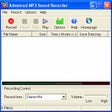
Advanced MP3 Sound Recorder is a regular, trial version software only available for Windows, that belongs to the category Audio software with subcategory Audio…




Frequently asked questions (FAQs) about this topic
What should I look for in audio recording software?
Focus on input support, latency, track count and export formats first. If you record vocals or instruments, monitoring and level control matter just as much as the record button. A good app should also make it easy to trim mistakes and save in high-quality formats.
Do I need multi-track recording for podcasts?
Multi-track recording is very useful for podcasts with multiple speakers because it lets you edit each voice separately. It also helps if you want to reduce background noise or balance levels after the session. Solo shows can get by with simpler tools, but separate tracks give you more flexibility.
Can audio recording software reduce background noise?
Many tools include noise reduction, gates or basic cleanup effects, but they work best on a clean recording to begin with. A quiet room and a decent microphone usually matter more than software correction. For heavy noise, look for tools with dedicated restoration features.
Is free audio recording software good enough?
Free tools can be enough for voice notes, demos and simple podcast recording. The main limits are often advanced routing, plugin support or export options. If you need professional editing or complex sessions, paid software usually offers more control.