

Editor's choice
Audio Converter Tools for Fast Format Changes
Update: Sep 7, 2026 · 10 apps reviewed
Audio converters are built for one job: changing sound files into the format you need without losing more quality than necessary. The strongest tools handle common tasks like MP3, WAV, AAC and FLAC conversion, but also preserve metadata, batch-process large libraries and keep output settings under control. Some users only need a quick format swap for a phone or player, while others want finer control over bitrate, sample rate and channel layout. The best options balance speed, compatibility and clean output so your files are ready for playback, editing or sharing.
Top programs about Audioconverter
Choose Softonic on Google and you'll see more of our articles in Top Stories, AI Overviews and AI Mode.
- 4.8
Record high-quality audio, edit multiple tracks, and run noise reduction directly in the browser: Brisk Audio delivers recording, multitrack editing, and transcription in one…
- 4.6
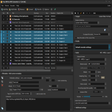
60X audiobook conversion with chapters and tags intact
- Convert AA and AAX to M4A, M4B, or MP3
- Run conversions up to 60X faster
- Preserve lossless quality with Original output
- Keep ID3 tags and audiobook chapters after conversion
Ideal for
- Audible listeners on multiple devices
- M4B chapter-based audiobook libraries
- Lossless AA/AAX conversion workflows
Processing Speed & Batch Support
8 / 10Conversion speed and ability to handle many files at once.Conversion Accuracy
5 / 10Format coverage, metadata preservation, and quality fidelity when converting.Additional Utilities
3 / 10Extra audio tools: cutting, merging, ringtones, text-to-speech, voice effects.
The standout here is the mix of 60X conversion speed and solid metadata handling, including ID3 tags and chapters. I’d recommend it to Audible listeners who want clean M4A, M4B, or MP3 output fast, but the narrow format support keeps it from being a broad audio converter.
Martin Francis Hernandez - Download for Windows
Other platforms
11 reviews
Audible-to-DRM-free conversion with chapter retention
- Removes Audible AA/AAX encryption for offline listening
- Converts books to MP3, M4A, WAV, and FLAC
- Preserves chapter info and ID3 tags after conversion
- Batch-converts in a few clicks without iTunes
Ideal for
- Audiobook listeners on the go
- FLAC and MP3 library exports
- No iTunes or Audible login
Conversion Accuracy
8 / 10Format coverage, metadata preservation, and quality fidelity when converting.Processing Speed & Batch Support
8 / 10Conversion speed and ability to handle many files at once.Additional Utilities
4 / 10Extra audio tools: cutting, merging, ringtones, text-to-speech, voice effects.
The strongest selling point here is chapter retention alongside AA/AAX conversion to common formats, which keeps long audiobooks navigable after export. The free trial is heavily restricted, so the value really depends on whether you need batch conversion and metadata preservation often enough to justify a paid plan.
Martin Francis Hernandez - 4.7
Kotobee Narrator is a user-friendly utility designed for Windows that allows users to convert MP3 files into high-quality audiobooks effortlessly. With its intuitive interface,…
- 4.1
OGG To MP3 is a free program for Chrome, that makes part of the category 'Add-ons & Tools'.
- 4.7
AIFF to WAV Converter is a Chrome extension developed by devteamrspark. It falls under the category of Browsers and is specifically classified as an…
- 4.7
Audio Transposer is a subscription-based multimedia tool designed for Firefox, focusing on graphic and design applications. This program allows users to transpose audio pitch…





Frequently asked questions (FAQs) about this topic
Which audio format is best for keeping quality?
FLAC is the most common lossless choice for archiving because it preserves the original audio while compressing the file. WAV is also uncompressed and widely supported, but it produces much larger files. For everyday listening, MP3 or AAC is usually more practical.
Can audio converters batch convert multiple files?
Yes, many audio converters support batch conversion so you can process entire folders at once. This is especially useful when standardising a music library or preparing many clips for a project. Look for queue management and folder output options if you convert often.
Do audio converters reduce sound quality?
Lossy formats such as MP3 and AAC do reduce quality to save space, especially at lower bitrates. Lossless conversions, like FLAC to WAV or vice versa, do not remove audio detail. The final result depends on the source file, target format and export settings you choose.
Can I convert audio for phones and portable players?
Yes, audio converters are often used to create files that work on older phones, MP3 players and car stereos. Choosing a widely supported format such as MP3 usually avoids compatibility issues. Some tools also let you optimise bitrate and file size for limited storage.