Bitmap Graphics Software for Pixel-Perfect Editing | 2

Update: Sep 7, 2026 · 43 apps reviewed

Bitmap graphics software is built for editing images pixel by pixel, which makes it ideal for photo retouching, digital painting, web graphics and detailed texture work. The strongest tools balance precise brush control, layer support, selection tools and export options for common image formats. Some focus on quick edits and lightweight workflows, while others are better suited to illustrators and designers who need advanced color control and non-destructive editing. Choosing well means matching the tool to your file type, workflow speed and how much precision your projects demand.

Gerard Patrick Cadiang

Gerard Patrick Cadiang

Games & Software Writer

Gamer-turned-writer and 3D artist, Gerard covers software and video games with a blend of technical knowledge and creative flair. His passion for games since childhood now fuels his professional work.

Top programs about Bitmap

  • 1

    1 reviews

    Bitmap-to-vector conversion for clean scaling

    • Converts bitmap images into scalable vector art
    • Turns JPEG and PNG files into SVG output
    • Supports PDF and DXF export options at release
    • Upload by drag-and-drop, button, or shortcut

    Ideal for

    • Logo cleanup for print files
    • SVG handoff for designers
    • Browser-based vector tracing
    • Design Capabilities

      5 / 10
    • Export & Collaboration

      5 / 10
    • Template & Asset Ecosystem

      3 / 10
    Vectorizer AI stands out for quick bitmap-to-vector conversion in the browser, especially when you need artwork that stays sharp in print or at any zoom level. The trade-off is narrow file support right now, with JPEG and PNG as the main inputs and broader export formats still tied to the full release.

    Gerard Patrick Cadiang
  • Choose Softonic on Google and you'll see more of our articles in Top Stories, AI Overviews and AI Mode.

  • 4.5

    Bitmap-to-vector conversion with detailed control

    • Converts bitmap images into vector graphics in seconds
    • Supports a wide range of input file formats
    • Tuned settings help shape logo and icon output
    • Includes bitmap effects for scanned hand-drawn art

    Ideal for

    • Logo cleanup for print-ready artwork
    • Icon tracing from raster files
    • Scanned sketches for graphic designers
    • Design Capabilities

      5 / 10
    • Export & Collaboration

      5 / 10
    • Template & Asset Ecosystem

      3 / 10
    The tool gets straight to the point for designers who need quick bitmap-to-vector conversion without a lot of setup. Its drag-and-drop workflow and broad settings help, but the lack of color vectorization, OCR, and support for poor-resolution images limits tougher cleanup jobs.
    Gerard Patrick Cadiang
  • 4.7

    Pro-grade layer editing with Photoshop shortcut support

    • Masks and layers for precise image composition
    • Filters for creative effects and targeted corrections
    • Cloning, blurring, and red-eye correction tools
    • Vector file handling for mixed graphic workflows

    Ideal for

    • Mac-based design studios
    • Photoshop shortcut switchers
    • Vector and raster workflows
    • Export & Collaboration

      6 / 10
    • Design Capabilities

      6 / 10
    • Template & Asset Ecosystem

      4 / 10
    Affinity Photo brings serious layer-based editing and vector handling to graphic design work, with enough masking, filters, and retouching tools to handle professional image comps. Its Photoshop shortcut compatibility and sub-$60 price make it especially compelling for designers who want depth without the usual Adobe cost.
    Gerard Patrick Cadiang
  • 3.4

    16 reviews

    Lighting effects that rescue flat photos

    • Add multiple light sources to reshape dull images
    • Apply colored filters for blue skies or sunset tones
    • Change surface qualities and image mood in one pass
    • Use 3D relief effects for more dramatic photo edits

    Ideal for

    • Sky replacement-style photo fixes
    • Landscape mood adjustments
    • JPEG and bitmap image work
    • Export & Collaboration

      5 / 10
    • Design Capabilities

      4 / 10
    • Template & Asset Ecosystem

      3 / 10
    The tool stands out for turning flat photos into more dramatic compositions with layered lighting, color casts, and relief effects. Its edits can look artificial, but for quick image enhancement in JPEG or bitmap workflows, it delivers a lot of creative range with very little effort.
    Gerard Patrick Cadiang
  • 3.2

    93 reviews

    Pixel art and bitmap editing without the bloat

    • Draw and edit pixel art and bitmap images
    • Use layers to build up detailed compositions
    • Apply color palettes, filters, and text tools
    • Supports multiple image formats for flexible export

    Ideal for

    • Windows pixel artists
    • Bitmap cleanup and touch-ups
    • Simple image format workflows
    • Design Capabilities

      6 / 10
    • Export & Collaboration

      5 / 10
    • Template & Asset Ecosystem

      3 / 10
    mtPaint keeps the focus on practical bitmap work: layers, palettes, filters, and text tools cover the basics well for pixel art and image cleanup. Its lightweight Windows build is the real advantage, though the source points to breadth of tools more than polished collaboration or template support.
    Gerard Patrick Cadiang
  • 4.2

    Simple freehand drawing for quick bitmap sketches

    • Blank canvas for freehand drawing from scratch
    • Brush size controls for thicker or finer lines
    • Color picker for basic palette-based artwork
    • Eraser tool to correct mistakes as you draw

    Ideal for

    • Android doodles on the go
    • Basic line art practice
    • Simple image ideas without extras
    • Export & Collaboration

      4 / 10
    • Design Capabilities

      3 / 10
    • Template & Asset Ecosystem

      2 / 10
    The app keeps graphic work to the basics: a blank canvas, a few brush sizes, colors, and an eraser. I’d point beginners or anyone needing a fast Android sketch tool here, but designers who need layers, typography, or export control will outgrow it quickly.
    Gerard Patrick Cadiang
  • 4.2

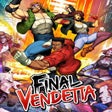
    Retro pixel art with co-op arcade action

    • Stunning pixel art that echoes classic arcade design
    • Fluid combat built for solo or 2-player co-op play
    • Distinct characters with unique abilities and styles
    • Energetic Utah Saints soundtrack for punchy pacing

    Ideal for

    • Retro arcade fans on Mac
    • Two-player local sessions
    • Pixel art action campaigns
    • Design Capabilities

      2 / 10
    • Export & Collaboration

      2 / 10
    • Template & Asset Ecosystem

      2 / 10
    The standout here is the polished pixel art, which gives the game a strong retro visual identity without feeling dated. I’d recommend it to players who want fast, character-driven beat ’em up action on Mac, though its appeal is firmly rooted in arcade combat rather than broader creative-tool workflows.
    Gerard Patrick Cadiang
  • 4.8

    CAD file viewing with batch convert-and-print tools

    • View 2D DWG and DXF drawings
    • Open 3D STEP models for inspection
    • Batch convert files across common CAD formats
    • Print multiple drawings in one workflow

    Ideal for

    • Technical drawing review teams
    • STEP model handoff workflows
    • High-resolution bitmap exports
    • Export & Collaboration

      5 / 10
    • Design Capabilities

      3 / 10
    • Template & Asset Ecosystem

      2 / 10
    VariCAD Viewer focuses on the practical side of graphic design work that involves technical drawings, not layout or branding. I like its batch conversion, batch printing, and 3D display controls, but the value here is clearly for CAD file handling rather than broader design production.
    Gerard Patrick Cadiang
Signed in to Softonic as