Cartoon Maker Software for Fun Character Design | 55

Update: Sep 7, 2026 · 435 apps reviewed

Cartoon maker software turns sketches, photos or simple shapes into expressive characters with bold outlines, flat colours and playful proportions. The strongest tools balance speed and control, giving you presets for faces, poses and backgrounds while still letting you tweak line work, colours and export formats. Some are built for quick social graphics, while others support more detailed illustration, animation-ready assets or print-friendly output. When choosing one, look for ease of use, drawing tools, layer support and enough style options to match your project, whether you're making avatars, comics, classroom visuals or branded content.

Gerard Patrick Cadiang

Gerard Patrick Cadiang

Games & Software Writer

Gamer-turned-writer and 3D artist, Gerard covers software and video games with a blend of technical knowledge and creative flair. His passion for games since childhood now fuels his professional work.

Top programs about Cartoon Maker

  • 4.2

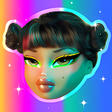
    Cartoon looks and face effects for playful photo art

    • Cartoonize photos into Marvel, Disney, sketch, and canvas styles
    • Apply 100+ advanced filters for stylized image finishes
    • Use the aging camera to preview how a face changes over time
    • Swap hairstyles with 20+ fashion looks and change backgrounds

    Ideal for

    • Portrait artists exploring stylized looks
    • Selfie makeovers with hairstyle changes
    • Background swaps for merged photo scenes
    • Brush & Drawing Engine

      3 / 10
    • Canvas & Layer Management

      3 / 10
    • Creative Workflow

      3 / 10
    The editor leans hard into playful photo transformation rather than drawing controls, with cartoon styles, filters, face aging, and hairstyle changes in one place. It suits casual creators who want fast visual experiments, but it is not aimed at brush-based illustration or layered artwork workflows.
    Gerard Patrick Cadiang
  • Choose Softonic on Google and you'll see more of our articles in Top Stories, AI Overviews and AI Mode.

  • 4.9

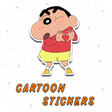
    WhatsApp sticker packs with one-tap adding

    • Browse multiple cartoon sticker categories
    • Add a chosen pack directly to WhatsApp
    • High-quality sticker artwork for chats
    • Simple pack selection and confirmation flow

    Ideal for

    • WhatsApp power chatters
    • Mobile sticker pack browsing
    • Funky chat reactions
    • Brush & Drawing Engine

      2 / 10
    • Canvas & Layer Management

      2 / 10
    • Creative Workflow

      2 / 10
    The main draw here is the direct WhatsApp handoff: pick a pack, tap Add to WhatsApp, and the stickers are ready to use. I’d recommend it to anyone who wants quick, high-quality cartoon reactions for chats, but OnePlus owners may need to disable battery optimization if packs disappear after a restart.
    Gerard Patrick Cadiang
  • 4.7

    Cartoon avatar builder with tons of custom parts

    • Mix eyes, eyebrows, mouths, and hairstyles
    • Choose hair colors, clothes, accessories, and pets
    • Create characters with simple tap-to-select controls
    • Save avatars on-device and share them with friends

    Ideal for

    • Kids' character makers
    • Avatar sharing with friends
    • On-device saved creations
    • Creative Workflow

      4 / 10
    • Brush & Drawing Engine

      3 / 10
    • Canvas & Layer Management

      3 / 10
    Avatar Factory focuses on quick cartoon character building rather than advanced drawing tools, so it fits casual avatar creation better than illustration work. The tap-based customization is broad enough to keep kids and hobbyists entertained, and the on-device saving is a handy touch, but it does not offer brush, layer, or canvas controls.
    Gerard Patrick Cadiang
Signed in to Softonic as