Clock Tools for Windows to Track Time Precisely | 5
Update: Sep 7, 2026 · 69 apps reviewed
Clock tools for Windows do more than show the current time on your desktop. The strongest options combine world clocks, alarms, timers, stopwatches and reminders in one place, making them useful for remote workers, students and anyone juggling multiple schedules. Good software stays visible without getting in the way, supports time zone changes cleanly and offers enough customization to fit your workflow. The best picks also balance accuracy with convenience, so you can track deadlines, time tasks and keep your day organized without relying on a browser tab or your phone. Explore top picks for Windows.

Top programs about Clock For Windows
Choose Softonic on Google and you'll see more of our articles in Top Stories, AI Overviews and AI Mode.
- 5
1 reviews
Real-time time display for simple daily tracking
- Shows the current time in real time
- Tracks time with a simple countdown timer
- Keeps timing tasks straightforward and visible
- Uses a clean, easy-to-read interface
Ideal for
- Students timing study sessions
- Office break and meeting timers
- Simple desktop time tracking
Task & Time Management
7 / 10Quality of to-dos, reminders, deadlines, and calendar integration.Capture & Organization
3 / 10How fast you can capture ideas and how flexibly you can organize them.Sync & Integration
3 / 10Cross-device sync and how well the tool plays with calendars, email, and widgets.
The tool keeps time tracking stripped down to the essentials, with a real-time clock and countdown function that are easy to follow at a glance. It suits anyone who wants a lightweight desktop utility for timing tasks, but it does not go beyond basic timing features.
Chennon Kyle CK Santaren - 4.6
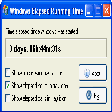
Turn any window into a live status board
- Shows time, date, drive space, and RAM in title bars
- Keeps key system info visible across any open window
- Hides the Windows Desktop for a cleaner workspace
- Sets reminder alerts, shutdowns, and 15-minute chimes
Ideal for
- Windows power users
- Desktop workspace cleanup
- Shutdown scheduling
Task & Time Management
7 / 10Quality of to-dos, reminders, deadlines, and calendar integration.Capture & Organization
3 / 10How fast you can capture ideas and how flexibly you can organize them.Sync & Integration
3 / 10Cross-device sync and how well the tool plays with calendars, email, and widgets.
The standout here is constant at-a-glance status: time, date, storage, and memory stay visible inside any window you have open. I’d use it for lightweight organization on Windows, but it’s more of a desktop utility than a full notes or task manager.
Chennon Kyle CK Santaren - 4.1
A customizable digital clock with global time zones
- Switch between 12-hour and 24-hour clock formats
- Display accurate real-time time at a glance
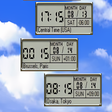
- Change time zones for different countries and regions
- Reach support by email or the website
Ideal for
- Remote teams across time zones
- Travel planning and coordination
- Desk clock replacement on screen
Capture & Organization
3 / 10How fast you can capture ideas and how flexibly you can organize them.Sync & Integration
3 / 10Cross-device sync and how well the tool plays with calendars, email, and widgets.Task & Time Management
3 / 10Quality of to-dos, reminders, deadlines, and calendar integration.
Exoclock 2.0 focuses on clear, customizable time display, with 12/24-hour formatting and quick time-zone switching that suits people coordinating across regions. It does not go beyond clock functions into notes or task management, so it works best as a visual time companion rather than a full planning tool.
Chennon Kyle CK Santaren - 5
9 reviews
Funny Body Clock is a free program for Windows, belonging to the category 'Utilities & Tools'.
- 3.4
4 reviews
A live tile clock that keeps time in view
- Displays a digital clock on a Windows 10 live tile
- Keeps the current time visible on the Start menu
- Acts as a lightweight clock utility for quick checks
- Free Windows-only app from gishtaki
Ideal for
- Windows 10 Start menu customizers
- Pinned-app workflow fans
- Free desktop utility collectors
Capture & Organization
3 / 10How fast you can capture ideas and how flexibly you can organize them.Sync & Integration
3 / 10Cross-device sync and how well the tool plays with calendars, email, and widgets.Task & Time Management
3 / 10Quality of to-dos, reminders, deadlines, and calendar integration.
The app’s main appeal is simple: it puts a digital clock on a Windows 10 live tile so the time stays visible without opening a separate window. It’s a narrow utility, so I’d treat it as a small convenience add-on rather than a broader planning or notes tool.
Chennon Kyle CK Santaren - 3.7
25 reviews
A transparent desktop clock for keeping time in view
- Transparent clock stays visible on the Windows desktop
- Free Windows clock app with a minimal footprint
- Keeps time at a glance without opening another window
- Fits simple planning setups that need constant visibility
Ideal for
- Windows desktop time tracking
- Always-on-screen reference clock
- Free lightweight utility
Capture & Organization
3 / 10How fast you can capture ideas and how flexibly you can organize them.Sync & Integration
3 / 10Cross-device sync and how well the tool plays with calendars, email, and widgets.Task & Time Management
3 / 10Quality of to-dos, reminders, deadlines, and calendar integration.
NovaClock is a straightforward desktop clock that keeps time visible without getting in the way. It suits Windows users who want a free, no-frills reference on screen, but it does not bring the notes, reminders, or calendar features that define fuller planning tools.
Chennon Kyle CK Santaren