Clock Screensaver for Windows with Stylish Displays
Update: Sep 7, 2026 · 23 apps reviewed
Clock screensavers keep time visible on an idle Windows PC while adding a clean, decorative look to the screen. Some focus on minimalist digital readouts, while others mimic analog clocks, flip displays, or ambient designs that suit offices, bedrooms, and shared workspaces. The best options balance readability, low system impact, and useful customization such as 12/24-hour formats, date display, and color control. Choose based on how visible you want the clock to be in the dark, whether you need a modern or classic style, and how well it matches your desktop setup. Explore top picks for Windows.
Top programs about Clock Screensaver For Windows
- Editor's Choice4.2
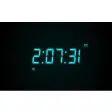
A desktop clock that stays readable from across the room
- Large flip-clock numerals with high contrast
- Per-monitor scaling for different resolutions
- Brightness and dimming controls for low light
- Runs as a native screensaver, not a window
Ideal for
- Office desks at a glance
- Minimalist desktop setups
- Low-light screensaver display
System Impact
6 / 10Battery drain, RAM consumption, and widget reliability across restarts and updates.Visual Customization
4 / 10Color, transparency, font, shape, and how well widgets blend with aesthetics.Widget Variety
3 / 10Types of widgets available: clock, weather, calendar, battery, music, and size options.
The native screensaver setup keeps Fliqlo lightweight and dependable, so it fills an idle monitor without adding a constant desktop window. Its trade-off is narrow customization and uneven Windows multi-monitor behavior, but the large, readable clock and dimming controls make it strong for minimalist setups.
Chennon Kyle CK Santaren - 4.4
A lightweight clock screensaver with a clean, calm look
- Minimalist clock display for idle screens
- Bright, cheerful visuals that stay clear at any resolution
- Light system use keeps it running without much overhead
- Single clock design with no alternate styles
Ideal for
- Minimal desktop ambience
- Low-overhead screensaver
- Single-style clock display
System Impact
8 / 10Battery drain, RAM consumption, and widget reliability across restarts and updates.Visual Customization
3 / 10Color, transparency, font, shape, and how well widgets blend with aesthetics.Widget Variety
2 / 10Types of widgets available: clock, weather, calendar, battery, music, and size options.
The clean clock face and light resource use make this a neat fit for desktops that need a calm screensaver without extra clutter. The trade-off is blunt: there is only one design, so it suits users who are happy with a fixed look rather than a customizable widget set.
Chennon Kyle CK Santaren - 3.2
65 reviews
Windows 7 Screensavers is a great, free program only available for Windows, that is part of the category Desktop customization software with subcategory Screensavers…
- 4
Neon analog time for an idle Windows screen
- Three neon arrows show hours, minutes, and seconds
- Red, green, and blue colors add a vivid glow
- OpenGL rendering keeps the animation smooth
- Designed as a Windows screensaver for idle desktops
Ideal for
- RGB desktop themes
- Windows screensaver collectors
- Idle PC display setups
System Impact
6 / 10Battery drain, RAM consumption, and widget reliability across restarts and updates.Visual Customization
5 / 10Color, transparency, font, shape, and how well widgets blend with aesthetics.Widget Variety
3 / 10Types of widgets available: clock, weather, calendar, battery, music, and size options.
The strong point here is the bold neon analog clock: it turns an idle Windows screen into a vivid time display without adding clutter. It is a narrow pick, though, since this is about one visual screensaver rather than a broader widget toolkit.
Chennon Kyle CK Santaren - 5
1 reviews
Built for custom screensavers with a trial-first workflow
- Creates custom screensavers for Windows desktops
- Trial version lets you test the workflow first
- Focused on screensaver-style visual personalization
- From Screensaver-makers, a Windows-only tool
Ideal for
- Windows desktop personalization
- Screensaver project testing
- Trial-before-buy setup
System Impact
4 / 10Battery drain, RAM consumption, and widget reliability across restarts and updates.Visual Customization
4 / 10Color, transparency, font, shape, and how well widgets blend with aesthetics.Widget Variety
3 / 10Types of widgets available: clock, weather, calendar, battery, music, and size options.
AJ Screensaver Maker is a straightforward pick if your goal is to build a custom Windows screensaver rather than tweak live widgets. The trial version keeps the commitment low, but the listing gives little evidence of the broader widget variety or deep visual controls that define stronger customization tools.
Chennon Kyle CK Santaren