Clock Themes for Stylish Home Screens and Widgets | 2

Update: Sep 7, 2026 · 170 apps reviewed

Clock themes turn a basic time display into a design element that matches your wallpaper, icons and overall device style. The best options go beyond simple skins, offering different fonts, layouts, colors and sometimes animated or minimalist looks for home screens and lock screens. When choosing clock theme software, look for easy customization, clear readability and widget support that fits your launcher or device. Strong tools make it simple to balance personality with practicality, so the time stays visible without clashing with the rest of your setup.

Chennon Kyle CK Santaren

Chennon Kyle CK Santaren

Tech & Lifestyle Writer

Tech and lifestyle writer with a sharp eye for digital trends, gaming gems, and productivity tools. CK draws on his e-commerce background to deliver concise, practical software recommendations.

Top programs about Clock Themes

  • 3.5

    26 reviews

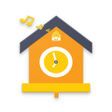
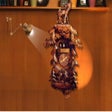
    Old-world clock styling for desktop personalization

    • Cuckoo clock visuals with an old-fashioned look
    • Desktop clock widget for constant time display
    • Personalization-focused styling for themed setups
    • Trial version lets you preview the design first

    Ideal for

    • Desktop theme collectors
    • Retro-style Windows setups
    • Trial before committing
    • Visual Customization

      5 / 10
    • System Impact

      4 / 10
    • Widget Variety

      3 / 10
    The appeal here is the nostalgic cuckoo-clock look, which gives a Windows desktop a more decorative feel than a plain clock widget. It suits users who care about visual customization more than extra widget types, but it stays narrowly focused on one clock style.
    Chennon Kyle CK Santaren
  • Keep up with Softonic

    Get our latest tech news first, wherever you read.

  • 4.9

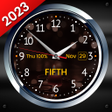
    Analog clock wallpaper with battery at a glance

    • Shows the current time in an analog clock layout
    • Displays battery level directly on the wallpaper
    • Lets you change the clock position on screen
    • Adjusts the clock size to fit your layout

    Ideal for

    • Android home screens
    • Battery-aware setups
    • Custom clock placement
    • System Impact

      6 / 10
    • Visual Customization

      5 / 10
    • Widget Variety

      4 / 10
    The main draw here is a live wallpaper that keeps time and battery status visible without extra clutter. It is a lightweight, no-fuss pick for anyone who wants a custom clock look and quick setup, but it stays narrowly focused on that one job.
    Chennon Kyle CK Santaren
  • 4.9

    Hourly chimes with spoken time and custom sounds

    • 10+ built-in chimes for half- and full-hour alerts
    • Speak the time with a custom title
    • Hours-only mode cuts down on repeated alerts
    • Wake screen or stop from the notification bar

    Ideal for

    • People who want audible time checks
    • Background alerts on an Android phone
    • MIUI devices needing auto-start setup
    • Visual Customization

      5 / 10
    • System Impact

      4 / 10
    • Widget Variety

      4 / 10
    The appeal here is the mix of custom sounds and spoken time, which gives this clock app more personality than a basic hourly chime. Its background reliability is solid enough for regular use, but MIUI owners may need to manage auto-start or recent-app locking to keep it running.
    Chennon Kyle CK Santaren
  • 4.7

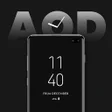
    Always-on clocks with deep display customization

    • Digital, analog, and emoji clock styles
    • Custom fonts, colors, text, and backgrounds
    • Shows date, day, battery percentage, and notifications
    • Brightness, vibration, music control, and 12/24-hour options

    Ideal for

    • Bedside always-on display
    • Battery and date at a glance
    • Custom clock faces for Android
    • Visual Customization

      8 / 10
    • Widget Variety

      5 / 10
    • System Impact

      4 / 10
    The strongest part here is the mix of always-on visibility and visual control, with enough style options to make the clock fit your screen instead of fighting it. It’s less about adding lots of widget types and more about giving you a highly customizable clock display with a few practical extras like battery, brightness, and music controls.
    Chennon Kyle CK Santaren
  • 4.9

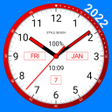
    Highly customizable analog clock for Android homescreens

    • Live wallpaper, widget, and standalone clock modes
    • Custom colors, backgrounds, images, and fonts
    • Show or hide seconds, digital time, and hands
    • Battery, date, day, month, and voice time readout

    Ideal for

    • Android home screen styling
    • Clock with battery readout
    • Resizable widget layouts
    • Visual Customization

      8 / 10
    • System Impact

      6 / 10
    • Widget Variety

      4 / 10
    Color Analog Clock-7 is strongest when you want a clock widget that matches your wallpaper and theme instead of fighting them. The trade-off is focus: it covers clock customization well, but it stays in that lane rather than offering the broader widget mix some homescreen tools provide.
    Chennon Kyle CK Santaren
  • 4.8

    A retro screen saver with live wallpaper flair

    • Back to the Future-style screen saver for Android displays
    • Live wallpaper support for phones, tablets, and Android TV
    • Clear in-app setup steps for screen saver activation
    • Controls for when the saver appears while docked or charging

    Ideal for

    • Retro movie fans
    • Android TV home screens
    • Idle display customization
    • System Impact

      4 / 10
    • Visual Customization

      4 / 10
    • Widget Variety

      3 / 10
    The draw here is the nostalgic Back to the Future look, and it works best as a decorative idle screen rather than a full widget suite. I like that it covers phones, tablets, and Android TV with straightforward screen-saver controls, but the customization scope is narrow compared with broader widget apps.
    Chennon Kyle CK Santaren
  • 4.9

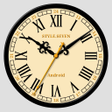
    Classic analog styling with deep clock-face control

    • Choose Roman or Arabic numerals for the dial
    • Pick from three dial and hand styles
    • Set seven color themes plus custom colors
    • Add a title, background image, and second hand widget

    Ideal for

    • Android home screen decorators
    • Live wallpaper clock setups
    • Android 12+ second-hand widgets
    • Visual Customization

      6 / 10
    • System Impact

      4 / 10
    • Widget Variety

      4 / 10
    The strongest draw here is how far it lets you personalize a plain analog clock, from numerals and hands to titles, colors, and background images. I also like the Android 12+ widget with a second hand, though the free version’s ads mean the cleanest setup sits behind the PRO upgrade.
    Chennon Kyle CK Santaren
  • 4.4

    Retro styling controls for your Android clock widget

    • Color schemes to match your home screen palette
    • Transparency settings for lighter or bolder placement
    • Shortcut app links from the clock widget
    • Requires Retro Clock Widget 2.0 already installed

    Ideal for

    • Android theming fans
    • Homescreen shortcut setups
    • Retro Clock Widget 2.0 setups
    • Visual Customization

      7 / 10
    • System Impact

      6 / 10
    • Widget Variety

      4 / 10
    The appeal here is narrow but clear: it adds color, transparency, and shortcut control to an already installed Retro Clock Widget 2.0. I’d recommend it for Android customizers who want a nostalgic clock that blends into their setup without extra clutter, though it only matters if you already use the companion widget.
    Chennon Kyle CK Santaren
Signed in to Softonic as