4.9
Casual Fords: COLORS adds dozens of color variants to the Casual Ford avatar, letting players swap visual styles while keeping the avatar's original proportions…
Update: Sep 7, 2026 · 49 apps reviewed
Coloring apps for Windows turn simple outlines into a low-pressure digital art session. The best options balance clean brush or fill tools, a broad palette, and smooth zooming so you can work on tiny details without frustration. Some are built for quick relaxation, while others add layer support, importable line art, and export options for polished results. Choosing the right one depends on whether you want a calming pastime, a family-friendly activity, or a more capable creative workspace with precise controls and printable output. Explore top picks for Windows.
Casual Fords: COLORS adds dozens of color variants to the Casual Ford avatar, letting players swap visual styles while keeping the avatar's original proportions…
Choose Softonic on Google and you'll see more of our articles in Top Stories, AI Overviews and AI Mode.
Brush & Drawing Engine
Creative Workflow
Canvas & Layer Management
Rainbow Board keeps drawing stripped down to the basics, with a blank canvas, brush sizing, undo/redo, and a line tool that covers simple illustration work. The trade-off is clear: it’s free and approachable, but glitches, limited depth, and the lack of circular elements make it better for rough sketches than polished artwork.
5 reviews
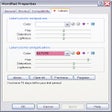
Xentient Labels is a handy, trial version Windows software, that belongs to the category Software utilities with subcategory Task Bar Start Menu & Explorer…
Brush & Drawing Engine
Canvas & Layer Management
Creative Workflow
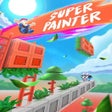
The appeal here is the mix of tile-painting and level strategy, backed by bright visuals and straightforward controls. It reads more like a playful action-puzzle game than a drawing tool, so the trade-off is clear: fun and accessible, but not a fit for users expecting traditional illustration features.
ColourIt is a versatile drawing and coloring app available on Android, designed for users of all ages. It offers a user-friendly interface that allows…
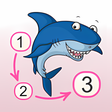
Ocean - Connect The Dots And Add Colors is a full version program for Windows, that belongs to the category 'Lifestyle'.
3 reviews
Fake Colours is a full version Windows program, that is part of the category Games and has been created by Forthright Entertainment.