4.5
Simple Lock-On SKSE is a new site tutorial created by himika, who is also the developer of Skyward sword. This was created to help…
Update: Sep 7, 2026 · 36 apps reviewed
Desktop lock tools protect what is on your screen when you step away, making it harder for coworkers, family members, or passersby to view or use your session. Good options go beyond a simple password prompt: they can blur the desktop, lock automatically after inactivity, and keep apps or files out of sight until you return. The best choices balance speed, reliability, and low system overhead, while still offering extras like hotkeys, inactivity timers, and multi-monitor support. Pick based on how quickly you need to secure the screen and how much control you want over what gets hidden.
Simple Lock-On SKSE is a new site tutorial created by himika, who is also the developer of Skyward sword. This was created to help…
Choose Softonic on Google and you'll see more of our articles in Top Stories, AI Overviews and AI Mode.
Zipper Lock Screen: Lite & Fun is an engaging lock screen application designed for Android devices, blending security with entertainment. This app transforms the…
Download this beauty design locks and find out how beautiful the Gold Diamond Zipper Lock screen wallpaper is. It can be used for free…
32 reviews
Feature Breadth
Security Architecture
Usability & Convenience
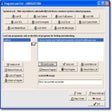
Program Lock Pro focuses on one narrow job: locking individual Windows applications behind a password. It makes sense on shared PCs or office machines where you want to restrict a few programs without changing the rest of the system.