Emulator Games for Classic Play on Modern PCs | 2

Update: Sep 7, 2026 · 112 apps reviewed

Emulator games let you revisit console and handheld classics on modern hardware, often with sharper visuals, save states and controller support that the original systems never had. The best options balance authenticity with convenience, preserving timing, audio and input feel while still offering quality-of-life features like fast-forward, remapping and widescreen tweaks. Choice matters because some emulators focus on a single platform, while others support multiple systems with different levels of accuracy and performance. If you want smooth gameplay, look for strong compatibility, low latency and reliable save management, especially for action games and long RPG sessions.

Gerard Patrick Cadiang

Gerard Patrick Cadiang

Games & Software Writer

Gamer-turned-writer and 3D artist, Gerard covers software and video games with a blend of technical knowledge and creative flair. His passion for games since childhood now fuels his professional work.

Top programs about Emulator Games

  • 3.6

    311 reviews

    Java mobile apps with strong device emulation

    • Loads JAR files and runs J2ME Java apps
    • Emulates many mobile phone models and APIs
    • Supports 2D and 3D graphics engines
    • Captures video and still images from sessions

    Ideal for

    • J2ME app testing on Windows
    • Mobile game compatibility checks
    • Keyboard or on-screen control mapping
    • Compatibility Breadth

      8 / 10
    • Configuration & Control

      6 / 10
    • Integration & Ecosystem

      5 / 10
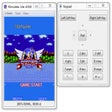
    KEmulator stands out for its broad J2ME compatibility and support for multiple phone models, which makes it useful for running older Java apps and games on Windows. The trade-off is a less accessible interface, but the performance, graphics options, and capture tools are strong enough to matter for serious testing and playback.
    Gerard Patrick Cadiang
  • Keep up with Softonic

    Get our latest tech news first, wherever you read.

  • 3.2

    5 reviews

    DOS and Windows gaming on a mobile emulator

    • Runs DOS games and some Windows titles on mobile
    • Boots DOS and Windows environments for legacy apps
    • Maps controls, keyboards, joysticks, and peripherals
    • Scales the screen and frame rate across devices

    Ideal for

    • Retro PC game fans
    • Legacy software on a phone
    • Multi-controller setup on mobile
    • Configuration & Control

      8 / 10
    • Compatibility Breadth

      6 / 10
    • Integration & Ecosystem

      6 / 10
    DosBox Turbo stands out for bringing DOS games, some Windows titles, and even full environments to mobile with deep control mapping and screen scaling. I like it for retro play and legacy software, but the freezes and long-standing bugs make stability the main trade-off.
    Gerard Patrick Cadiang
  • 4

    254 reviews

    Retro gaming across 18+ classic systems

    • Emulates games from 18+ classic consoles and arcades
    • Supports PS3, PS2, PS1, PSP, N64, DS, and more
    • Finds and downloads ROMs directly from the app
    • Adapts controls, screen size, and resolution automatically

    Ideal for

    • Retro gamers on Android, iOS, and Windows
    • Classic console libraries from NES to SEGA
    • Play on phones, tablets, and laptops
    • Compatibility Breadth

      8 / 10
    • Configuration & Control

      7 / 10
    • Integration & Ecosystem

      6 / 10
    Happy Chick’s biggest strength is its broad classic-game support, with direct in-app ROM search and automatic control and screen adjustments that cut setup time. The trade-off is occasional lag, so it’s best for players who value convenience and range over perfect performance.
    Gerard Patrick Cadiang
  • 4.1

    Retro Android emulation with battery-efficient play

    • Runs thousands of classic console titles on Android devices
    • Quick save and load with multiple save slots
    • Smooth emulation tuned for stable, high-quality graphics
    • Battery-efficient design for longer play sessions

    Ideal for

    • Retro gamers on Android
    • Travel play without draining battery
    • Classic title libraries
    • Compatibility Breadth

      8 / 10
    • Integration & Ecosystem

      6 / 10
    • Configuration & Control

      5 / 10
    The strongest hook here is broad compatibility with thousands of classic titles, plus quick saves that make stop-and-start play practical on Android. It’s best for retro gaming on the go, though the source material doesn’t suggest the deeper CPU, RAM, or input controls that power users often expect from emulators.
    Gerard Patrick Cadiang
  • 5

    1 reviews

    Retro libraries with art-rich, auto-sorted game sets

    • Scans storage and catalogs ROMs into one library
    • Fetches metadata, box art, and video previews automatically
    • Merges regional versions and revisions into one entry
    • Supports deep themes, controller mapping, and grid layouts

    Ideal for

    • Classic game collectors
    • Handheld controller setups
    • Themed arcade-style libraries
    • Compatibility Breadth

      6 / 10
    • Configuration & Control

      6 / 10
    • Integration & Ecosystem

      6 / 10
    Dig - Emulator Front-End turns a messy ROM archive into a polished, browsable library with strong scraping and smart set merging. I like it most for classic game collectors who want a console-like front end, but emulator setup still takes work and some metadata will need manual correction.
    Gerard Patrick Cadiang
  • 4

    4 reviews

    Wide file support for mobile Xbox 360 emulation

    • Supports .mdf, .toc, .jar, .obb, .iso, and more
    • Runs on mobile for on-the-go emulation sessions
    • Mimics the Xbox 360 look and feel in the UI
    • Requires your own BIOS and game images to work

    Ideal for

    • Mobile gamers testing legacy titles
    • BIOS and game-image setup workflows
    • Phone-based emulator experiments
    • Configuration & Control

      5 / 10
    • Integration & Ecosystem

      5 / 10
    • Compatibility Breadth

      4 / 10
    The wide file support and mobile-first design make this tool appealing for people who want an Xbox 360-style emulator on a phone. Compatibility can be hit or miss, though, and you still have to supply your own BIOS and game images.
    Gerard Patrick Cadiang
  • 4

    99 reviews

    GameCube and Wii emulation with save-state control

    • Emulates Nintendo GameCube and Wii titles on Android
    • Runs original game media from ISO files and discs
    • Save and reload states for mid-game checkpoints
    • Free open-source build with 64-bit-only support

    Ideal for

    • Retro Nintendo fans
    • Original disc backups
    • 64-Bit Android devices
    • Configuration & Control

      6 / 10
    • Integration & Ecosystem

      6 / 10
    • Compatibility Breadth

      5 / 10
    Dolphin Emulator covers two classic Nintendo systems with solid extras like save states and support for original game media. The trade-off is clear: not every GameCube or Wii title runs at full speed, and 32-bit hardware is out.
    Gerard Patrick Cadiang
  • 4.1

    One launcher for classic consoles on Android

    • Unifies multiple console cores in one launcher
    • Runs retro titles at 60 FPS with HD upscaling
    • Maps touch controls with a layout editor
    • Loads .iso, .gba, .nds, .zip, and .7z files

    Ideal for

    • Tablet retro gaming setups
    • Bluetooth controller play
    • Cloud-synced save sessions
    • Configuration & Control

      7 / 10
    • Compatibility Breadth

      6 / 10
    • Integration & Ecosystem

      6 / 10
    The strongest draw here is consolidation: it brings multiple retro console cores into one Android hub, with save states, controller support, and broad archive and ROM-format handling. The catch is that you have to supply and organize your own legally obtained files, and the experience feels best with a physical controller rather than touch alone.
    Gerard Patrick Cadiang
Signed in to Softonic as