Editor's choice
4.8
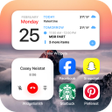
Launcher for Android - Fast, Light & Latest LauncherAre you looking for the best way to personalize your Android phone? Do you want to…
Update: Sep 7, 2026 · 18 apps reviewed
Free Nova Launcher-style apps focus on fast, flexible Android home screens without the clutter of heavy skins. The best options combine smooth app drawer navigation, gesture shortcuts, icon and widget control, and enough layout freedom to make a phone feel truly personal. Some users want a minimalist setup with clean performance, while others need deep theming, badge controls, or backup and restore tools for multiple devices. Good choices stand out by balancing speed, stability, and customization depth, especially on phones where the default launcher feels restrictive or slow.
Launcher for Android - Fast, Light & Latest LauncherAre you looking for the best way to personalize your Android phone? Do you want to…
Choose Softonic on Google and you'll see more of our articles in Top Stories, AI Overviews and AI Mode.
Let gravitational force get into your phone or tablet and make the screen more exciting with the GRAVITY LAUNCHER VS app.This fun and innovative…
1 reviews
Performance & Stability
Customization Depth
Theme Variety
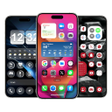
The strongest part of this launcher is its mix of visual customization and practical navigation, from icon packs and widgets to smart search and an app library. I’d rate it highest for people who want to refresh the look of Android without giving up quick access to apps, contacts, and files.
Customization Depth
Performance & Stability
Theme Variety
Launcher iOS focuses on visual transformation rather than deep launcher control, so it suits Android users who want a quick iOS-inspired refresh with themes, widgets, and animated extras. The trade-off is that the appeal is mostly cosmetic, but the clean layout and broad styling options make it straightforward to give a device a noticeably different look.
Circle Theme for Apex and Nova is a free personalization application developed by Geekiest for Android devices. As the name suggests, this theme is…
Performance & Stability
Customization Depth
Theme Variety
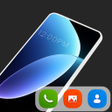
The strongest point here is the focused Tecno Phantom X styling, with HD stock wallpapers and matching icons built around a simple apply flow. It depends on a linked launcher for the full effect, so this is more of a theme pack than a deep launcher replacement.
Download Monoic SQ Black - Free Monotone Black Icon Pack for Nova Launcher for Free and customize your Android device with stunning and awesome…
LC Christmas Theme for Nova/Apex Launcher is a personalization theme that allows you to change the look of your desktop/home screen and application drawer…