Editor's choice
Free Download for Windows
Other platforms
4
195 reviews
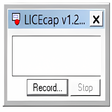
LICEcap is an easy-to-use, popular, and free desktop utility program to capture a specific area of your screen. It allows you to export the…
Update: Sep 7, 2026 · 13 apps reviewed
GIF animator tools for Mac turn short clips, screenshots and frame-by-frame drawings into lightweight animations that loop cleanly across the web. The best options make it easy to trim frames, control timing, add text or stickers, and export files that stay small without looking choppy. Some are built for casual meme creation, while others suit designers who need precise frame control for product demos, tutorials or social posts. When choosing one, look at export quality, editing precision, file-size handling and how smoothly it fits into macOS workflows. Explore top picks for Mac.
195 reviews
LICEcap is an easy-to-use, popular, and free desktop utility program to capture a specific area of your screen. It allows you to export the…
Get our latest tech news first, wherever you read.
6 reviews
GIF Brewery is a free Mac software, that belongs to the category Audio & Video.
5 reviews
GIPHY Capture The GIF Maker is a free program only available for Mac, being part of the category Audio & Video.
Isadora is an elegant typeface family designed for Windows, offering a blend of delicate curves and a hand-drawn charm. Its slender letterforms feature graceful…
PicGIF Lite is a free software only available for Mac, belonging to the category Design & Photography.
10 reviews
Gifrocket is a free program only available for Mac, that belongs to the category Design & Photography with subcategory Animation and has been created…
Gifox is a utility tool designed for Mac users that allows for seamless GIF recording and sharing. This free application provides an intuitive interface,…
Text on Gif is a simple, lightweight application for adding text to Gif animations. You can change the colour of the fonts, as well…