Android Launchers for Faster, Smarter Home Screens | 77

Update: Sep 7, 2026 · 623 apps reviewed

Android launchers change the way your phone looks, feels and responds every time you unlock it. They can replace the home screen, app drawer, gestures, icon layout and even the way you search or organise apps, making them one of the most effective ways to personalise a device. The best options balance speed, stability and deep customisation without draining battery or cluttering the interface. When choosing one, look at gesture support, icon pack compatibility, privacy controls and how well it handles widgets, folders and dark mode.

Gale Ann Villagomesa

Gale Ann Villagomesa

Gaming Content Writer

Filipina content writer covering lifestyle and games. Self-admittedly too easily addicted to play them, she now writes about cozy and PvP titles — making resistance officially impossible.

Top programs about Launcher Android

  • 4.5

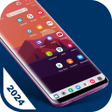
    Minimalist launcher styling with a vivid abstract backdrop

    • Black-and-white launcher layout with a clean dock
    • Search bar for quick access to apps and content
    • Shortcuts to frequently used apps on the home screen
    • Abstract pink, blue, and purple wallpaper included

    Ideal for

    • Android users after an iPhone-style look
    • One-tap access to daily apps
    • Phone owners who want a fresh wallpaper
    • Performance & Stability

      6 / 10
    • Customization Depth

      5 / 10
    • Theme Variety

      4 / 10
    The strongest part here is the contrast between the vivid abstract wallpaper and the restrained black-and-white launcher, which gives Android a polished, orderly feel. I’d treat it as a style-first personalization app: it keeps navigation simple with shortcuts, search, and a customizable dock, but it doesn’t promise the deeper launcher controls power users often want.
    Gale Ann Villagomesa
  • Choose Softonic on Google and you'll see more of our articles in Top Stories, AI Overviews and AI Mode.

  • 4.9

    Mac-style desktop controls on Android

    • Desktop-style start menu for launching apps fast
    • Drag-and-drop app shortcuts on the home screen
    • Taskbar with editable app slots and widget support
    • Search, storage details, and media views in one place

    Ideal for

    • Android users who like desktop layouts
    • Home screens with shortcut-heavy workflows
    • Mac-inspired themes and wallpapers
    • Performance & Stability

      7 / 10
    • Customization Depth

      6 / 10
    • Theme Variety

      6 / 10
    The launcher leans hard into a Mac OS desktop look, with a start menu, taskbar, shortcuts, and widgets all arranged around that theme. It suits Android users who want a highly stylized home screen, but the appeal depends on whether you want this desktop imitation more than a plain, lightweight launcher.
    Gale Ann Villagomesa
  • 4.5

    Galaxy S23 Ultra wallpapers for a fresh home screen

    • Curated Galaxy S23 Ultra wallpapers in one place
    • Latest and popular wallpaper picks for quick browsing
    • App-related wallpapers to match your phone's look
    • Set a chosen wallpaper directly from the list

    Ideal for

    • Wallpaper collectors
    • Phone makeover projects
    • One-tap wallpaper changes
    • Theme Variety

      5 / 10
    • Performance & Stability

      4 / 10
    • Customization Depth

      3 / 10
    The app focuses on a narrow job: giving Android users a ready-made set of Galaxy S23 Ultra wallpapers and letting them apply one quickly. It’s a straightforward pick if you want a themed look without digging through broader launcher packs, but it stays centered on wallpapers rather than deeper launcher customization.
    Gale Ann Villagomesa
  • 4.7

    HD wallpapers and Asus-style themes for Android skins

    • High-quality HD stock wallpapers for a fresher home screen
    • Custom icons that match the Asus Zenfone 9 look
    • Theme support for applying a Zenfone 9-style layout
    • Works with Adw, Nova, and Apex launchers

    Ideal for

    • Android theming fans
    • Home screen makeover projects
    • Launcher compatibility across devices
    • Performance & Stability

      6 / 10
    • Customization Depth

      5 / 10
    • Theme Variety

      5 / 10
    The app focuses on visual personalization, pairing HD wallpapers with custom icons and Zenfone 9-style themes. I like the broad launcher support, but this is still a look-and-feel package rather than a deep launcher with advanced home screen controls.
    Gale Ann Villagomesa
  • 4.9

    Retro-futurist theming with a clean Apple-style finish

    • Minimal layouts that give Android a cleaner desktop look
    • Retro-futurist styling inspired by 1980s Apple computers
    • Modern fonts and icons built to refresh the system look
    • Theme applies through the launcher after setup and internet access

    Ideal for

    • Retro desktop fans
    • Minimal design refreshes
    • Android 4.4+ devices
    • Performance & Stability

      6 / 10
    • Customization Depth

      5 / 10
    • Theme Variety

      5 / 10
    The strongest appeal here is the blend of retro Apple inspiration and minimal, modern layouts, which gives Android a distinct visual reset. It does ask for rooted access on older setups and an internet connection during application, so I’d rate it as a style-first option rather than a flexible launcher for deep customization.
    Gale Ann Villagomesa
  • 4.8

    Simple Android home-screen tweaks with color control

    • Change wallpaper, icons, and icon/text colors
    • Create folders to group apps on the home screen
    • Move apps between folders to reorganize layouts
    • Open Customize from the home screen to start editing

    Ideal for

    • Android home-screen makeovers
    • Folder-based app organization
    • Free customization on Android
    • Customization Depth

      6 / 10
    • Performance & Stability

      6 / 10
    • Theme Variety

      4 / 10
    Launcher Easy gives Android users a straightforward way to reshape the home screen with wallpaper, icon, and color tweaks, plus basic folder management. It covers the essentials well, but it stays focused on simple personalization rather than deeper launcher controls or a large theme library.
    Gale Ann Villagomesa
  • 4.5

    Deep home-screen control with themes, icons, and wallpapers

    • Customize apps, icons, and wallpaper across the home screen
    • Add, remove, and organize apps to fit your layout
    • Create a custom app for a more personal setup
    • Lightweight launcher built for phones and tablets

    Ideal for

    • Android tablets with custom layouts
    • Personalized icon pack setups
    • Home screens with custom apps
    • Customization Depth

      7 / 10
    • Performance & Stability

      7 / 10
    • Theme Variety

      5 / 10
    Star Launcher Dubai focuses on the parts of a launcher that matter most: deep visual customization and simple app arrangement. I like its lightweight approach for phones and tablets, but the appeal depends on how much you want to change your home screen rather than on any advanced performance extras.
    Gale Ann Villagomesa
Signed in to Softonic as