Editor's choice

4.1
1107 reviews
Lightweight playback with classic library controls
- Drag-and-drop playback for local music files
- Supports MPEG, AAC, WAV, AVI, and more
- Syncs media into a built-in library database
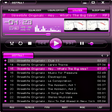
- Adds album art, skins, and a visual media display
Ideal for
- Offline listening on a fixed playlist
- MP3 collections on a desktop PC
- Fans of custom skins and album art
Library Management
5 / 10How well the app organizes collections: tagging, art, playlists, and search.Listening Experience
5 / 10Features that enhance enjoyment: lyrics, visualizer, sleep timer, and queue.Playback Quality & Format Support
4 / 10Audio output quality and range of supported formats, including high-res.
Winamp keeps the focus on local playback, with drag-and-drop control, library syncing, and visual customization that still feels useful for desktop music collections. Its big limitation is format scope for storing songs, so it works best when your library is already organized and mostly built around MP3s.