Editor's choice

3.7
268 reviews
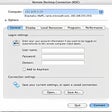
Microsoft Remote Desktop Connection is a utility that lets users access and control another computer from a distance. It focuses on remote session access,…
Update: Sep 7, 2026 · 7 apps reviewed
Microsoft RDP for Mac gives macOS users a reliable way to connect to Windows PCs, servers and virtual desktops from anywhere. The strongest options focus on stable sessions, secure authentication, multi-monitor support and smooth clipboard or file transfer between systems. Some tools are built for quick one-off remote access, while others are better suited to IT teams that manage multiple machines and need saved connections, gateway support and stronger admin controls. The right choice depends on how often you connect, whether you need enterprise security, and how much performance you expect over slower networks. Explore top picks for Mac.
268 reviews
Microsoft Remote Desktop Connection is a utility that lets users access and control another computer from a distance. It focuses on remote session access,…
Get our latest tech news first, wherever you read.
10 reviews
Microsoft Remote Desktop 10 is a free application for managing computers remotely from anywhere with internet access. Speedy data transfer means even high quality…
Royal TSX is a powerful remote management solution designed specifically for Mac users. This utility tool allows users to manage multiple remote connections seamlessly,…
11 reviews
Remote Desktop Client is a helpful, free program only available for Mac, that belongs to the category Utilities with subcategory Synchronization and has been…
iTeleport: VNC & RDP is a full version software only available for Mac, being part of the category Business & Productivity and has…
V2 Cloud is a fully managed Windows virtual desktop platform designed for remote work. It enables companies and individuals to access their tools securely…
CoRD is a free remote desktop client designed specifically for Mac users, offering an intuitive interface for managing remote connections. This utility allows users…