

Editor's choice
Minesweeper Game for Windows: Classic Logic Play
Update: Sep 7, 2026 · 19 apps reviewed
Minesweeper for Windows is all about reading patterns, managing risk, and clearing a grid one careful move at a time. The best versions keep the original logic-first feel while improving usability with cleaner visuals, adjustable difficulty, and smoother mouse or keyboard controls. If you want a quick brain teaser, look for simple pick-up-and-play modes; if you prefer a longer challenge, choose releases with larger boards, custom settings, and fair hint systems. Strong options make every click feel deliberate, rewarding patience and deduction over luck. Explore top picks for Windows.
Top programs about Minesweeper Game For Windows
Choose Softonic on Google and you'll see more of our articles in Top Stories, AI Overviews and AI Mode.
- 5
1 reviews
Classic Minesweeper with free, ad-free play
- Square grid puzzle with bombs and numbered clues
- Easy, medium, hard, and custom board settings
- Free to play with no purchases or accounts
- Runs on up to 10 Windows 10 devices
Ideal for
- Windows classic puzzle fans
- Budget-minded casual players
- Multi-device home setups
Pick-Up-and-Play Factor
8 / 10How easy it is to start a quick session and enjoy the game immediately.Challenge Design
5 / 10How well-crafted the puzzles are and whether difficulty progression feels fair.Content Depth
4 / 10Volume of levels, modes, and features that sustain long-term interest.
The appeal here is the old-school Minesweeper formula: a clean grid, familiar difficulty tiers, and no ads or sign-ins getting in the way. It suits players who want a lightweight logic break, though the content stays close to the classic and doesn't add much beyond that core loop.
Gale Ann Villagomesa - 4.6
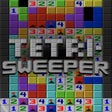
Tetrisweeper combines the classic mechanics of Tetris and Minesweeper into a unique gaming experience. Players must manage falling Tetrominoes while simultaneously interacting with a…
- 2.8
149 reviews
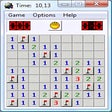
Microsoft Minesweeper for Windows 10 is a game that allows you to experience one of the true classics of desktop gaming; Minesweeper! This is…
- 4.8
Bombe is an exciting adventure game developed by Charlie Brej. The game has a challenging twist on the classic Minesweeper game, where you are…
- 4.9
Minesweeper BF is a classic Minesweeper game wherein the goal is to find out all the mines there are without exposing them. If you…
- 4.9
14 Minesweeper Variants is a puzzle game designed for Windows that offers a refreshing take on the classic Minesweeper gameplay. This full version includes…




Frequently asked questions (FAQs) about this topic
How do you win Minesweeper on Windows?
You win by revealing every safe square without clicking a mine. Numbers on open tiles show how many mines touch that square, and you use those clues to mark danger zones. Success depends on deduction, not speed alone.
Is Minesweeper good for improving logic skills?
Yes, it trains pattern recognition, probability awareness, and careful decision-making. The game rewards players who can combine visible clues with elimination. It is a simple way to practice structured thinking in short sessions.
Can you play Minesweeper with a keyboard and mouse?
Most Windows versions are designed around mouse input, with left-click to reveal and right-click to flag. Some releases also support keyboard shortcuts or touch controls. A mouse usually gives the most precise control on larger boards.
What makes a good Minesweeper game for Windows?
A good version should feel responsive, display numbers clearly, and let you adjust board size or difficulty. Helpful extras include timers, clean flagging tools, and custom themes. The best releases stay faithful to the classic rules while making the interface easier to use.