Mobile Scanner Apps for PDFs, OCR and Receipts | 31

Update: Sep 7, 2026 · 618 apps reviewed

Mobile scanner apps turn a phone camera into a fast document capture tool, making it easy to digitise receipts, contracts, notes and printed forms on the go. The strongest options do more than snap a photo: they straighten pages automatically, improve contrast, run OCR on text and export clean PDFs or searchable files. When choosing one, look at edge detection, batch scanning, cloud sync, file quality and whether it can handle both documents and photos without distortion. Good scanner apps save time by producing office-ready results from a pocket-sized workflow.

Jay Ricson Biñas

Jay Ricson Biñas

Content Writer & Review Editor

Content writer and review editor covering video games, mobile apps, and software. Jay delivers clear, engaging reviews focused on features, performance, and real usability to help readers make informed decisions.

Top programs about Mobile Scanner

  • 4.2

    Turn iPhone snaps into searchable PDFs

    • Auto-crop documents for cleaner scan edges
    • OCR text recognition pulls words from images
    • Combine multiple pages into one PDF file
    • Sign documents and adjust color before sharing

    Ideal for

    • Small business owners on the move
    • Receipts and invoice archiving
    • Passport and ID card capture
    • Capture Quality

      8 / 10
    • Speed & Reliability

      7 / 10
    • Camera Controls

      5 / 10
    The strongest part here is the OCR-backed scan workflow: it turns phone photos into clean PDFs you can sign, crop, and organize without much fuss. I’d reach for it when you need a fast mobile scanner for business paperwork, receipts, or IDs, though it stays focused on document capture rather than deeper camera controls.

    Jay Ricson Biñas
  • Choose Softonic on Google and you'll see more of our articles in Top Stories, AI Overviews and AI Mode.

  • 4.8

    Clean PDF scans with readable image enhancement

    • Converts photos into PDFs from inside the app
    • Enhances images to make text clearer and easier to read
    • Applies filters to improve scan appearance
    • Lets you choose paper size and paper type

    Ideal for

    • Students sharing class notes
    • Office paperwork on the go
    • Custom paper size output
    • Capture Quality

      7 / 10
    • Speed & Reliability

      6 / 10
    • Camera Controls

      5 / 10
    The strongest point here is the app’s focus on turning everyday photos into readable PDFs with simple enhancement and filter tools. It suits anyone who needs quick document capture on Android, though it stays fairly basic compared with more advanced scanner apps.
    Jay Ricson Biñas
  • 4.9

    Fast OCR scanning with cleanup for messy documents

    • Smart OCR extracts and copies text from scans
    • Advanced cropping straightens wrinkled pages
    • Converts scans into PDF or image files
    • Scans handwritten notes and turns them into PDFs

    Ideal for

    • Students digitizing handwritten notes
    • Professionals sharing paperwork fast
    • Print-ready PDFs from a phone
    • Capture Quality

      8 / 10
    • Speed & Reliability

      8 / 10
    • Camera Controls

      5 / 10
    The tool stands out for turning an iPhone or iPad into a portable scanner with OCR, cleanup, and handwritten-note support in one pass. It’s strongest for people who need readable PDFs fast, though the source doesn’t show any manual camera controls like ISO or exposure.
    Jay Ricson Biñas
  • 4

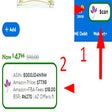
    Walmart scanning built for fast Amazon resale checks

    • Scans Walmart products quickly from Chrome
    • Flags profitable items for Amazon resale
    • Builds a table of found products at a glance
    • Surfaces a lead list with tens of thousands of deals

    Ideal for

    • Amazon resellers
    • Walmart sourcing workflows
    • Deal hunting at scale
    • Speed & Reliability

      6 / 10
    • Capture Quality

      5 / 10
    • Camera Controls

      3 / 10
    The tool is focused on one job: turning Walmart browsing into fast resale screening for Amazon sellers. Its strength is scale and speed through a deal table and a large lead list, but it stays narrowly tied to that sourcing workflow.
    Jay Ricson Biñas
  • 4.2

    Fast document scanning with OCR and clean PDF output

    • Auto-detects edges and crops documents in one shot
    • Enhances scans for clearer copies of photos and papers
    • Exports scans in PDF or JPG with black-and-white, color, or grayscale
    • OCR text recognition extracts text quickly and accurately

    Ideal for

    • Receipts and invoices on the go
    • Business cards and certificates
    • Text extraction from paper documents
    • Capture Quality

      8 / 10
    • Speed & Reliability

      7 / 10
    • Camera Controls

      5 / 10
    The tool focuses on fast capture and reliable cleanup, with automatic edge detection, scan enhancement, and accurate OCR for turning paper into searchable files. It’s a solid fit for anyone who needs clean PDF or JPG scans from a phone, though it stays centered on scanning rather than advanced camera controls.
    Jay Ricson Biñas
  • 4.9

    Scan as you shop, then pay in one stop

    • Scan items while you shop in select stores
    • Track your running spend as items are added
    • Surface special offers and store messages
    • Finish at a dedicated pay station with barcode check-in

    Ideal for

    • ShopRite regulars in select stores
    • Budget-conscious grocery trips
    • Checkout line avoiders
    • Speed & Reliability

      6 / 10
    • Capture Quality

      5 / 10
    • Camera Controls

      4 / 10
    The app’s biggest strength is the shop-as-you-go workflow, which cuts down the usual checkout wait and keeps spending visible along the way. It is limited to select ShopRite stores, but for regular shoppers there, the speed and convenience are hard to ignore.
    Jay Ricson Biñas
  • 4.5

    Camera-to-spreadsheet capture with offline reliability

    • Capture data from the camera or photo library
    • Import results into Numbers, Google Sheets, and Excel
    • Review and edit captured rows before sharing
    • Works offline and can auto-calculate totals

    Ideal for

    • Spreadsheet handoff for field work
    • Offline capture on an iPhone
    • Totals for grids, numbers, and text
    • Speed & Reliability

      8 / 10
    • Capture Quality

      7 / 10
    • Camera Controls

      5 / 10
    SheetSnapper stands out for turning iPhone photos into editable spreadsheet data with solid speed and accuracy. The trade-off is that it is built for data capture workflows, not general camera work, but that focus makes it a practical pick for anyone moving information into Numbers, Google Sheets, or Excel.
    Jay Ricson Biñas
  • 4.9

    Fast phone scans for PDFs and text capture

    • Snap documents and save them as PDF files
    • Extract text with OCR for searchable scans
    • Built for quick camera-based capture on Android
    • Free to use for everyday paperwork scanning

    Ideal for

    • Students archiving class handouts
    • Remote workers sending signed forms
    • Receipts and paperwork in PDF
    • Speed & Reliability

      7 / 10
    • Capture Quality

      6 / 10
    • Camera Controls

      4 / 10
    The app focuses on turning paper into PDFs quickly, with OCR text extraction adding extra value for searchable notes and forms. It looks best for basic Android scanning jobs, though the source material gives little evidence of advanced camera controls or pro-level capture tuning.
    Jay Ricson Biñas
Signed in to Softonic as