Motion Graphics Tools for Dynamic Visual Storytelling | 4

Update: Sep 7, 2026 · 32 apps reviewed

Motion graphics software turns static artwork, text and icons into animated visuals that explain, promote or entertain. The strongest tools balance timeline control, keyframing, compositing and motion presets with enough precision for polished broadcast-style results. When choosing software, look at how well it handles typography, vector assets, camera moves and export quality for social video, presentations or client work. Good options also make it easier to reuse templates, sync with audio and manage complex scenes without slowing down your workflow.

Gerard Patrick Cadiang

Gerard Patrick Cadiang

Games & Software Writer

Gamer-turned-writer and 3D artist, Gerard covers software and video games with a blend of technical knowledge and creative flair. His passion for games since childhood now fuels his professional work.

Top programs about Motion Graphics

  • 4.9

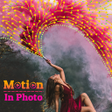
    Photo motion effects with depth and blur

    • Parallax effects that add a sense of depth
    • Motion blur overlays for animated photo movement
    • Gravity, light, and sound effect presets
    • Add backgrounds, text, and extra elements

    Ideal for

    • Android photo animators
    • Depth effect experiments
    • Animated status-style posts
    • Animation & Motion

      5 / 10
    • File Compatibility & Pipeline

      3 / 10
    • Modeling & Rendering Power

      3 / 10
    The tool focuses on turning still photos into motion pieces with parallax, blur, and extra effect layers, so it suits quick visual experiments more than serious 3D work. I’d use it when I want a fast animated look from a single image and don’t need modeling, rendering, or pipeline features.
    Gerard Patrick Cadiang
  • Keep up with Softonic

    Get our latest tech news first, wherever you read.

  • 4.9

    2.5D keyframing with layered motion control

    • Build 2.5D scenes with layered photos and sprites
    • Animate with precise keyframes and motion controls
    • Use preset motions like spiral, jitter, and bounce
    • Match graphics to moving backgrounds with Digital Tracking

    Ideal for

    • Ken Burns-style photo montages
    • Animated GIF exports
    • Instructional video projects
    • Animation & Motion

      8 / 10
    • File Compatibility & Pipeline

      4 / 10
    • Modeling & Rendering Power

      3 / 10
    Motion Graphix Animator leans hard into layered 2.5D animation, giving you keyframe control plus preset motion paths for fast scene building. It’s strongest for photo-based montages, GIFs, and instructional pieces, though it stays focused on animation rather than full 3D modeling or CAD pipelines.
    Gerard Patrick Cadiang
  • 4.7

    Agentic After Effects control for motion-graphics automation

    • Natural-language control of compositions, layers, and effects
    • Batch text localization across multiple layers and sequences
    • Runs JavaScript inside After Effects for native script behavior
    • Open-source MCP server with custom tools and script extensions

    Ideal for

    • Motion designers localizing multilingual projects
    • Technical editors building scripted lower-thirds
    • Claude Desktop and Cursor workflow integration
    • Animation & Motion

      8 / 10
    • File Compatibility & Pipeline

      5 / 10
    • Modeling & Rendering Power

      5 / 10
    The bridge to After Effects is the real selling point here: agent edits run through the host, so scripted changes preserve native behavior instead of guessing from outside. I’d recommend it to motion teams that can handle Node.js setup and careful prompt writing, because the automation is powerful but only as reliable as the script logic behind it.
    Gerard Patrick Cadiang
  • 4.3

    Dynamic WordPress motion without loading bloat

    • CSS scroll animations for layered page motion
    • Dynamic data blocks for interactive layouts
    • Four custom breakpoints for responsive control
    • On-demand asset loading to protect web vitals

    Ideal for

    • WordPress designers on performance budgets
    • Mobile-first landing pages
    • WooCommerce storefronts
    • Animation & Motion

      6 / 10
    • File Compatibility & Pipeline

      4 / 10
    • Modeling & Rendering Power

      3 / 10
    Greenshift stands out for motion-heavy WordPress builds that still need lean loading, thanks to its on-the-fly asset generation and block-level performance focus. It is strongest for designers who want animated pages, responsive control, and optional WooCommerce or SEO add-ons without leaving the core editor.
    Gerard Patrick Cadiang
  • 4.9

    Text-driven human motion with high-fidelity editing

    • Generates human motion from text prompts
    • Renders movement with unusually high accuracy
    • Uses diffusion-image inpainting to smooth motion gaps
    • Adds advanced editing for refining digital actions

    Ideal for

    • Game animation prototyping
    • Text-to-motion workflows
    • Experimental motion research
    • Modeling & Rendering Power

      9 / 10
    • Animation & Motion

      8 / 10
    • File Compatibility & Pipeline

      5 / 10
    MDM: Human Motion Diffusion Model stands out for turning text into detailed human movement with a level of realism that can help animation and game prototyping. The trade-off is a steep learning curve and experimental algorithms, so it suits technical users more than average creators.
    Gerard Patrick Cadiang
  • 4.5

    Fast motion stories from photos and video clips

    • Build moving photo slideshows in minutes
    • Mix your own images, videos, and in-app media
    • Choose text styles to animate story captions
    • Pick backgrounds that shape the final look

    Ideal for

    • Instagram story makers
    • TikTok slideshow posts
    • Facebook visual updates
    • Animation & Motion

      4 / 10
    • File Compatibility & Pipeline

      3 / 10
    • Modeling & Rendering Power

      3 / 10
    The editor is built for quick motion stories, not heavy 3D work, so it fits creators who want to turn photos and short clips into polished social posts fast. It keeps the workflow focused on text, backgrounds, and slideshow assembly, but it does not go into advanced animation, modeling, or rendering tools.
    Gerard Patrick Cadiang
  • 4.9

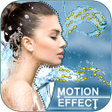
    Motion effects for still photos and cinemagraph-style clips

    • Apply motion animation effects to selected photo areas
    • Create background motion pictures with direction control
    • Use mask tools to define the live-picture region
    • Add overlays and cinemagraph effects for animated images

    Ideal for

    • Cinemagraph-style social posts
    • Animated gallery photos
    • GIFs from camera roll images
    • Animation & Motion

      6 / 10
    • File Compatibility & Pipeline

      3 / 10
    • Modeling & Rendering Power

      3 / 10
    The tool focuses on turning still images into motion photos with masks, directional movement, and overlay effects. It suits Android creators who want quick animated visuals, but it is not a full 3D or CAD package and stays centered on photo animation rather than modeling or rendering.
    Gerard Patrick Cadiang
  • 4.9

    Real-time camera effects with motion, face, and color tracking

    • Over 80 presets for live camera visual effects
    • Motion, face, and color tracking trigger the visuals
    • Effect Paint and Video Warp add hands-on interaction
    • Composite effects over silhouettes, backgrounds, or blank canvas

    Ideal for

    • Livestream performers
    • Selfie-video stylists
    • Motion-based art clips
    • Animation & Motion

      5 / 10
    • File Compatibility & Pipeline

      3 / 10
    • Modeling & Rendering Power

      3 / 10
    Motion FX stands out for real-time camera-driven visuals that react to motion, faces, and color without any heavy post work. I’d use it for livestream flair, performance pieces, or quick animation experiments, but not for timeline-based VFX or polished editing workflows.
    Gerard Patrick Cadiang
Signed in to Softonic as