
Music Studio for Windows: Record, Mix and Create | 16

Update: Sep 7, 2026 · 124 apps reviewed

Music studio software for Windows turns a PC into a full production workspace for recording, editing, beat making and arranging tracks. The strongest tools combine low-latency audio handling, multitrack timelines, MIDI support, virtual instruments and flexible export options without getting in the way of creativity. Some are built for quick songwriting and loops, while others target detailed mixing, mastering and composition work. The best choice depends on your workflow, your audio interface, and how much control you want over plugins, routing and project complexity. Explore top picks for Windows.

Martin Francis Hernandez

Martin Francis Hernandez

Games & Software Reviewer

Passionate gamer and content writer, Martin specializes in video game reviews and software coverage across commercial, business, and multimedia applications. He helps readers navigate the digital landscape with confidence.

Top programs about Music Studio For Windows

  • 4.8

    3D sound sculpting for immersive music creation

    • Build songs from individual sound nodes in 3D space
    • Layer completed sculptures into evolving compositions
    • Blend track-time lines with sound elements visually
    • Play back your creation as an audio-visual piece

    Ideal for

    • VR music creators
    • Ambient composition projects
    • PlayStation-style sound design fans
    • Editing Toolset

      4 / 10
    • Export & Workflow

      3 / 10
    • Recording Quality

      3 / 10
    LyraVR turns music making into a tactile 3D sculpture process, and that VR presentation is the main reason to open it. It suits people who want a relaxed, visual way to build layered compositions, but it is not a traditional editing tool with the multitrack, plugin, or export workflow depth of a full DAW.
    Martin Francis Hernandez
  • Keep up with Softonic

    Get our latest tech news first, wherever you read.

  • 4.8

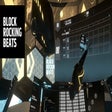
    VR music studio play for collaborative beat-making

    • Lets you play three instruments in a VR studio
    • Adds special effects to shape your sound
    • Records finished tracks for sharing later
    • Uses visual effects for a more immersive session

    Ideal for

    • Musicians trying VR collaboration
    • Three-instrument jam sessions
    • Recorded demos with visual flair
    • Editing Toolset

      5 / 10
    • Recording Quality

      5 / 10
    • Export & Workflow

      4 / 10
    Block Rocking Beats stands out as a VR music studio that turns beat-making into a more playful, collaborative session. It’s strongest for musicians who want to experiment, record a result, and share it without a traditional editing workflow, but it isn’t built around deep production controls.
    Martin Francis Hernandez
  • 4

    Notation cleanup with smart layout and linked tablatures

    • Smart automatic layout handles formatting as you compose
    • Linked tablatures stay synchronized with any staff
    • Lyric entry is streamlined for faster score building
    • Zoom-focused editing keeps work smooth on low-end PCs

    Ideal for

    • Windows notation composers
    • Tablature-heavy arrangements
    • Offline privacy-focused editing
    • Export & Workflow

      5 / 10
    • Editing Toolset

      4 / 10
    • Recording Quality

      3 / 10
    DeluxeNote leans hard into notation workflow, with automatic layout and linked tablatures doing the heavy lifting while you focus on the music. I like its low-friction, privacy-first design on Windows, but this is about score writing and formatting rather than a full audio production suite.
    Martin Francis Hernandez
  • 4.1

    50 reviews

    Straightforward audio editing with broad format conversion

    • Edit audio with a wide range of built-in tools
    • Apply noise, echo, distortion, and pitch effects
    • Convert tracks into a variety of audio formats
    • Create, edit, convert, and burn audio files

    Ideal for

    • Windows home studio workflows
    • Audio conversion to multiple formats
    • Burning custom music discs
    • Editing Toolset

      6 / 10
    • Export & Workflow

      5 / 10
    • Recording Quality

      3 / 10
    The editor covers the essentials cleanly: you can shape tracks, add common effects, convert formats, and burn finished audio without much friction. It suits Windows users who want a practical all-in-one tool for basic production tasks, though it is not built for deeper multitrack or plugin-heavy work.
    Martin Francis Hernandez
Signed in to Softonic as