Music Studio for Windows: Record, Mix and Create | 2

Update: Sep 7, 2026 · 123 apps reviewed

Music studio software for Windows turns a PC into a full production workspace for recording, editing, beat making and arranging tracks. The strongest tools combine low-latency audio handling, multitrack timelines, MIDI support, virtual instruments and flexible export options without getting in the way of creativity. Some are built for quick songwriting and loops, while others target detailed mixing, mastering and composition work. The best choice depends on your workflow, your audio interface, and how much control you want over plugins, routing and project complexity. Explore top picks for Windows.

Martin Francis Hernandez

Martin Francis Hernandez

Games & Software Reviewer

Passionate gamer and content writer, Martin specializes in video game reviews and software coverage across commercial, business, and multimedia applications. He helps readers navigate the digital landscape with confidence.

Top programs about Music Studio For Windows

  • 3.5

    772 reviews

    Surgical pitch and timing control for complex audio

    • Edit pitch, timing, formants, and amplitude per note
    • Polyphonic correction for chords and layered parts
    • Note-based piano-roll view for direct drag-and-shape edits
    • Non-destructive workflow with DAW plug-in integration

    Ideal for

    • Vocal tuning for producers
    • Chord cleanup in dense mixes
    • DAW-based post-production workflows
    • Editing Toolset

      9 / 10
    • Export & Workflow

      9 / 10
    • Recording Quality

      5 / 10
    Melodyne stands out for note-level control that lets me fix intonation, timing, and tone without mangling the original take. The trade-off is a steep learning curve, but engineers and producers who need precise correction in a DAW will get serious mileage from it.
    Martin Francis Hernandez
  • Choose Softonic on Google and you'll see more of our articles in Top Stories, AI Overviews and AI Mode.

  • 3.7

    107 reviews

    Pro audio depth for complex home studio work

    • Multitrack editing for layered song and podcast projects
    • Built-in effects and MIDI tools for detailed production
    • Instrument and loop libraries to build tracks faster
    • Trial version for Windows with broad creative scope

    Ideal for

    • Home studio producers on Windows
    • Podcast and music demo projects
    • Trial users testing a full DAW
    • Editing Toolset

      9 / 10
    • Export & Workflow

      8 / 10
    • Recording Quality

      6 / 10
    Samplitude Music Studio brings a lot of creative range to Windows audio production, with multitrack editing, effects, MIDI, and loop-based building blocks. The trade-off is a steep learning curve, so it suits experienced editors who want depth more than speed.
    Martin Francis Hernandez
  • 4.6

    17 reviews

    A free Yamaha C7 piano for DAW sessions

    • 48kHz/24-bit Yamaha C7 sampled grand piano tone
    • Hybrid modeling adds responsive MIDI dynamics
    • VST and AU support for most DAW setups
    • Low-CPU playback with built-in reverb controls

    Ideal for

    • Budget composers
    • FL Studio and Reaper setups
    • Practice, demos, and live backing
    • Export & Workflow

      6 / 10
    • Editing Toolset

      5 / 10
    • Recording Quality

      4 / 10
    The sampled Yamaha C7 gives this tool a convincing, expressive sound that holds up well in practice, demo, and live sessions. I’d recommend it to composers and keyboard players who want a dependable free piano plugin, but the single instrument and limited tone shaping keep it from replacing more advanced virtual pianos.
    Martin Francis Hernandez
  • 3.3

    3703 reviews

    Advanced Mixing Tools for Live Performances

    • Supports multitrack mixing with video integration
    • Seamless iTunes library integration for easy access
    • High-quality audio output with perceptual gain control
    • Automated mixing features for effortless transitions

    Ideal for

    • Live DJs at events
    • Karaoke hosts needing video features
    • Producers mixing audio and video
    • Editing Toolset

      7 / 10
    • Export & Workflow

      6 / 10
    • Recording Quality

      5 / 10
    The tool excels in delivering a robust mixing experience for both novice and experienced DJs. However, the 20-minute trial may limit in-depth exploration before commitment.
    Martin Francis Hernandez
  • 3.1

    115 reviews

    Low-latency guitar effects with preset sound chains

    • 13 guitar effects, including tremolo and wah-wah
    • Tube amp simulator for direct PC guitar tone shaping
    • Preset favorite effect combinations for fast recall
    • Built-in metronome, tuner, and backing tracks

    Ideal for

    • Home players using a PC as an amp
    • Backing-track practice without extra gear
    • Guitarists needing a tuner and metronome
    • Recording Quality

      8 / 10
    • Editing Toolset

      5 / 10
    • Export & Workflow

      3 / 10
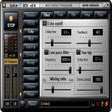
    The low latency and preset effect chains make this a practical way to experiment with guitar tones from a PC, especially if you want amp-style processing without extra hardware. I’d pass on it if you need recording or a cleaner workspace, since the interface is crowded and the graphics add more clutter than value.
    Martin Francis Hernandez
  • 5

    2 reviews

    Beat-first DAW with deep MIDI sequencing

    • Song Editor, Beat+Bassline Editor, and Piano Roll
    • Unlimited FX Mixer channels for layered processing
    • Support for VSTs, SoundFonts, and LADSPA effects
    • Built-in synths and automation for electronic tracks

    Ideal for

    • Electronic music producers
    • Loop-based composition projects
    • Windows VST plugin setups
    • Editing Toolset

      9 / 10
    • Export & Workflow

      8 / 10
    • Recording Quality

      4 / 10
    LMMS stands out for beat making and sequencing, with enough MIDI, automation, and plugin support to build full electronic tracks without paying for a DAW. I’d trust it most for hobbyists and beginners who care more about composition than live audio recording, since the interface feels dated and recording support is limited.
    Martin Francis Hernandez
  • 4.8

    Rhythm-first play for Mac music fans

    • Spin and maneuver a paddle to hit blocks in time
    • Rhythm-based scoring rewards precise timing
    • Vibrant visuals sync with the music tracks
    • Intuitive controls keep the focus on coordination

    Ideal for

    • Mac rhythm game fans
    • Casual music listeners
    • Timing and coordination practice
    • Editing Toolset

      3 / 10
    • Export & Workflow

      3 / 10
    • Recording Quality

      3 / 10
    Beatblock leans into rhythm and strategy rather than editing depth, so it stands apart from typical audio production tools. I’d point Mac users to it when they want an interactive music experience with clear timing feedback and lively presentation.
    Martin Francis Hernandez
Signed in to Softonic as