Music Studio for Windows: Record, Mix and Create | 5

Update: Sep 7, 2026 · 124 apps reviewed

Music studio software for Windows turns a PC into a full production workspace for recording, editing, beat making and arranging tracks. The strongest tools combine low-latency audio handling, multitrack timelines, MIDI support, virtual instruments and flexible export options without getting in the way of creativity. Some are built for quick songwriting and loops, while others target detailed mixing, mastering and composition work. The best choice depends on your workflow, your audio interface, and how much control you want over plugins, routing and project complexity. Explore top picks for Windows.

Martin Francis Hernandez

Martin Francis Hernandez

Games & Software Reviewer

Passionate gamer and content writer, Martin specializes in video game reviews and software coverage across commercial, business, and multimedia applications. He helps readers navigate the digital landscape with confidence.

Top programs about Music Studio For Windows

  • 2

    4 reviews

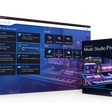
    Loop-based audio production for fast track building

    • Loop library for assembling beats and backing tracks
    • Multitrack editing to layer and arrange audio parts
    • MIDI support for shaping instrument-driven productions
    • Built for Mac, Windows, and Android workflows

    Ideal for

    • Beatmakers building demo arrangements
    • MIDI-based home studio projects
    • Cross-platform music sketching
    • Editing Toolset

      6 / 10
    • Export & Workflow

      5 / 10
    • Recording Quality

      4 / 10
    The editor leans on loops, multitrack layering, and MIDI to move ideas into a working arrangement quickly. It fits best when you want to prototype music across devices, though the source does not point to advanced export, plugin, or recording features.

    Martin Francis Hernandez
  • Keep up with Softonic

    Get our latest tech news first, wherever you read.

  • 4.4

    8 reviews

    Beat-matching and cue control for live-style mixes

    • Beat-matching with adjustable BPM and pitch shifting
    • Custom CUE points for tighter track transitions
    • Looping, playback, and volume control for mix shaping
    • Record sessions with built-in sound effects tools

    Ideal for

    • Bedroom DJs practicing transitions
    • Live set prep on Windows
    • Recorded mixes for sharing
    • Recording Quality

      6 / 10
    • Editing Toolset

      5 / 10
    • Export & Workflow

      4 / 10
    The strongest part of DJ Mixer EDM is its practical mixing toolkit: BPM control, pitch shifting, cue points, looping, and session recording cover the basics well. I’d recommend it to Windows users who want to build and capture mixes fast, but the limited effects library and occasional interface glitches keep it from feeling fully polished for longer production sessions.
    Martin Francis Hernandez
  • 4

    Music discovery and sharing with a social twist

    • Search tracks by title, album, artist, or genre
    • Stream and download songs from the built-in library
    • Upload your own music to share with the community
    • Chat with other listeners in the app's room

    Ideal for

    • Music fans exploring new artists
    • Community-driven listening sessions
    • Independent artists sharing tracks
    • Editing Toolset

      3 / 10
    • Export & Workflow

      3 / 10
    • Recording Quality

      3 / 10
    Dolfga Music leans more toward music discovery and community sharing than true audio editing or production. I’d treat it as a lightweight Windows music hub for listeners who want search, downloads, uploads, and chat in one place, not as a tool for multitrack editing or studio work.
    Martin Francis Hernandez
  • 4.7

    Record, split, and tidy tracks with less hassle

    • Automatic metadata recognition for songs and recordings
    • Looping preview for checking edits on specific sections
    • High-quality CD ripping and playlist merging
    • Silence detection that splits long recordings automatically

    Ideal for

    • Windows music collectors
    • Live album recording workflows
    • CD ripping and playlist building
    • Recording Quality

      6 / 10
    • Export & Workflow

      6 / 10
    • Editing Toolset

      5 / 10
    The standout here is how much routine audio work it automates, from metadata tagging to silence-based splitting and CD ripping. I’d recommend it to Windows users who want a broad music utility with a clean layout, but advanced editing still takes some learning and the Ashampoo App requirement adds friction.
    Martin Francis Hernandez
  • 3.3

    373 reviews

    MIDI sequencing and synth power for home producers

    • Fast MIDI sequencing workflow for building tracks
    • Packed with synths for shaping electronic ideas
    • Designed for music creation with useful production tools
    • Heavy memory use can tax larger project sessions

    Ideal for

    • Electronic music hobbyists
    • MIDI-first bedroom producers
    • Synth-heavy demo sessions
    • Editing Toolset

      7 / 10
    • Export & Workflow

      6 / 10
    • Recording Quality

      5 / 10
    Linux MultiMedia Studio brings a lot of music-making power into one free package, especially if your workflow starts with MIDI and built-in synths. I’d trust it for creative sketching and sequencing, but the crashes, VST quirks, and memory demands make it a rougher pick for serious production sessions.
    Martin Francis Hernandez
  • 3.5

    2 reviews

    VR drum sessions built around rock legends

    • 58 rock tracks across five themed music packs
    • Single-player, multiplayer, and co-op modes
    • Mixed-reality play with sitting or standing support
    • Touch controller support and multilingual menus

    Ideal for

    • Rock fans on VR headsets
    • Eight-player co-op sessions
    • Multilingual mixed-reality play
    • Editing Toolset

      3 / 10
    • Export & Workflow

      3 / 10
    • Recording Quality

      3 / 10
    Smash Drums leans hard into immersive VR rhythm play, with mixed-reality visuals, co-op, and enough rock-era packs to keep sessions lively. The trade-off is a relatively small 58-track library with little new music, so it suits players who care more about the experience than fresh releases.
    Martin Francis Hernandez
  • 3.4

    219 reviews

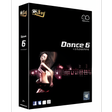
    Loop-based dance production for Windows creators

    • Build tracks from loops for dance, house, trance, and techno
    • Arrange and layer sounds for a complete electronic mix
    • Windows-only editor focused on beatmaking and song building
    • Trial version lets you test the workflow before buying

    Ideal for

    • Windows-based beat sketching
    • Club demo arrangements
    • Trial-first music production
    • Editing Toolset

      6 / 10
    • Export & Workflow

      5 / 10
    • Recording Quality

      4 / 10
    eJay Dance leans into loop-driven electronic production, so it fits producers who want to assemble dance tracks quickly on Windows. The trade-off is scope: this is a focused editor for sketching and arranging club styles, not a broad audio workstation.
    Martin Francis Hernandez
  • 4.9

    MIDI and notation playback for music readers

    • Plays MID, ABC, MOD, S3M, XML, and MXL files
    • Loads multiple music lists and rotates them on screen
    • Music-stand mode for easier reading during practice
    • Dual-page display to reduce page flipping

    Ideal for

    • Musicians rehearsing from notation files
    • Harmony and Melody Assistant users
    • Dual-page reading on a larger display
    • Editing Toolset

      3 / 10
    • Export & Workflow

      3 / 10
    • Recording Quality

      3 / 10
    Melody Player focuses on score playback rather than full editing, so it fits musicians who want to hear notation files and read them comfortably on Windows. The trade-off is clear: it’s useful for previewing and practice, but it doesn’t aim to be a deep multitrack production tool.
    Martin Francis Hernandez
Signed in to Softonic as