Photo Editor for Windows with Pro Editing Tools | 87
Update: Sep 7, 2026 · 709 apps reviewed
Windows photo editors cover everything from quick crop-and-resize jobs to detailed retouching, layer-based compositing and AI-assisted cleanup. The best options balance speed, control and format support, so you can fix portraits, remove backgrounds, sharpen details or prepare images for social posts and print. Some tools focus on lightweight edits and simple filters, while others add masks, RAW support and advanced color correction for heavier workflows. Choose based on how much precision you need, whether you prefer a simple interface or pro controls, and if your PC can handle more demanding editing features. Explore top picks for Windows.

Top programs about Photo Editor For Windows
Choose Softonic on Google and you'll see more of our articles in Top Stories, AI Overviews and AI Mode.
- Free Download for Windows
Other platforms
3.52 reviews
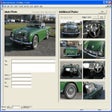
Free Windows photo editing with album organization
- Import images and build organized photo albums
- Basic editing tools for quick photo touch-ups
- Multimedia support for managing photo collections
- Free Windows app for editing without added cost
Ideal for
- Windows photographers
- Album-based photo workflows
- Free photo management
Editing Toolkit
5 / 10Range of adjustments, retouching, background tools, layers, and filters.Output & Sharing
4 / 10Export flexibility, resolution, watermark-free saving, and social sharing.AI & Automation
3 / 10Smart features that simplify editing: auto-enhance, object removal, style transfer.
Flickroom combines basic photo editing with collection management, so it suits Windows users who want to keep their images organized as they make simple adjustments. The trade-off is that it stays focused on fundamentals rather than advanced retouching or pro-level output controls.
Martin Francis Hernandez - 5
3 reviews
KeroSoft PhotoCreations Morpher is a trial version multimedia application designed for Windows users, focusing on graphic and design capabilities. This software enables users to…
- 5
2 reviews
Template-driven photo edits with precise image control
- Customizable templates for fast, polished photo layouts
- Editing tools for targeted retouching and adjustments
- Precise image manipulation for detailed visual tweaks
- Built for digital artwork and photo enhancement workflows
Ideal for
- Personal photo projects
- Graphic design drafts
- Windows-based editing workflows
Editing Toolkit
7 / 10Range of adjustments, retouching, background tools, layers, and filters.AI & Automation
5 / 10Smart features that simplify editing: auto-enhance, object removal, style transfer.Output & Sharing
5 / 10Export flexibility, resolution, watermark-free saving, and social sharing.
The strongest part here is the mix of templates and precision tools, which gives photo editors a practical way to move from rough concept to finished image. As a trial version, it’s best suited to testing the workflow before paying, especially if you work on Windows and want a design-oriented editor rather than a bare-bones photo fixer.
Martin Francis Hernandez - 4.2
Batch watermarking for photographers and brand teams
- Batch-process multiple images in one watermarking pass
- Adjust watermark transparency for subtler branding
- Resize watermarks to fit different image layouts
- Place watermarks precisely across your photo set
Ideal for
- Photographers protecting client galleries
- Business branding for image libraries
- Bulk photo protection workflows
Output & Sharing
5 / 10Export flexibility, resolution, watermark-free saving, and social sharing.Editing Toolkit
4 / 10Range of adjustments, retouching, background tools, layers, and filters.AI & Automation
3 / 10Smart features that simplify editing: auto-enhance, object removal, style transfer.
The tool focuses on one job: stamping consistent watermarks across large image sets without extra fuss. It suits photographers and businesses that need fast batch protection, though it stays narrow compared with full photo editors.
Martin Francis Hernandez - 5
1 reviews
Ashampoo Easy Paint is a free multimedia application designed for Windows, enabling users to unleash their creativity with ease. The software offers a user-friendly…