5
3 reviews
Book-style photo browsing with side-by-side viewing
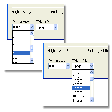
- Displays two images at once for side-by-side review
- Browser-like layout keeps menus out of the way
- Rotate, resize, sharpen, trim, and flip photos
- Supports slideshow viewing and video playback
Ideal for
- Side-by-side image comparison
- Slideshow viewing sessions
- Video files in a photo viewer
Editing Toolkit
5 / 10Range of adjustments, retouching, background tools, layers, and filters.Output & Sharing
4 / 10Export flexibility, resolution, watermark-free saving, and social sharing.AI & Automation
3 / 10Smart features that simplify editing: auto-enhance, object removal, style transfer.
NeeView stands out for letting you compare two images at once while keeping the interface stripped back and focused on the picture itself. The trade-off is a slight learning curve, but the built-in editing tools and video playback make it more versatile than a basic viewer.