Editor's choice
4.2
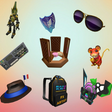
No robux? No Problem! Free Items Game is here to help you get all the Roblox items for free, all the time! Whether it's…
Update: Sep 7, 2026 · 6 apps reviewed
Free multiplayer games are built around shared competition or cooperation without an upfront purchase. The best options balance active player bases, fair matchmaking, and modes that suit the way you want to play — from quick online matches to local split-screen sessions with friends. Some lean into PvP battles and ranked ladders, while others focus on team objectives, party chaos, or casual cross-platform play. When choosing, look at platform support, server stability, control options, and how aggressively the game pushes optional purchases. A strong free multiplayer game should feel lively, accessible, and worth returning to after the first match.
No robux? No Problem! Free Items Game is here to help you get all the Roblox items for free, all the time! Whether it's…
Choose Softonic on Google and you'll see more of our articles in Top Stories, AI Overviews and AI Mode.
Muscle Throw is a free game developed by Smile Games Studio. It falls under the category of games and subcategory of utilities. In Muscle…
FREE Grand Piece Online is a free app for Roblox, that belongs to the category 'Utilities'.
The Free Items Game is a Roblox game developed by hayekolevrai. As the name suggests, this game offers players access to all the free…
Prоject Brоnze Fоrever is a free game available on the Roblox platform. Developed by 521B0ko, this game falls under the Games category with a…
1 reviews
Welcome to the Free Items Game! This game offers a variety of free catalog items, promo codes, and exciting events for players to enjoy.…