4.2
Picture Password - Lock Screen will provide you with the most convenient and secure lock screen for your smartphone. It is an innovative application…
Update: Sep 7, 2026 · 391 apps reviewed
Privacy lock tools keep sensitive apps, photos, messages and files away from prying eyes with PINs, patterns, biometrics or hidden vaults. The strongest options go beyond a simple screen lock: they can disguise app icons, block uninstall attempts, capture intruder alerts and protect selected folders without slowing the device down. Choosing the right one depends on what you want to hide, how often you unlock it, and whether you need local-only protection or cloud-synced recovery. A good privacy lock should feel invisible in daily use while still making unauthorized access difficult.
Picture Password - Lock Screen will provide you with the most convenient and secure lock screen for your smartphone. It is an innovative application…
Choose Softonic on Google and you'll see more of our articles in Top Stories, AI Overviews and AI Mode.
MasterLock - Lock Apps Guard, by jomostudio, locks apps and secures private media on Android devices. It enforces PIN, pattern, and fingerprint authentication and…
2 reviews
Usability & Convenience
Feature Breadth
Security Architecture
The strongest part of Applock - Fingerprint Lock Pro is its straightforward app-level protection, with multiple lock methods and fingerprint support where available. It adds a lot of visual customization, but this is more about securing specific apps than managing passwords, encryption, or broader account security.
1 reviews
You are in the right place if you are looking for a secure photo lock and video lock for your private photos and videos.…
168 reviews
Security Architecture
Usability & Convenience
Feature Breadth
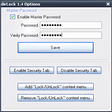
dirLock keeps the focus on one job: password-protecting folders with important information on Windows. It suits anyone who wants a straightforward local access-control tool, but it is limited to a single platform and a narrow feature set.
Calculator Lock is a secure vault app designed for iPhone users. With this app, you can hide photos and videos under a secret vault…
26 reviews
NQ Vault is an excellent app if you have private photos or videos on your phone that you don't want others to see.
12 reviews
Usability & Convenience
Feature Breadth
Security Architecture
The strongest part of Lockdown Pro is how much control it gives over app access, from multiple passcode types to location-based locking and uninstall protection. It’s a practical privacy tool for Android, though the lack of screen-lock support keeps it from covering the full device.