Radio DJ Apps for iPhone to Mix and Broadcast

Update: Sep 7, 2026 · 2680 apps reviewed

Radio DJ apps for iPhone turn a pocket device into a live mixing and broadcasting tool. They are built for cueing tracks, blending transitions, triggering jingles, and keeping a show moving without a full studio setup. The strongest options balance low-latency playback, reliable library management, recording features, and easy access to playlists or external audio sources. Some are aimed at hobbyist presenters and mobile creators, while others focus on more polished on-air workflows. The best choice depends on how much control you need over mixing, voice tracking, and live stream output. Explore top picks for iPhone.

Martin Francis Hernandez

Martin Francis Hernandez

Games & Software Reviewer

Passionate gamer and content writer, Martin specializes in video game reviews and software coverage across commercial, business, and multimedia applications. He helps readers navigate the digital landscape with confidence.

Top programs about Radio Dj For Iphone

  • Editor's choice
    4.7

    50 reviews

    Vocal tuning, beats, and multitrack layering on mobile

    • Automatic pitch correction to keep vocals in key
    • Free beat library from top producers
    • Import your own beats at no cost
    • Multitrack recording for harmonies and layered vocals

    Ideal for

    • Rappers building demo tracks
    • Singers layering harmonies on phone
    • Creators remixing existing songs
    • Editing Toolset

      7 / 10
    • Export & Workflow

      6 / 10
    • Recording Quality

      6 / 10
    Voloco stands out for mobile vocal production, with pitch correction, a strong free beat library, and multitrack recording that makes layering vocals straightforward. The trade-off is that its effects can sound artificial at times, so I’d trust it most for demos, practice, and fast content workflows rather than pristine studio realism.

    Martin Francis Hernandez
  • Keep up with Softonic

    Get our latest tech news first, wherever you read.

  • 4.1

    34 reviews

    Music playback with lyrics, comments, and Vibes

    • Synchronized lyrics for sing-along playback
    • Comment threads on individual songs
    • Like and share tracks from the player
    • Upload short videos or GIFs as Vibes

    Ideal for

    • Playlist curators and music fans
    • Lyric-driven sing-along sessions
    • GIF and short video accompaniments
    • Editing Toolset

      3 / 10
    • Export & Workflow

      3 / 10
    • Recording Quality

      3 / 10
    Resso turns music playback into a social layer, with real-time lyrics, comments, and user-generated Vibes that keep tracks feeling active. It’s engaging and smooth to navigate, but the data-heavy experience and narrower library make it better for discovery and interaction than for serious audio production.
    Martin Francis Hernandez
  • 4.5

    102 reviews

    Two-channel DJ control with FX on Pioneer gear

    • Two-channel layout for live mixing and cueing
    • SFX and EQ controls for shaping track playback
    • Trigger Pad FX for layering two effects at once
    • Supports WAV, AIFF, MP3, and M4A track files

    Ideal for

    • DDJ-WeGO3 owners
    • DDJ-WeGO4 owners
    • Mobile DJ practice sessions
    • Editing Toolset

      5 / 10
    • Export & Workflow

      5 / 10
    • Recording Quality

      4 / 10
    The tool stands out for tying a two-channel DJ layout and Trigger Pad FX directly to Pioneer hardware, so the workflow feels tightly matched to supported gear. Its real limitation is compatibility: it only works with a small device list, so it fits existing DDJ-WeGO3 and DDJ-WeGO4 users far better than anyone building a broader mobile production setup.
    Martin Francis Hernandez
  • 4.2

    9 reviews

    Tabla and tanpura playback with studio-style sound control

    • High-quality tabla and tanpura sound engine for iOS
    • Support for multiple Indian tabla instruments and styles
    • 7-band equalizer to shape the playback tone
    • Built-in tuner for checking exact pitch

    Ideal for

    • Indian classical musicians on iPhone
    • Pitch-checking for rehearsals
    • IPad practice setups
    • Recording Quality

      5 / 10
    • Editing Toolset

      4 / 10
    • Export & Workflow

      4 / 10
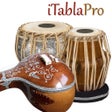
    The strongest point here is the polished iOS sound engine, which gives tabla and tanpura practice a more convincing feel than a basic metronome-style app. I also like the EQ, tuner, and preset sharing, but this is still a focused practice tool rather than a full audio editor.
    Martin Francis Hernandez
  • 4.7

    Spotify-linked music sharing on your home screen

    • Syncs your Spotify listening activity to a home-screen widget
    • Lets friends react to songs as you play them
    • Starts music-based conversations inside the app
    • Displays what best friends are currently listening to

    Ideal for

    • Best friends staying in sync
    • Spotify social listening circles
    • Music chat on Android phones
    • Editing Toolset

      3 / 10
    • Export & Workflow

      3 / 10
    • Recording Quality

      3 / 10
    The widget is built around social listening, not audio editing, so it fits a very different kind of music workflow. I’d use it when the goal is to keep friends connected through Spotify activity and quick reactions, not to cut tracks or shape recordings.
    Martin Francis Hernandez
  • 4.8

    12 reviews

    Audio pulled from video, then cut and layered

    • Import sound directly from videos or a file picker
    • Merge multiple audio files into layered compositions
    • Cut segments for precise audio editing
    • Combine images with audio for slideshows and presentations

    Ideal for

    • Podcast clips from video sources
    • Slideshows with custom soundtracks
    • Phone-based audio cleanup workflow
    • Editing Toolset

      5 / 10
    • Export & Workflow

      5 / 10
    • Recording Quality

      3 / 10
    The strongest part of this editor is how it moves audio out of video and straight into practical edits like merging and trimming. It works best for lightweight multimedia production, but it stays closer to a simple mobile editor than a full audio workstation.
    Martin Francis Hernandez
  • 5

    1 reviews

    Tabs, lessons, and practice tools in one place

    • Access 413,000+ tabs across guitar, bass, ukulele, and more
    • Watch 2,000+ video lessons on instruments, singing, and theory
    • Save favorite tabs into offline playlists for practice sessions
    • Adjust tone, tuning, capo, chord shapes, and left-handed mode

    Ideal for

    • Guitarists building a practice library
    • Offline song study on Android
    • Left-handed players and capo users
    • Editing Toolset

      3 / 10
    • Export & Workflow

      3 / 10
    • Recording Quality

      3 / 10
    The app stands out as a learning hub rather than a production editor, with a huge tab library, video lessons, and practical practice aids like auto-scrolling and tuning changes. I’d recommend it to players who want to study songs and techniques on Android, but it is not built for multitrack editing, plugin workflows, or recording work.
    Martin Francis Hernandez
  • 3.7

    6 reviews

    Bluetooth DJ controls with built-in recording

    • Bluetooth connection for compatible audio devices
    • DJ-style scratching and effect controls
    • Audio presets like bass, pop, and jazz
    • Record playback to your device or speaker

    Ideal for

    • Android music playback control
    • Bluetooth speaker setups
    • Scratch DJ Audio Mixer pairing
    • Recording Quality

      5 / 10
    • Editing Toolset

      4 / 10
    • Export & Workflow

      4 / 10
    LG XBOOM leans more toward music playback and live control than full audio editing, with Bluetooth support, preset effects, and scratch-style tools. I’d treat it as a companion app for compatible speakers and mixers rather than a production editor, since its recording and playback features stay fairly basic.
    Martin Francis Hernandez

Frequently asked questions (FAQs) about this topic

Can an iPhone be used for live radio DJing?

Yes, an iPhone can handle basic live DJ and broadcasting tasks with the right app. It works best for cueing music, triggering clips, and managing a compact on-air workflow. For demanding live sets, audio interface support and low-latency performance matter a lot.

What features should a radio DJ app for iPhone have?

Look for playlist control, crossfading, recording, and support for jingles or voice drops. A good app should also manage audio files cleanly and keep playback stable during live use. If you stream, check for built-in broadcast integration.

Do radio DJ apps on iPhone support external microphones?

Many do, especially when used with compatible audio interfaces or USB microphones. Support can vary by app and accessory, so it is worth checking device compatibility before you rely on it for a live show. External input is useful for voiceovers and presenter-style broadcasts.

Are radio DJ apps on iPhone good for podcasts too?

Yes, many of the same tools work well for podcast recording and live voice mixing. Features like intro music, clip triggering, and simple editing can be useful for spoken-word content. Just make sure the app supports the recording quality you need.
Signed in to Softonic as