Editor's choice
4.4
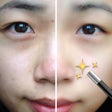
Retouchy - Fix Smooth Slay is a free Android application designed for users looking to enhance their photographs effortlessly. This lifestyle app focuses on…
Update: Sep 7, 2026 · 7 apps reviewed
Free retouching software helps you clean up portraits and product shots without paying for a full professional suite. The best tools balance subtle corrections — skin smoothing, blemish removal, teeth whitening, and background cleanup — with enough control to keep edits natural. Some focus on quick one-click fixes, while others give you layered editing, masking, and fine brush tools for more precise work. When choosing a tool, look at export quality, watermark policies, ease of use, and whether it can handle both touch-ups and broader photo adjustments.
Retouchy - Fix Smooth Slay is a free Android application designed for users looking to enhance their photographs effortlessly. This lifestyle app focuses on…
Choose Softonic on Google and you'll see more of our articles in Top Stories, AI Overviews and AI Mode.
Face & Body Photo Retouch Pro is a powerful app designed for iPhone users looking to enhance their photos with ease. This free lifestyle…
Have your portraits retouched in seconds! Let Face Retouch do its magic and remove the imperfections in your portraits. This free iPhone app offers…
Video Retouch: Object Removal is an iPhone app developed by PeiYi Chen that offers an easy way to remove unwanted objects from your videos.…
This app is a powerful photo editing tool that allows you to remove any unwanted object from your photos. Using the magic eraser tool,…
PixTouch: Retouch Removal helps users remove unwanted parts of a photo, such as people, objects, text, or small distractions. With just a few taps,…
轻图-修出高级质感美 is a free software for iPhone, that makes part of the category 'Multimedia '.