Editor's choice
4.3
6 reviews
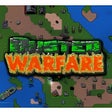
Rusted Warfare is a premium strategy game for PC developed by Corroding Games. It's an RTS title that takes inspiration from the classics for its design and gameplay. Players will have…
Update: Sep 7, 2026 · 375 apps reviewed
Retro games for Windows bring classic arcade energy, pixel art charm, and old-school challenge to modern PCs. Some focus on faithful remakes and re-releases, while others borrow the look and pace of vintage cabinets with tighter controls and smoother performance. The best picks balance authentic style with practical Windows support, including stable installs, controller compatibility, and settings that make older design feel comfortable on current hardware. Choose based on whether you want pure nostalgia, quick pick-up-and-play sessions, or a harder score-chasing experience that still rewards practice and precision. Explore top picks for Windows.
6 reviews
Rusted Warfare is a premium strategy game for PC developed by Corroding Games. It's an RTS title that takes inspiration from the classics for its design and gameplay. Players will have…
Choose Softonic on Google and you'll see more of our articles in Top Stories, AI Overviews and AI Mode.
105 reviews
Nostalgia & Authenticity
Core Gameplay Loop
Score & Progression Systems
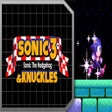
The merged campaign gives this retro platformer more depth than the earlier Sonic entries, especially through distinct character abilities and new transformations. I’d recommend it to players who want a big nostalgic run with strong replay value, but the long playtime and the need for both original games make it a heavier commitment.
912 reviews
Sonic 2 HD is a remake of the second ever game in the Sonic series provided by fans for fans. It revamps the…
123 reviews
Hyper Dragon Ball Z is a title that should appeal to anyone who has fond memories of the classic Dragon Ball Z titles on…
162 reviews
Nostalgia & Authenticity
Core Gameplay Loop
Score & Progression Systems
The isometric presentation and open-ended city loop make this a standout retro sim, especially if you want the old-school pleasure of balancing zones, services, and tax flow. Its dated interface, flattened land, and limited travel options are the trade-offs that keep it firmly in classic territory.
9 reviews
Sonic the Hedgehog Forever is a fan-made preservation project that brings the original Sonic experience to modern systems without altering its core identity. Built…
Nostalgia & Authenticity
Core Gameplay Loop
Score & Progression Systems
The authentic retro OS presentation and clue-driven mini-games give this more of a haunted software feel than a straight arcade throwback. I’d recommend it to players who enjoy digging through files, but the cryptic progression and jump scares will frustrate anyone expecting clear objectives or classic score chasing.
RetroBat, developed by the RetroBat Team, packages a Windows environment that simplifies running classic games and assembling a playable library. The app centralizes frontends…