Temperature Monitor Tools for Safer PC Performance | 3

Update: Sep 7, 2026 · 210 apps reviewed

Temperature monitor tools help you keep an eye on CPU, GPU, motherboard and drive heat before throttling or shutdowns become a problem. They are especially useful on gaming rigs, overclocked systems, laptops with limited cooling and older PCs that run hotter under load. The best options show live readings, alert you when temperatures spike and make it easy to spot patterns during heavy work or long sessions. When choosing one, look for accurate sensor support, clear charts, low system impact and useful extras such as fan control or logging.

Ronnel Angelo Arsolon

Ronnel Angelo Arsolon

Tech & Apps Writer

Tech and apps explorer who cuts through the hype to find what's truly useful. Ronnel shares practical tips to make software more approachable, helping everyone enjoy technology without the frustration.

Top programs about Temperature Monitor

  • 4.6

    Live thermal alerts for overheated Android devices

    • Real-time temperature readings in Celsius or Fahrenheit
    • Thermal and throttling status shown as you use the device
    • Floating status widget keeps heat data visible in-app
    • Minimal power consumption avoids adding extra drain

    Ideal for

    • Mobile gamers on long sessions
    • Video viewers on battery power
    • Overheating checks without extra drain
    • Cleaning Effectiveness

      4 / 10
    • Safety & Transparency

      3 / 10
    • System Optimization

      3 / 10
    The app’s strength is simple, live thermal monitoring that helps you spot overheating before a slowdown or shutdown hits. I like the floating widget and low power use, but it is a monitor rather than a cleaner or optimizer, so it won’t free space or manage apps for you.

    Ronnel Angelo Arsolon
  • Choose Softonic on Google and you'll see more of our articles in Top Stories, AI Overviews and AI Mode.

  • 4.6

    Live home climate control with energy tracking

    • Adjust room and water-heater settings in real time
    • Monitor room temperature and hot-water reserves
    • Track energy use and euro cost by week, month, year
    • Manage connected radiators and bridge-linked devices

    Ideal for

    • Smart home heating control
    • Energy budget monitoring
    • Radiator and water-heater management
    • Cleaning Effectiveness

      4 / 10
    • Safety & Transparency

      3 / 10
    • System Optimization

      3 / 10
    THERMOR COZYTOUCH focuses on practical home energy management, with live temperature, hot-water, and cost tracking that helps you tune heating habits without guesswork. It is less about system cleanup than about controlling connected devices and watching consumption, so it fits households that want clearer savings data more than broad device optimization.
    Ronnel Angelo Arsolon
  • 5

    2 reviews

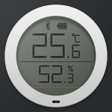
    Live sensor readings with local history and alerts

    • Reads temperature, humidity, battery, and light values
    • Stores sensor history in a local database
    • Charts past readings for quick comparison
    • Pro alerts trigger on set temp, humidity, or battery limits

    Ideal for

    • Xiaomi Mijia sensor owners
    • Bluetooth hygrometer monitoring
    • ThingSpeak history sync
    • Cleaning Effectiveness

      4 / 10
    • Safety & Transparency

      3 / 10
    • System Optimization

      3 / 10
    MijiaTemp focuses on sensor monitoring, not file cleanup or system tuning, so it only fits this subcategory loosely. The local database, charts, and threshold alerts add useful transparency for people watching environmental readings, but the one-week limit before ThingSpeak integration becomes the main path narrows its appeal.
    Ronnel Angelo Arsolon
  • 4.4

    Fast PT100-to-°C/°F conversion with built-in history

    • Converts PT100, PT500, and PT1000 readings
    • Switches between °C and °F instantly
    • Keeps a history of recent conversions
    • Includes a built-in calculator for related math

    Ideal for

    • Field technicians
    • Temperature calibration checks
    • On-the-spot measurement math
    • Cleaning Effectiveness

      4 / 10
    • Safety & Transparency

      3 / 10
    • System Optimization

      3 / 10
    The tool focuses on quick, accurate temperature conversion instead of broad system cleanup, so it fits technicians and engineers who need reliable PT sensor math on the move. Its simple layout, history log, and calculator keep repeated checks efficient without adding clutter.
    Ronnel Angelo Arsolon
  • 4.6

    Accurate indoor and outdoor readings in seconds

    • Measures indoor temperature with an integrated sensor
    • Shows outdoor temperature using localization data
    • Displays readings in Celsius, Fahrenheit, or Kelvin
    • Adds humidity indicators and weather condition icons

    Ideal for

    • Home weather monitoring
    • Multi-language temperature checks
    • Humidity and weather snapshots
    • Cleaning Effectiveness

      4 / 10
    • Safety & Transparency

      3 / 10
    • System Optimization

      3 / 10
    Thermometer is a straightforward utility for checking indoor and outdoor conditions without extra clutter. It stands out for its localized outdoor readings, unit flexibility, and humidity display, though it stays focused on measurement rather than broader device optimization tools.
    Ronnel Angelo Arsolon
  • 4.6

    Wear OS temperature checks with charted tracking

    • Measures temperature through a Samsung Galaxy Watch
    • Records readings on your mobile device
    • Charts temperature changes over time
    • Supports object, surface, and underwater measurements

    Ideal for

    • Samsung Galaxy Watch 5+ owners
    • Surface and liquid readings
    • Wear OS Tile quick launch
    • Cleaning Effectiveness

      4 / 10
    • Safety & Transparency

      3 / 10
    • System Optimization

      3 / 10
    The standout here is wearable temperature capture tied to clear chart history on the phone, which makes the data easier to review than a one-off reading. It is more about monitoring and measurement than cleaning or optimization, so it only fits this category loosely and offers little in the way of system cleanup or device tuning.
    Ronnel Angelo Arsolon
  • 4.4

    Live room readings with exportable temperature history

    • Shows room temperature on the home screen
    • Records readings locally and on web servers
    • Exports temperature reports as CSV text
    • Saves periodic history with auto-accuracy

    Ideal for

    • Home climate monitoring
    • CSV reports for email
    • Live readings on a computer
    • Cleaning Effectiveness

      4 / 10
    • Safety & Transparency

      3 / 10
    • System Optimization

      3 / 10
    The strongest angle here is its mix of live temperature display, periodic recording, and CSV export for sharing. It suits anyone who wants a simple way to log room conditions, but it is not a system optimizer in the usual cleanup-and-speedup sense.
    Ronnel Angelo Arsolon
  • 4.9

    Monitor CPU heat before apps slow your phone

    • Monitors processor temperature in real time
    • Tracks memory use to spot resource-heavy apps
    • Flags apps likely to overheat your device
    • Lets you close draining apps to cool things down

    Ideal for

    • Android phone owners
    • Battery drain troubleshooting
    • Resource-heavy app cleanup
    • System Optimization

      5 / 10
    • Cleaning Effectiveness

      4 / 10
    • Safety & Transparency

      3 / 10
    The app focuses on one practical job: spotting heat and resource spikes before they turn into slowdown. It’s useful if you want a quick way to identify troublesome apps and shut them down, but it’s more of a monitor-and-stop tool than a full optimization suite.
    Ronnel Angelo Arsolon
Signed in to Softonic as