Typing Games for Faster, More Accurate Keyboard Skills | 7

Update: Sep 7, 2026 · 228 apps reviewed

Typing games turn keyboard practice into a fast-paced challenge instead of repetitive drills. The best ones balance speed, accuracy, and rhythm, helping players build muscle memory while staying engaged through levels, scores, and time trials. Some focus on beginners learning home-row placement, while others push advanced users with longer words, punctuation, and accuracy penalties. When choosing a typing game, look for clear feedback, adjustable difficulty, and modes that match your goals, whether that means classroom practice, daily speed building, or making typing feel less like work.

Alyssa Lavinia Dellosa

Alyssa Lavinia Dellosa

Product Information Specialist

Filipina Product Information Specialist with a background in Education. Alyssa makes technology accessible through technical blogs, editorial proofreading, and social media content, helping users navigate digital products with ease.

Top programs about Typing Games

  • 4.8

    Touch typing lessons for building speed and accuracy

    • Touch typing lessons that train you to type without looking
    • Practice exercises you can repeat at your own pace
    • Progress tracking to monitor speed and accuracy gains
    • Simple lesson flow that keeps navigation straightforward

    Ideal for

    • Beginners learning keyboard basics
    • Self-paced practice between classes
    • Typing speed and accuracy tracking
    • Skill Development Path

      8 / 10
    • Search & Navigation

      6 / 10
    • Content Authority

      5 / 10
    The app focuses on the core typing fundamentals: guided lessons, repeatable practice, and progress tracking. It suits beginners and steady improvers, though it stays deliberately basic rather than offering a deeper reference library or advanced skill tools.
    Alyssa Lavinia Dellosa
  • Choose Softonic on Google and you'll see more of our articles in Top Stories, AI Overviews and AI Mode.

  • 4.6

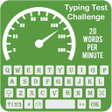
    Structured typing drills for steady skill gains

    • Guided lessons that build typing skills step by step
    • Practice exercises to reinforce speed and accuracy
    • Progress tracking to monitor competence growth
    • Free Android access from Darshan University

    Ideal for

    • Students building keyboard fluency
    • Homework support for computer classes
    • Budget Android learning app
    • Skill Development Path

      8 / 10
    • Search & Navigation

      6 / 10
    • Content Authority

      5 / 10
    The app focuses on progressive typing practice and progress tracking, which fits this subcategory better than a static reference tool. It works best for students or beginners who want a free Android tutor, though the source gives little detail on depth, search, or offline study features.
    Alyssa Lavinia Dellosa
  • 4.1

    Romanized Nepali typing for fast script conversion

    • Converts English letters into Nepali script as you type
    • Handles romanized phrases like "Tapai Lai Kasto chha"
    • Removes the need to memorize the Nepali keyboard layout
    • Chrome add-on built for quick Nepali text entry

    Ideal for

    • Students writing Nepali assignments
    • Web forms that need Nepali script
    • Chrome users on unfamiliar keyboards
    • Content Authority

      5 / 10
    • Search & Navigation

      5 / 10
    • Skill Development Path

      5 / 10
    The main strength here is direct transliteration: you type in English and get Nepali script back without switching input methods. It suits anyone who needs occasional Nepali text in Chrome, but it is a narrow tool rather than a broader reference or skills app with lessons or practice.
    Alyssa Lavinia Dellosa
  • 4.9

    Typing drills built around fast captcha entry

    • Number and word captcha drills
    • Speed-and-accuracy typing challenges
    • Progress tracking across repeated sessions
    • Simple navigation through challenge rounds

    Ideal for

    • Typing practice on Android
    • Accuracy drills under time pressure
    • Track progress over sessions
    • Search & Navigation

      6 / 10
    • Skill Development Path

      6 / 10
    • Content Authority

      5 / 10
    Captcha Rush turns captcha entry into a focused typing drill, with enough repetition to make speed and accuracy measurable over time. It works best as a lightweight practice tool for Android users who want a game-like way to train, not as a full reference app with deep study content.
    Alyssa Lavinia Dellosa
  • 4.6

    60-second typing drills with multilingual support

    • 60-second typing tests that measure your speed
    • Instant score shown after each completed round
    • Solo practice mode with no opponent required
    • Tests available in English, Hindi, Gujarati, and Urdu

    Ideal for

    • Students building keyboard fluency
    • Multilingual typing practice
    • Solo speed drills on mobile
    • Skill Development Path

      6 / 10
    • Content Authority

      5 / 10
    • Search & Navigation

      5 / 10
    The app keeps things focused on short typing drills, with clear scoring and support for four languages. It is light on depth, so I see it as a straightforward speed-check tool rather than a full skills course.
    Alyssa Lavinia Dellosa
  • 4.9

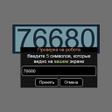
    Captcha drills that build speed under pressure

    • Simulated captcha scenarios with rising difficulty
    • Practice rounds focused on typing speed and accuracy
    • Detailed performance feedback after each challenge
    • Leaderboard scores that let you compare progress

    Ideal for

    • Arizona Role-Play SA-MP players
    • Captcha-heavy game practice
    • Competitive score comparison
    • Skill Development Path

      7 / 10
    • Search & Navigation

      6 / 10
    • Content Authority

      5 / 10
    The app turns captcha typing into a repeatable drill, with escalating challenges and feedback that make it useful for SA-MP players who need faster input under pressure. Its scope stays narrow, though, so this is training software first and a niche game second.
    Alyssa Lavinia Dellosa
  • 4.7

    Learn Hangul typing with guided word practice

    • Shows key positions for Korean keyboard basics
    • Adds TOPIK vocabulary as practice word sets
    • Covers nouns, verbs, adjectives, and adverbs
    • Fill-in-the-blank drills reinforce memorization

    Ideal for

    • TOPIK vocabulary drills
    • First-time Hangul typists
    • Memorization through typing
    • Skill Development Path

      6 / 10
    • Content Authority

      5 / 10
    • Search & Navigation

      5 / 10
    The app focuses on practical Hangul typing practice, pairing key-position guidance with vocabulary drills and fill-in-the-blank exercises. It suits beginners who want a lightweight way to build keyboard familiarity, but it stays basic and does not go far beyond core practice.
    Alyssa Lavinia Dellosa
Signed in to Softonic as