Virtual DJ Software for Mixing and Live Performances | 13

Update: Sep 7, 2026 · 99 apps reviewed

Virtual DJ software turns a laptop into a full mixing desk, combining beatmatching, looping, effects, and live performance controls in one workspace. The strongest options balance low-latency audio, flexible deck layouts, and smooth library management, so you can cue tracks quickly without breaking the flow. Some tools focus on beginner-friendly auto-mixing, while others offer deeper control for scratching, sampling, and video mixing. When choosing, look at controller support, file compatibility, recording features, and how well the interface fits your style behind the decks.

Martin Francis Hernandez

Martin Francis Hernandez

Games & Software Reviewer

Passionate gamer and content writer, Martin specializes in video game reviews and software coverage across commercial, business, and multimedia applications. He helps readers navigate the digital landscape with confidence.

Top programs about Virtual Dj

  • 4

    Beginner-friendly DJ mixing for quick party playlists

    • Mix and remix songs into custom DJ sets
    • Create personal playlists for playback
    • Built for Android phones and tablets
    • Simple controls that help beginners get started fast

    Ideal for

    • Android tablet DJs
    • Home party playlists
    • First-time music mixers
    • Editing Toolset

      4 / 10
    • Export & Workflow

      4 / 10
    • Recording Quality

      3 / 10
    The app focuses on straightforward DJ-style mixing and playlist creation on Android, which makes it appealing if you want to put together music quickly without a steep learning curve. It does not signal deeper production tools, so I’d treat it as a lightweight starter rather than a full audio editor.
    Martin Francis Hernandez
  • Keep up with Softonic

    Get our latest tech news first, wherever you read.

  • 4.8

    VR music studio play for collaborative beat-making

    • Lets you play three instruments in a VR studio
    • Adds special effects to shape your sound
    • Records finished tracks for sharing later
    • Uses visual effects for a more immersive session

    Ideal for

    • Musicians trying VR collaboration
    • Three-instrument jam sessions
    • Recorded demos with visual flair
    • Editing Toolset

      5 / 10
    • Recording Quality

      5 / 10
    • Export & Workflow

      4 / 10
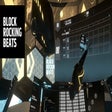
    Block Rocking Beats stands out as a VR music studio that turns beat-making into a more playful, collaborative session. It’s strongest for musicians who want to experiment, record a result, and share it without a traditional editing workflow, but it isn’t built around deep production controls.
    Martin Francis Hernandez
  • 4

    Mobile DJ mixing with looping and live recording

    • Mix and remix tracks with built-in sound effects
    • Loop sections to build mashups and new cues
    • Record live mixes with the built-in recorder
    • Supports major audio formats for flexible playback

    Ideal for

    • Android music remixers
    • Live mix recording
    • Ringtone and tone makers
    • Editing Toolset

      5 / 10
    • Recording Quality

      5 / 10
    • Export & Workflow

      4 / 10
    The built-in looping, sound effects, and live recorder make this a practical mobile mixer for sketching out remixes on Android. I’d value it most for quick DJ-style experimentation and ringtone creation, but it stays focused on basic mixing rather than deeper studio editing.
    Martin Francis Hernandez
Signed in to Softonic as