2.9
489 reviews
The Microsoft LifeCam software is a free program that comes with the LifeCam camera when you buy it. However some people lose the software…
Update: Sep 7, 2026 · 93 apps reviewed
Webcam for Windows apps turn a built-in or external camera into a better tool for calls, streaming, and quick content capture. The strongest options go beyond a simple preview window, adding filters, virtual backgrounds, autofocus control, recording tools, and support for multiple sources. When choosing one, look for low latency, stable device detection, easy resolution control, and privacy features that keep the camera off until you need it. Good webcam software should make your image look cleaner without adding lag or complicated setup. Explore top picks for Windows.
489 reviews
The Microsoft LifeCam software is a free program that comes with the LifeCam camera when you buy it. However some people lose the software…
Get our latest tech news first, wherever you read.
8 reviews
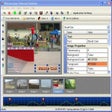
WebcamFirst is a handy, free program only available for Windows, being part of the category Communication software with subcategory Webcam (more specifically Capture).
3 reviews
Camera Controls
Capture Quality
Speed & Reliability
Local analytics and multi-camera support make this a practical surveillance tool for turning a Windows PC into a monitoring hub. The trade-off is platform lock-in to 64-bit Windows for the newest features, and its SMS or email alerts still depend on outside service reliability.
Capture Quality
Speed & Reliability
Camera Controls
The appeal here is the low-friction Windows setup: it keeps multimedia handling basic and accessible without asking for technical know-how. It works best when you want essential tools more than advanced capture controls, but it does not go beyond those fundamentals.
10 reviews
booruWebCam is a good, free Windows program, being part of the category Communication software with subcategory Webcam.