Project Management (364 programs)
Pros: Turns spreadsheet-style lists into structured records with visible logic. Keeps data cleaner with rules that reduce duplicates and bad entries. Supports repeatable workflows and solid performance on moderate datasets.
Cons: Needs upfront design and consistent naming to stay maintainable. Very large files or many edits at once can slow things down. Doesn’t scale like server databases for heavy multi-user use.
Pros: Functional. Great for productivity.
Cons: Poor UI/UX design.
Pros: Strong project views with Kanban, Gantt, calendar, and timesheet support. Modular ERP ecosystem connects projects with sales, invoicing, and CRM.
Cons: Setup and customization can feel complex for simpler teams. Some advanced features depend on edition, paid plans, or extra modules.
Pros: Keeps complex schedules auditable and easier to review. Helps forecast delays and workload clashes early. Produces status outputs that support formal reporting.
Cons: Requires careful setup and ongoing update discipline. Can feel slow for quick, informal planning. Maintenance time grows as plans and teams expand.
Pros: Advanced and intelligent 3D model creations. Automatic updates across related project elements. Excellent BIM and GIS integration.
Cons: Steep learning curve for beginners. Requires relatively powerful hardware.
Pros: Compatible with major file formats. User-friendly interface. Includes AI writing assistant.
Cons: Requires a subscription to access premium features.
Pros: Intuitive interface. Flexible and customizable. Can be integrated with third-party features. Useful built-in hotkeys.
Cons: Falls short on some handy features. Collaboration can sometimes get messy.
Pros: Highly customizable dashboards and workflows. Multiple project views and task management options. Strong integrations with third-party apps. Feature-rich free plan.
Cons: Occasional performance lag with large projects. Steeper learning curve for new users. Overwhelming interface for beginners.
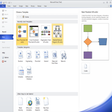
Pros: Easy-to-use and design. Various different templates. Can export to popular office programs. Online sharing.
Cons: Sizeable storage space required. Can’t use it in presentations as is. No export to other mind map formats. Exporting to JPEG badly compresses the image quality.
Pros: Fast and easy to use. Cross-compatible. Built-in invoicing features. Collaboration options.
Cons: No mobile app.