

TeamViewer is a remote work and access tool for computers that, due to its flexibility, opens the doors to a totally new way of interacting with our teams, no matter where we are. Thanks to this software, we will not only be able to access the desktops of remote computers, but we will also be able to provide technical assistance quickly, securely, and effectively.
TeamViewer stands out as a benchmark when it comes to managing remote connections, facilitating the work of the IT department, technical support, and collaboration between teams, regardless of location. That is why, after analyzing its features and results, we have assigned it a final score of 8.9 out of 10.
What is TeamViewer Remote?
TeamViewer is one of the most widely used tools in the field of remote support. It stands out for its ease of use, reliability in connections, and the security it offers us in each session. Thanks to its compatibility with multiple operating systems (Windows, Mac, Linux, Android, iOS, and ChromeOS), TeamViewer allows us to connect to any computer or mobile device in a matter of seconds. This makes it a reference solution for both individual users and large companies.
Its main audience consists of IT professionals who need a secure tool for remote assistance and maintenance of equipment, as well as small and large companies looking to support employees or clients remotely.
Of course, beyond business needs, we can use TeamViewer's remote control on a personal level. This way, we will have access to our computers from anywhere and in any circumstance. Something that cannot be underestimated and provides us with enormous flexibility in our activities.
The most notable aspect of TeamViewer is its ability to access devices with users present as well as unattended ones. This is achieved without the need for extensive prior configurations, of course. This makes TeamViewer a perfect program not only for obtaining technical assistance but also for the use of teleworkers.
However, not all opinions are positive. Some users have noted that the frequency of updates can be somewhat disruptive. It is also noteworthy that the cost of licenses can be high compared to other market options, making it a less recommended option for companies with tight budgets.
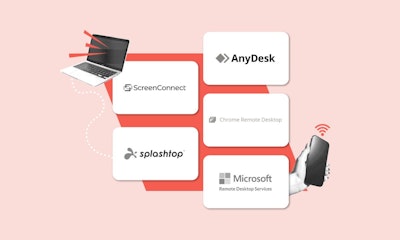
Of course, while TeamViewer is the benchmark option, there are alternatives to consider. Here, LogMeIn stands out, offering similar remote support functionalities with a more robust focus on IT management and highly valued customer service. Nevertheless, TeamViewer remains the option to consider for companies seeking secure, efficient, and easy remote access.
Key Features of TeamViewer Remote
In the competitive market of remote access applications, there are a good number of options that make one software stand out from another. At this point in the analysis, you may be wondering what makes TeamViewer such a special tool.
Here are the functionalities we like the most:
Remote control of unattended devices (Wake on LAN)
One of the strong points of this platform is its ability to remotely access unattended computers. The flexibility of the Wake On LAN feature is key for IT departments and companies that need to manage equipment and servers without the intervention of the end user.
Smooth remote access
Another significant point for a good remote desktop program is the smoothness of data transmission. TeamViewer passes this test with flying colors. Its remote control responds with virtually no lag, earning a score of 88%. This way, the platform allows for the quick and efficient resolution of incidents and technical problems, regardless of distance.
Security
Another aspect that makes TeamViewer a standout solution is its focus on security. Its end-to-end encryption and two-factor authentication (2FA) ensure secure connections, preventing unauthorized access to critical equipment. Thus, both businesses and clients can have confidence that all shared data and information will not fall into the wrong hands.
Ease of use
Finally, we must highlight the simplicity of this product. TeamViewer has a user-friendly interface, with an 82% satisfaction rate among its subscribers. This reduces the learning curve and allows any user to take advantage of its functionalities without the need for any extra training.
Pros and Cons of TeamViewer
If we analyze the pros and cons of TeamViewer's remote control tools, we can gain a clearer understanding of the application. Of course, the same situation can be seen as positive or negative depending on our needs.
Below are the strengths and weaknesses of this application.
Advantages of using TeamViewer
- Intuitive and easy-to-use interface for remote connections: Almost zero learning curve, making remote access to computers around the world easy.
- Multi-platform compatibility: TeamViewer works on desktop and laptop computers with Windows, Mac, and Linux operating systems. It also has an app for mobile phones and tablets with iOS, Android, ChromeOS, and Raspberry Pi.
- High level of security in each connection: Thanks to its end-to-end encryption and two-step authentication (2FA), it is possible to protect our remote access and assistance sessions with the highest level of security.
- Support tools: TeamViewer includes extra technical assistance tools like TeamViewer Quicksupport (TeamViewer QS)
- Integrations: In addition to its basic features, the application also allows integration with third-party services like Google Meet, Slack, Microsoft Teams, JIRA, or ZenDesk.
- Remote meeting and collaboration management: The TeamViewer Meeting functionality integrates into our daily life to support and enhance our virtual meetings.
Disadvantages of using TeamViewer
- Frequent updates that require adjustment: While updates are a sign of commitment to improvement, some users claim that they require adjustments to use their service.
- High price compared to some alternatives: The cost of TeamViewer can be higher than that of some similar alternatives. This is why some people sometimes look for free or more affordable alternatives to TeamViewer.
- The company support can improve in some areas: Some users have commented that the attention and response from TeamViewer Germany GmbH's team is insufficient. Only 32% of users are satisfied with the support received.
- Lack of automation in some functions: This is especially true if compared to LogMeIn and other alternatives.
Who is TeamViewer for?
Will TeamViewer fit our business needs? To help you resolve this doubt, we have compiled a list of the typical users who can benefit from using this remote control software.
- IT teams and support technicians who need a stable solution to resolve incidents remotely, quickly, and efficiently.
- Small, medium, and large businesses that need to coordinate remote teams and hold TeamViewer Meeting sessions.
- Private users and freelancers looking for a secure and quality tool to access devices and collaborate remotely, using functionalities like TeamViewer QuickSupport or QS.
- Educational and governmental institutions that require encrypted and highly secure connections for managing their equipment.
Why should my company use TeamViewer?
After analyzing this software, we have found several reasons to implement this remote access solution in your business.
The most important ones are as follows:
- Its ease of use and high compatibility between devices.
- The reliability of its remote control functions.
- The security of end-to-end encryption in each session.
- Allows file transfer between devices, making it easier to provide assistance services to customers around the world.
- The versatility of its applications, ranging from TeamViewer Remote Control to virtual meeting capabilities. This is very helpful for remote work projects.

Why don't some companies use TeamViewer?
- The price of TeamViewer is high for certain budgets. 37% of users claim that, compared to free alternatives to TeamViewer or similar programs, the software is expensive.
- It does not meet specific automation needs that require complementary software or a higher level of involvement from the IT team.
- Technical support does not meet the expectations of software for business use.
- Frequent updates to a new version can interrupt workflows, leading to the evaluation of other options like Anydesk or LogMeIn.
TeamViewer Pricing and Discounts
According to the data available to us, TeamViewer maintains a very high loyalty rate among users, with 98% of businesses planning to renew their subscription.
Here are the main plans and prices of TeamViewer:
TeamViewer Remote
TeamViewer offers different subscription plans. The most basic plan, TeamViewer Remote Access, costs €13.90 per month (with annual billing) and allows access to up to 3 unattended devices. It includes interesting features like remote printing, file transfer, and has phone support in 33 languages and session recording. If necessary, we can expand the number of managed devices with an additional payment.
TeamViewer Business
For companies with greater needs, the TeamViewer Business plan allows us to manage up to 200 unattended devices for €32.90 per month (annual billing with discount applied). It maintains the same features we already enjoy in the basic plan but expands device management and allows up to 3 simultaneous sessions per channel. Very importantly, it offers compatibility for mobile devices through an extra we can purchase and allows us to customize the branding, enabling a custom design that reflects our identity as a company.
TeamViewer Premium
The TeamViewer Premium plan, for €65.90 per month (annual billing), expands management to 300 unattended devices and allows up to 10 simultaneous sessions per channel. It also adds very useful features for certain companies such as reports on incoming and outgoing connections, support for multiple access and connection devices, support for mass deployment, and compatibility with various standard integrations like ServiceNow, Zendesk, or Freshworks.
TeamViewer Corporate
For larger companies, TeamViewer Corporate, available for €139.90 per month (with annual billing), is the most comprehensive option, with support for up to 500 unattended devices and 15 simultaneous sessions per channel. It includes, of course, all the previous features, and includes three simultaneous connections and compatibility with multiple IT management platforms.
Discounts and Free Trials
TeamViewer is known for offering temporary discounts on occasions like Black Friday or the arrival of spring. At the time of writing this analysis, the software has a 10% price reduction on its Business, Premium, and Corporate plans. It is advisable to periodically check their pricing page to take advantage of their sales.
It is also important to note that all TeamViewer plans come with a free 14-day trial period. To access them, no credit card number is required, making them ideal for trying out the platform before committing to a subscription.
Implementation, Training, and Documentation
If we decide to implement TeamViewer in the company, the installation and configuration is quick, simple, and can practically be carried out by any user. 86% of the companies we spoke with have managed to implement it with virtually no intervention from the IT department.
Along the same lines, 58% of companies have not invested any money in training or educating their employees on how to use TeamViewer. This is noteworthy considering that the documentation on its various remote control options, quick support, meetings, and other functionalities is adequate but not overly exhaustive.
A Customer Support Service That Needs Improvement
The technical support offered by TeamViewer has several assistance channels that facilitate the resolution of inconveniences. What do we mean exactly?
We have support via phone, email, and various forums to consult documentation. The response is quick, but satisfaction is moderate. According to conversations with users, only 32% of them are delighted with the support received while 78% are simply satisfied.
Alternatives to TeamViewer Remote
If after reading our analysis TeamViewer does not convince you, don’t worry. There are powerful alternatives in the market to cover remote access and assistance functions between computers. Here are the ones we like the most:
LogMeIn vs TeamViewer
If we are looking for an alternative to TeamViewer, LogMeIn stands out as the most prominent option, especially for companies that need advanced IT management tools and more complete technical support service.
LogMeIn’s approach is aimed at large organizations that require more detailed control over multiple devices and users. Therefore, it offers us features such as centralized access management, session auditing, and integrated cloud storage.
In addition, its customer service receives better ratings for being more efficient in resolving incidents.
AnyDesk vs TeamViewer
On the other hand, AnyDesk positions itself as a more affordable and lightweight alternative, ideal when we are looking for a more efficient solution without a high price. Its performance allows for substantially smooth connections and file exchanges even on devices with more limited specifications, making it doubly appealing.
AnyDesk presents itself as an option to consider for freelancers, small businesses, or individuals who do not need the more advanced functions of TeamViewer. While it is a more limited remote desktop software compared to TeamViewer or LogMeIn, its ease of use and lower cost make it stand out.

Conclusion: Versatility to Work from Anywhere
After thoroughly analyzing all aspects of TeamViewer, it is clear that it is a highly recommended tool. Its ability to access and provide assistance across different devices and operating systems makes it one of the most versatile and comprehensive applications in the sector.
Its ease of use and capability to provide reliable and secure remote access make it an ideal option for IT support teams and companies with needs for remote technical assistance.
On the contrary, those organizations looking for a solution with more advanced automation functions or at a lower cost may opt for alternatives like AnyDesk or LogMeIn.
All in all, TeamViewer is one of the best remote access and IT support solutions on the market. Security, speed, and ease of use are the three pillars that lead us to the simple question, why are we not using TeamViewer yet?