
In 2025, it's no longer just about having good ideas: it's about being able to execute them quickly, as a team, and from anywhere in the world. Collaboration has become the heart of any business strategy, and for that collaboration to work, companies need tools that keep up with the current pace.
Is email no longer enough? Exactly. Loose files scattered across a thousand folders? Neither. Today, what makes the difference is having a work suite that integrates everything: communication, documents, planning, and of course, marketing campaigns.
Google Workspace has been for years the most well-known option — and for good reason — but it is not the only one. Many companies, especially those focused on marketing or rapid growth, are looking for alternatives that better fit their workflows, offer more creative features, or simply align better with their budget and work culture. But... which one to choose?
These are what we consider the best alternatives to Google Workspace.
The best alternatives to Google Workspace


What is Google Workspace?
Google Workspace, formerly known as G Suite, is Google's cloud productivity and collaboration suite. It is a set of tools designed to facilitate teamwork, centralize information, and simplify the management of projects and communications within an organization.
Do these names sound familiar? Of course they do: Gmail, Google Drive, Calendar, Docs, Sheets, Slides, Meet... They are all part of the Workspace ecosystem, which integrates these applications under a single corporate account so teams can work in real time from any device and location worldwide.
The true value of Google Workspace is not only in its individual tools (which many companies already use in their free version), but in how they connect with each other.
You can schedule a meeting from Calendar and automatically have the link to Google Meet; collaborate on a Google Docs document while chatting with your team in Google Chat; or manage permissions and centralized storage in Drive without relying on external services.
Google launched this suite in 2006 under the name "Google Apps for Your Domain", with the idea of offering email and calendar services to businesses and organizations.
In 2016, it was renamed G Suite, and in 2020 it made the definitive leap with a complete renewal: Google Workspace. This new stage visually and functionally integrated all the tools, with a very clear focus on remote work and real-time collaboration, two needs that exploded globally as a result of the pandemic.
Since then, Workspace has become one of the leading platforms for companies of all sizes, especially in environments where agility, accessibility, and scalability are key.
Why do you need a suite of tools and collaborative work in your company?
Nowadays, efficiency depends not only on individual talent but on how that talent connects and collaborates within the organization. Collaborative tool suites like Google Workspace allow teams to work in real time, eliminate information silos, and maintain a constant flow of communication. These platforms facilitate collaboration among team members, enabling document sharing, task coordination, and ensuring everyone actively participates in processes.
It's no longer about sending files by email and waiting for replies: it's about editing, commenting, reviewing, and making decisions on the spot, from wherever your team is.
Additionally, these platforms integrate key tools that were previously scattered: email, video calls, calendars, documents, storage, and more. They also allow the organization of virtual and in-person meetings and offer instant messaging as part of integrated communication, making real-time interaction easier. Having everything centralized not only saves time, but also reduces errors, improves data security, and makes onboarding new employees much easier.
In an environment where every second counts, having an agile and well-connected solution can make the difference between a successful marketing campaign and one that arrives late.
And there is another important point: scalability. As your company grows, so do your needs. A good collaborative suite grows with you, adapts to new teams, departments, and ways of working, helping to avoid common problems in information management and collaboration.
Whether you work with freelancers, distributed teams, or external partners, you need a digital space that integrates them all seamlessly. Because modern work is not only digital, it is also collaborative by nature.

Why look for alternatives to Google Workspace?
Google Workspace is an excellent solution for many companies, but like any tool, it is not perfect or universal. Depending on the type of business, the team's approach, or the specific needs of the marketing area, other platforms may offer a better fit or more specialized functionalities.
Some common reasons to explore alternatives:
- More marketing-oriented features, such as campaign automation, integrated CRM, or content management.
- More flexible pricing models, especially for startups or teams that only need certain tools.
- Greater customization or control, ideal for companies with stricter IT policies or unique workflows.
- Native integrations with other key platforms, like design tools, social networks, or advanced analytics software.
In summary: it’s not that Google Workspace doesn’t work, but about finding what best aligns with your way of working and your growth objectives.
The best alternatives to Google Workspace: Quick competitor comparison
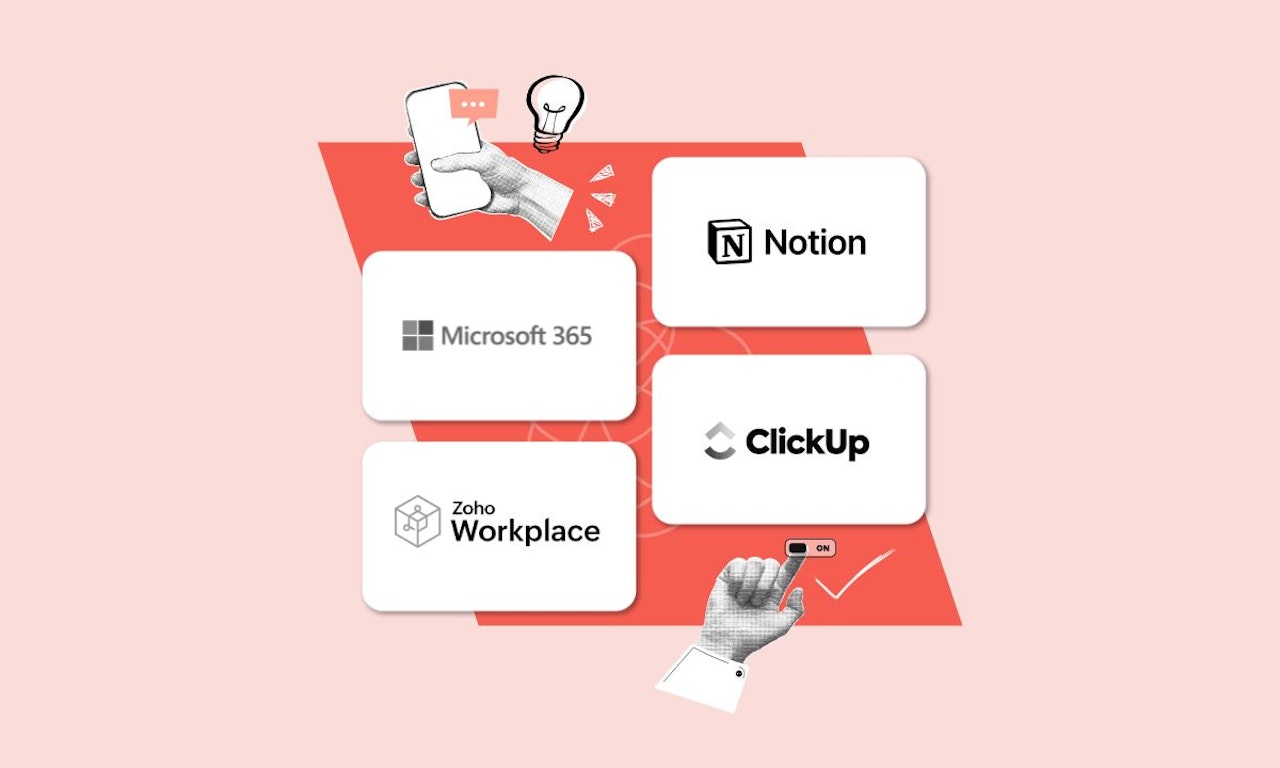
There are several platforms on the market that offer a wide variety of collaborative work tools from a single place, including user account management, project and task management, and security controls such as IP restrictions on some of them. Below, we show you a quick comparison of some of the best options available:
| Tool | What is it ideal for? | Approximate price* | Main feature |
|---|---|---|---|
| Microsoft 365 | Companies already working with Office that need deep integration with Outlook and Teams. Includes account management and IP access controls. | From €6/user/month | Advanced collaboration on Office documents. Allows creating projects, assigning tasks, and managing user accounts. |
| Zoho Workplace | Small or medium teams looking for an affordable solution with complete tools and account management. | From €3/user/month | Integration with other apps in the Zoho ecosystem. Project, task, and user account management. |
| Notion | Creative or marketing teams that value visual organization and flexibility for projects and tasks. | Free plans and paid plans from €8/user/month | Customizable all-in-one collaborative spaces. Project, task, and account management. |
| ClickUp | Marketing, product, or project teams that need to manage tasks, content, and workflows, with account management and IP security options. | Free plan / paid plans from €7/user/month | Task, docs, and chat management in one place. Advanced project, task, and user account management. |
Microsoft 365
Microsoft 365 is one of the most complete and robust suites on the market. It combines classic tools like Word, Excel, and PowerPoint, integrated with the traditional Microsoft Office suite and now enhanced with collaborative cloud functionalities, as well as Teams for communication and OneDrive for storage. It also offers a mobile app that allows users to access and manage documents and projects from anywhere, facilitating remote work and mobility.
It is ideal for medium and large companies that already use Office, seek a secure platform, and need more formal and structured collaborative environments.
Main Features of Microsoft 365
- Collaborative editing of Office documents (Word, Excel, PowerPoint)
- Integrated communication with Microsoft Teams (chat, video calls, channels)
- Cloud storage with OneDrive
- Professional Outlook with calendar and contacts
- Advanced administrative control and enterprise security
Pros and Cons of Microsoft 365
|
Advantages of Microsoft 365 |
Disadvantages of Microsoft 365 |
|
Full compatibility with traditional Office documents |
More complex learning curve for new users |
|
High security and administrative control |
Less flexible interface for creative teams |
|
Seamless integration with Outlook and Teams |
Requires more expensive licenses in advanced plans |
Microsoft 365 Plans and Pricing
Microsoft 365 -or M365- has a wide selection of plans designed to fit the needs of all types of companies. Below we detail each one and its contents.
- Microsoft 365 Business Basic – €5.60/user/month: Includes professional email, Teams, OneDrive (1 TB), and web versions of Word, Excel, and PowerPoint.
- Microsoft 365 Business Standard – €11.70/user/month: Everything above + installable Office desktop apps.
- Microsoft 365 Business Premium – €20.60/user/month: Adds advanced security, device management, and identity control.
Annual or monthly payment available (discount for annual payment)
Microsoft 365 vs Google Workspace
Both suites are market leaders and share many similar features. Google Workspace stands out for its 100% cloud focus and minimalist interface, while Microsoft 365 is a more robust choice, with advanced desktop tools and better enterprise control. Both platforms offer compatibility with different operating systems, allowing users to work from Windows, macOS, Linux, and mobile devices without issues.
If your team is already familiar with Word, Excel or Outlook, migrating to Microsoft 365 is usually the smoothest option. In contrast, Workspace excels in agility for younger companies or those focused on more informal collaborative environments. Both Microsoft 365 and Google Workspace provide solutions adapted to companies of all sizes, integrating collaboration tools, file management, and automation to meet various business needs.
|
Criterion |
Microsoft 365 |
Google Workspace |
|
Focus |
Business productivity, security, and control |
Cloud work, simplicity, and agility |
|
Collaboration |
Very good, especially in Teams and Office documents |
Excellent, very intuitive real-time collaboration |
|
Scalability |
High, with multiple levels and IT controls |
High, but with a lighter focus on administration |
|
Pricing (from) |
€5.60/user/month |
€5.75/user/month (Business Starter) |
Zoho Workplace
Zoho Workplace is a surprisingly complete and affordable alternative. It is part of the extensive Zoho ecosystem, allowing the integration of corporate email, storage, documents, spreadsheets, and presentations, along with communication and collaboration tools. Its great advantage is the balance between functionality and cost.
This is an ideal platform for startups, SMEs, or agencies with a tight budget that need a complete, easy-to-scale suite with a growth vision within the Zoho ecosystem.
Main features of Zoho Workplace
- Professional email (Zoho Mail)
- Word processor, spreadsheets, and presentations
- Internal chat and video calls
- File and folder management with Zoho WorkDrive
- Seamless integration with CRM and apps from the Zoho ecosystem
Pros and cons of Zoho Workplace
|
Advantages of Zoho Workplace |
Disadvantages of Zoho Workplace |
|
Very competitive price |
Less polished interface compared to other options |
|
Good balance between tools and simplicity |
Lower brand recognition and community |
|
Expandable ecosystem with apps like CRM, accounting, etc. |
Some advanced features only available in higher plans |
Zoho Workplace plans and pricing
These are the main subscription payment plans for Zoho Workplace. All these prices were verified in 2025; however, it is recommended to visit the product website to check if they remain valid or if any discounts are available.
Standard – €2.70/user/month: 30 GB mail, online office suite, basic chat and storage.
Professional – €4.50/user/month: Adds expanded storage, admin tools, and integrations with external apps.
Mail-only Plan – from €1.10/user/month: Only for professional email use with a custom domain.
Monthly or annual payment, with savings on the annual plan.
Zoho Workplace vs Google Workspace
Zoho Workplace is a very powerful alternative if you seek simplicity and savings. Although it lacks the same maturity as Google Workspace in terms of design and interface, it makes up for it with a comprehensive ecosystem that can grow with you.
If your priority is staying within a budget without sacrificing key features, Zoho is a very logical option, especially for SMEs.
|
Criteria |
Zoho Workplace |
Google Workspace |
|
Focus |
Affordable integrated suite for SMEs |
Comprehensive cloud productivity tool |
|
Collaboration |
Good, though less fluid than Google Docs |
Excellent, native and real-time |
|
Scalability |
Medium-high, especially within the Zoho ecosystem |
High, very flexible for all types of companies |
|
Prices (from) |
€2.70/user/month |
€5.75/user/month |
Notion
Notion is an all-in-one tool that combines notes, databases, documents, and project management in a highly visual and flexible environment.
Although it is not a traditional suite like others, many marketing companies and creative teams have adopted it as their collaborative workspace.
Perfect for agencies, creative departments, tech startups, and content or marketing teams seeking flexibility, visual order, and autonomy to organize their work their way.
Main Features of Notion
- Creation of documents, wikis, and knowledge bases
- Task and project management with Kanban, list, or calendar views
- Real-time collaboration with comments and mentions
- Integration with external tools (Slack, Figma, Google Drive)
- Customizable templates for campaigns, timelines, briefings, etc.
Pros and Cons of Notion
|
Advantages of Notion |
Disadvantages of Notion |
|
Highly customizable and visual |
Does not include traditional email or storage |
|
Ideal for documentation, planning, and notes |
May require learning to properly structure the workspace |
|
Clean, modern, and intuitive interface |
Some integrations require external tools |
Notion Plans and Pricing
Price can be a decisive factor when choosing an alternative to Google Workspace over another. For this reason, below we detail the main plans and prices of Notion for 2025.
- Free Plan – 0 €: Ideal for personal use or very small teams. Includes unlimited blocks and basic collaboration.
- Plus – 8 €/user/month: Ideal for small teams. Allows version history and more integrations.
- Business – 15 €/user/month: Designed for larger teams, with access control, SAML SSO, and advanced collaboration tools.
- Enterprise – Custom pricing (subject to enterprise budget).
It is worth noting that payments can be made on both a monthly or annual basis, with up to 20% discount on annual subscriptions.
Notion vs Google Workspace
Notion is not exactly a traditional office suite, but it has become very popular for its focus on visual organization, documentation, and collaborative projects.
Unlike Workspace, Notion does not include email or traditional cloud storage, but its power to create customized systems makes it ideal for marketing, content, or product teams.
|
Criterion |
Notion |
Google Workspace |
|
Focus |
Flexible organization of information and projects |
General cloud productivity |
|
Collaboration |
Very good, especially in content and documentation |
Excellent, throughout the suite (docs, sheets, slides) |
|
Scalability |
High, though requires structure for large teams |
High and easy for companies of any size |
|
Pricing (from) |
8 €/user/month (Plus) |
5.75 €/user/month |
ClickUp
ClickUp is a productivity platform that combines tasks, documents, calendars, chat, and more in one place.
It has become popular among marketing, product, and project teams for its versatility, depth in workflow management, and ability to adapt to multiple work styles.
Ideal for marketing teams, product teams, or agencies working with multiple simultaneous campaigns and projects who need to have everything under control, from planning to execution and delivery.
Main Features of ClickUp
- Task and project management (lists, boards, timelines)
- Spaces for documents, wikis, and SOPs
- Collaboration tools: comments, chat, and assignments
- Built-in automations
- Integrations with tools like Slack, Zoom, Google Drive, etc.
Pros and Cons of ClickUp
|
Advantages of ClickUp |
Disadvantages of ClickUp |
|
All-in-one platform: tasks, docs, chat, and more |
Can be overwhelming due to initial complexity |
|
High customization capacity |
Requires setup time for optimal workflows |
|
Powerful automations and dashboards |
Performance may slow down with large data volumes |
ClickUp Plans and Pricing
As indicated on its official page, these are the main ClickUp subscription plans for 2025:
- Free Forever – 0 €: Basic features, ideal for small teams or trials.
- Unlimited – 6.50 €/user/month: Unlimited workspaces, integrations, and basic task management.
- Business – 12 €/user/month: Automations, advanced dashboards, team management tools.
- Business Plus – 18 €/user/month: More permission controls, time tracking, and features for multiple teams.
- Enterprise – Custom pricing depending on size and needs.
Payment can be monthly or annual, with up to 25% discount for annual payment.
ClickUp vs Google Workspace
ClickUp does not directly compete across the entire spectrum of Google Workspace, but it does outperform it in task, project management, and workflow automation.
While Workspace offers separate tools, ClickUp brings together productivity, tasks, documents, and communication in one place. If your team needs total control over campaigns and tasks, it can complement or even replace parts of Workspace.
|
Criteria |
ClickUp |
Google Workspace |
|
Focus |
Project management and centralized productivity |
General cloud office suite |
|
Collaboration |
Very good, with tasks, comments, and team spaces |
Excellent, especially in documents and calendar |
|
Scalability |
Very high, ideal for growing teams |
High, flexible and easy to implement |
|
Pricing (from) |
6.50 €/user/month |
5.75 €/user/month |

Which alternative to choose depending on your type of company and needs?
Now that you know the main alternatives to Google Workspace, it's time to answer the big question: Which one should you choose? The answer, as is often the case, depends a lot on the context: budget, technical team, level of digital maturity, and the type of company you are.
Here is a guiding guide to help you decide:
Teams with limited budgets
Profile: Startups, small studios, freelancers, or young companies that need powerful tools without compromising their finances.
Recommended:
- Zoho Workplace: ideal for its ultra-competitive price and for including email, storage, office tools, and internal communication.
- ClickUp (free or Unlimited plan): perfect if your focus is on task and project management, with many features available at no initial cost.
Large or rapidly growing companies
Profile: Organizations with multiple departments, remote employees, defined hierarchies, and the need for control over users and data.
Recommended:
- Microsoft 365: solid, secure, scalable, and with all the office tools your teams already know.
- ClickUp (Business or Enterprise): if you need to centralize tasks, workflows, automations, and team management in one place.
Ecommerce, Online Stores, and Marketing-Focused Companies
Profile: Businesses that work on campaigns, product launches, content, and constant digital communication.
Recommended:
- Notion: perfect for creating editorial calendars, product guides, knowledge bases, and process documentation.
- ClickUp: very useful for managing campaigns, marketing team tasks, launches, and interdepartmental collaboration.

Creative Agencies, Design Studios, and Content Teams
Profile: Teams working on visual projects, creativity, design, or writing, where organization and inspiration must flow.
Recommended:
- Notion: a visual, flexible, and customizable tool, ideal for brainstormings, briefings, ideas, deliverables, and documentation.
- Zoho Workplace (as support): if you need some email and additional storage without complications or overspending.
Companies that collaborate with freelancers or distributed teams
Profile: Companies that work with contractors, external agencies, or remote employees, and need easy-to-integrate and secure tools.
Recommended:
- Microsoft 365: for its corporate standard, ease of sharing documents, and advanced access control options.
- ClickUp: because it allows you to assign tasks, track progress, and keep the entire team aligned from a single dashboard.
Summary: Which tool is best for each type of company?
- Zoho Workplace: the best option for small businesses, entrepreneurs, and teams with tight budgets.
- Microsoft 365: ideal for large companies, corporate environments, and businesses already using Microsoft tools.
- Notion: perfect for creative agencies, content teams, and organizations seeking visual flexibility and document structure.
- ClickUp: the most complete for task-oriented teams, campaigns, productivity, and large-scale project management.
The best alternatives to Google Workspace
Conclusion: What is the best alternative on the market to Google Workspace?
Throughout this article, we have explored the different alternatives to Google Workspace, each with its particularities, advantages, and ideal audiences.
The truth is that in 2025 the market for productivity and collaboration suites has diversified enormously, offering increasingly specialized tools adapted to new ways of working.
From traditional suites to all-in-one platforms, there are very powerful options to replace (or complement) Google Workspace, especially for teams seeking more customization, savings, or control.
There is no single answer valid for everyone, but there is an alternative that may fit better depending on the size, sector, and work style of your company. That is why, beyond the popularity or familiarity of Google Workspace, it is worth carefully evaluating what each option offers you and how it can help you grow.
Ultimately, the best tool is not necessarily the most well-known, but the one that best adapts to your way of working. Some companies will need a complete tool with email, calendar, office suite, and storage. Others will look for control over workflows, planning, and projects. Others will simply want a lightweight and economical solution.