

In an increasingly threatened digital environment by cyberattacks, having a robust email security solution and advanced threat protection is no longer an option, but a critical necessity for any company. In this context, Proofpoint stands out as one of the strongest benchmarks in this field, offering a comprehensive platform that covers everything from protection against phishing and malware to defense against internal threats and regulatory compliance management.
Its effectiveness, scalability and adaptability to complex business environments make Proofpoint a trusted tool for many organizations worldwide. However, in a market as dynamic as cybersecurity, there are other equally competitive solutions worth considering.
In this article, we will review some of the main alternatives to Proofpoint that have gained relevance in the market, analyzing their features, advantages, and use cases to help you make an informed decision aligned with your company's goals.
Which option to choose?




Alternatives to Proofpoint: Email Platforms to Consider
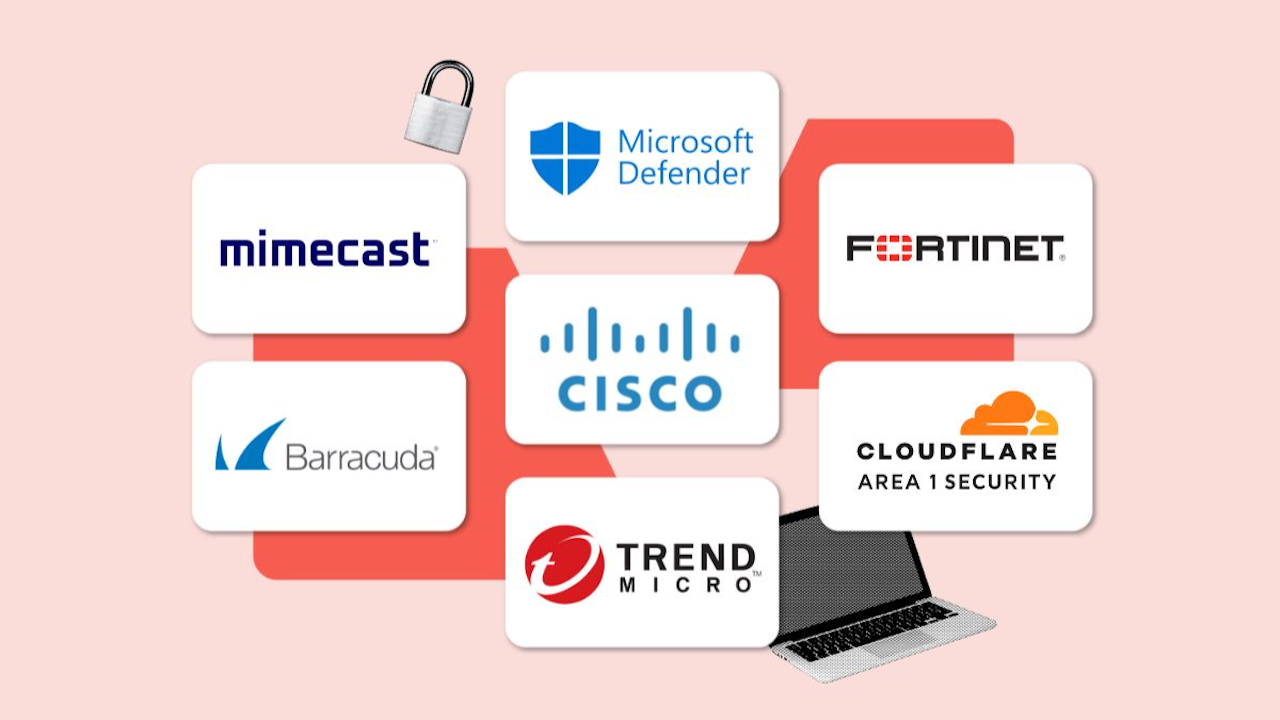
Before going into details, the ideal is to make a big table to offer you the key information about alternatives to Proofpoint. Let's focus on three key points: what the tool is ideal for, the price it represents, and what is the most outstanding feature of the service.
| Tool | What is it ideal for? | Estimated price* | Most notable feature |
|---|---|---|---|
| Mimecast | Companies needing comprehensive email protection and service continuity | From €3 / 6 per user/month | Protection against advanced threats and continuity |
| Barracuda Email Protection | SMBs and companies looking for a simple and effective anti-phishing solution | From €2 per user/month | AI-driven anti-phishing and anti-malware filter |
| Microsoft Defender for Office 365 | Organizations already using Microsoft 365 seeking native integration | Included in some Microsoft 365 E5 plans, or from €2 per user/month | Direct integration with Office and advanced analysis |
| Cisco Secure Email (formerly IronPort) | Large companies needing scalable and customizable security | According to personalized licensing | Threat detection with behavior analysis |
| Trend Micro Email Security | Companies seeking a cloud-based solution with high spam detection | From €3 / 5 per user/month | Predictive defense with global threat analysis |
| Fortinet FortiMail | Organizations preferring hardware or hybrid solutions | Licenses from €1,000 annually (depending on size) | Antispam and sandboxing with on-premise option |
| Cloudflare | Companies focused on early attack detection before email arrival | From €3 per user/month | Pre-delivery threat prevention (before reaching the inbox) |
| Check Point | Businesses seeking integrated protection for suites like Google Workspace or Microsoft 365 | From €4 per user/month | API-first security with post-delivery protection |

1. Mimecast
Mimecast is one of the most established email security solutions on the market. It positions itself as a very comprehensive option to protect companies against advanced threats such as phishing, spoofing, ransomware, and data loss.
The tool stands out by offering a combination of advanced filtering, email continuity, and secure archiving, all from a single cloud platform.
Mimecast is ideal for medium and large companies that need an integral, centralized, and scalable solution to protect their email communications, with regulatory compliance and high availability.
Main Features
- Advanced anti-spam and anti-phishing filter.
- Threat analysis with artificial intelligence and machine learning.
- Email Continuity.
- Secure and compliant archiving (Email Archiving).
- Data Loss Prevention (DLP).
- Integrations with Microsoft 365, Google Workspace, and other systems.
Mimecast Pros and Cons
|
PROS |
CONS |
|
|
Mimecast Pricing (2025)
The base price ranges from €4.50 / €6.00 per user/month, depending on the volume of licenses and the contracted modules.
2. Barracuda Email Protection
Barracuda is a popular solution among small and medium-sized businesses due to its ease of use and good value for money. It focuses on protecting email against phishing, ransomware, and spam attacks, all from a simple and accessible console.
Its cloud-first approach and automated policies make it a very practical option for IT teams with limited resources. In short, it is ideal for SMBs that need an effective, easy-to-manage, and affordable solution to protect their email from common threats and spoofing.
Main Features
- Anti-spam filter and phishing protection.
- Real-time malicious link analysis.
- Email archiving and retention.
- Data Loss Prevention (DLP).
- Protection against identity spoofing.
- Cloud-based security, easy to deploy.
Pros and Cons of Barracuda
|
PROS |
CONS |
|
|
Barracuda Email Protection Pricing (2025)
The estimated price is €2.50 / 3.00 per user/month, with scalable licenses and additional options.
3. Microsoft Defender for Office 365
Microsoft Defender for Office 365 is Microsoft 365's native protection solution, designed to integrate advanced security directly into your productivity suite. It includes threat detection and response features, protection against phishing, malware, BEC, and more, all managed from the Microsoft security center.
It is a perfect option for organizations already working with Microsoft 365, who want to keep their security infrastructure within the same ecosystem, reducing costs and operational complexity.
Main Features
- AI-based malware and phishing protection.
- Attack simulations and user training.
- Automated post-delivery email analysis.
- Threat reports and incident visibility.
- Integration with Microsoft Sentinel and other security tools.
Pros and Cons of Microsoft Defender
|
PROS |
CONS |
|
|
Microsoft Defender for Office Price (2025)
Included in Microsoft 365 E5, or as an add-on from €2.00 – 3.50 per user/month, depending on the plan and region.
4. Cisco Secure Email (IronPort)
Cisco Secure Email, formerly known as IronPort, is a robust and highly configurable solution for companies requiring advanced security, customization, and deep analysis.
It is one of the preferred options for large corporations and regulated environments due to its strength in detecting sophisticated threats and its proactive approach. And it's not surprising. We are talking about a solution designed for large corporations, government entities, and regulated sectors that need total control over email security and advanced forensic analysis tools.
Main Features
- Behavioral and sender reputation analysis.
- Protection against advanced malware and ransomware.
- Automatic encryption of sensitive emails.
- Content filters and customized policies.
- Sandbox for suspicious attachments.
Pros and Cons of Cisco Secure Email
|
PROS |
CONS |
|
|
Price of Cisco Secure Email (2025)
Indicative price from €12.00 per user/month, with variations depending on licenses, modules, and volume.

5. Trend Micro Email Security
Trend Micro is a veteran in the cybersecurity sector, and its email security solution combines experience, innovation, and strong predictive capability based on global intelligence.
It is a cloud-based tool that offers protection against known and unknown threats, leveraging sandboxing techniques, behavioral analysis, and machine learning. Its modular approach also allows easy scaling according to company needs.
Regarding its ideal use case, Trend Micro Email Security is a very good option for medium-sized businesses with advanced protection needs, valuing a cloud solution that is powerful in detection and adaptable to Microsoft or Google environments.
Main Features
- Anti-phishing and anti-spam filter with global reputation.
- Sandbox analysis of suspicious attachments.
- Protection against advanced persistent threats (APT).
- Data loss prevention (DLP).
- Integration with Microsoft 365 and Google Workspace.
Pros and Cons of Trend Micro
|
PROS |
CONS |
|
|
Trend Micro Pricing (2025)
Estimated range: €3.50 / €5.00 per user/month, depending on the modules activated.
6. Fortinet FortiMail
FortiMail is part of Fortinet's cybersecurity ecosystem and stands out for offering a flexible solution that can be deployed in the cloud, in physical or virtual format.
It is designed for companies that prefer more direct control over their security infrastructure. It offers strong antispam capabilities, content filtering, encryption, and sandboxing, all backed by the FortiGuard engine.
We recommend this software for companies with hybrid environments or those operating in regulated sectors, who want to maintain full control over their mail systems, whether in the cloud or on their own servers.
Main Features
- Antispam and malware protection.
- Sandboxing and real-time threat analysis.
- Policy-based email encryption.
- High availability and redundancy.
- Compatible with on-premise, cloud, or hybrid deployments.
FortiMail Pros and Cons
|
PROS |
CONS |
|
|
FortiMail Pricing (2025)
Estimated cost from €1,000 annually for small environments (up to 25 users), scaling based on licenses and environment size.
7. Cloudflare
Cloudflare offers an innovative approach: stopping phishing attacks before they reach the user's mailbox. Its system is based on threat intelligence and active tracking techniques to identify attacks in their early stages.
It is a cloud-native solution that acts as a first line of defense, ideal as a complement or replacement for traditional solutions.
Ultimately, Cloudflare is especially useful for companies that suffer frequent targeted attacks, or that wish to strengthen the security layer before accessing corporate email, with an agile and proactive solution.
Main features
- Early attack prevention (pre-delivery).
- Global threat intelligence.
- Protection against BEC, spoofing, and targeted phishing.
- Analysis of URLs and dynamic content.
- Integration with Microsoft 365 and Google Workspace.
Pros and cons of Cloudflare
|
PROS |
CONS |
|
|
Cloudflare Pricing (2025)
Current estimate: €3.00 / 4.50 per user/month, customizable according to volume.
8. Check Point
Check Point is a security solution specifically designed to protect collaborative cloud platforms such as Microsoft 365, Google Workspace, Slack, or Teams.
Unlike other solutions that act as a gateway, Check Point integrates via APIs, allowing it to analyze emails after delivery, detect suspicious behaviors, and prevent attacks without affecting legitimate delivery.
Main Features
- Post-delivery protection with continuous environment analysis.
- Prevention against phishing, malware, and internal threats.
- Security for email, cloud storage, and collaborative applications.
- Adaptive artificial intelligence engine.
- Centralized visibility and detailed reports.
Pros and Cons of Check Point
|
PROS |
CONS |
|
|
Check Point Price (2025)
Estimated range: €4.00 / 5.50 per user/month, depending on activated modules and number of users.
Comparison by categories
1. Security and Compliance
- High level of security and compliance: Mimecast, Cisco Secure Email, Microsoft Defender, and Trend Micro stand out for their advanced approach to threat detection and regulatory compliance (including GDPR, HIPAA, etc.).
- Outstanding protection against targeted phishing: Cloudflare and Check Point, thanks to their innovative approaches.
- Balance between protection and ease of use: Barracuda and Fortinet FortiMail offer good protection, although more oriented to less complex or very specific environments.
2. Ease of Implementation
- Easier to implement: Barracuda, Check Point, and Cloudflare, thanks to their SaaS approach and rapid deployment.
- Moderately simple: Mimecast and Trend Micro, with good support but more configurable.
- More complex to deploy: Cisco Secure Email and Fortinet FortiMail, especially in on-premise or hybrid environments.
3. Customization and Integrations
- Maximum level of customization: Cisco Secure Email and Fortinet, ideal for complex environments.
- Good level of integration with existing suites: Microsoft Defender, Check Point, and Mimecast.
- Limited or more general integrations: Barracuda and Trend Micro offer common options, but with less technical depth.
4. Self-Managed vs Managed Hosting
- Cloud-only managed (SaaS): Mimecast, Barracuda, Check Point, Cloudflare, Microsoft Defender, Trend Micro.
- Hybrid or self-managed options: Cisco Secure Email and Fortinet FortiMail allow on-premise or virtual environment installation, ideal for companies with stricter control policies.
5. Scalability
- High scalability for large enterprises: Mimecast, Cisco, Microsoft Defender, and Fortinet, designed for complex structures and continuous growth.
- Medium flexibility (SMEs to mid-sized): Barracuda, Trend Micro, and Check Point adapt well to expanding structures.
- More specific focus: Cloudflare is more focused on perimeter security against phishing and may need integration with other solutions to fully scale.
6. Price
- More affordable (low cost per user): Barracuda, Microsoft Defender, and Cloudflare (from €2.50 to €4.00).
- Balanced quality-price ratio: Mimecast, Trend Micro, and Check Point (€4.00 – €6.00).
- More expensive (but powerful): Cisco Secure Email and Fortinet FortiMail, with higher annual or per-user licenses due to their advanced enterprise approach.
Among the alternatives to Proofpoint, which one to choose?
And now that we have all the data in hand, which alternative should we choose? The answer depends largely on our needs, so based on our situation, the recommendations are as follows:
Large or rapidly expanding companies
Among the software designed for large companies with a large number of employees, we recommend the following options:
- Mimecast
- Cisco Secure Email
- Microsoft Defender for Office 365 (E5)
These tools offer enterprise-level security coverage, are scalable, and come with advanced features such as compliant archiving, protection against sophisticated threats, and centralized management capabilities.
In short, they are ideal for corporations that need control, regulatory compliance, and comprehensive security for all their users.
Teams with limited budget or SMEs
When we talk about businesses with limited budgets that need software that not only protects their inbox privacy but also supports financially, we recommend these alternatives:
- Barracuda Email Protection
- Microsoft Defender for Office 365 (Plan 1 or as an add-on)
- Trend Micro Email Security
These options offer excellent value for money, with powerful features without excessive costs. They are perfect for small businesses that want to protect their communications without the need for specialized IT staff or a large investment.
Ecommerce, tech startups, and digital companies
When we talk about startups, digital companies or businesses focused on e-commerce through the web, we strongly recommend these platforms:
- Check Point
- Cloudflare
- Mimecast (in cloud plans)
These businesses often operate 100% in the cloud, use collaborative tools like Google Workspace or Microsoft 365, and have a strong digital focus.
These solutions stand out for their integration with cloud platforms, ease of implementation, and protection against targeted attacks such as phishing or BEC (Business Email Compromise).
Regulated companies or those in legal, financial, and healthcare sectors
We know that regulated companies and those who work daily with sensitive data (such as now the legal, financial, or healthcare sectors) have specific needs to keep their messages safe. That is why we recommend software with high security measures that are regularly updated, such as:
- Cisco Secure Email
- Fortinet FortiMail
- Mimecast
These sectors require strict compliance with regulations (GDPR, HIPAA, FINRA, etc.), as well as high confidentiality and options for encryption, archiving, and customized policies.
These tools offer great technical robustness, hybrid or on-premise deployment options, and advanced auditing capabilities.
Companies with advanced technical teams or hybrid environments
We continue our classification of alternatives to Proofpoint with those we believe can help any business with advanced technical teams or working in hybrid environments. In these cases, we recommend opting for:
- Fortinet FortiMail
- Cisco Secure Email
If your company has a skilled IT team or manages hybrid environments (on-premise + cloud), these solutions allow advanced configurations, full customization, and detailed control of email flow and security policies.
Companies that have suffered (or suffer) spear phishing attacks
We finish our list with a selection for those companies that already have experience or want to avoid a targeted phishing attack (or spear phishing). Among the offered solutions, we believe the ideal ones are:
- Cloudflare
- Check Point
These platforms are specially designed to identify and neutralize sophisticated phishing campaigns, often before they reach the end user. They are ideal as a first line of defense for organizations under constant threat.
Which option to choose?
8 alternatives to protect our company from day one
In a digital landscape where email remains the main entry point for attacks, having a robust security solution is no longer optional: it is a priority where no mistakes can be made.
Proofpoint has been one of the market’s leading tools for years, but as we have seen, there are at least eight highly competitive alternatives that cover a wide range of needs, budgets, and levels of technical sophistication.
From all-in-one solutions like Mimecast or Cisco Secure Email, to more specialized options like Cloudflare or Check Point, the current offerings allow you to find an equally reliable ally to protect any organization from day one.
The choice of the ideal tool should not be based solely on the prestige of a brand, but on a realistic analysis of the specific needs of each company: its size, sector, performance, technological infrastructure, and risk tolerance.
Whether you are a growing SME or a large corporation with strict compliance requirements, there is a solution designed for you. The important thing is to act in time and choose wisely: cybersecurity does not wait and hackers are always lurking.