

In business environments where both Windows and Mac devices coexist, ensuring uniform protection requires a specific solution. Microsoft Defender for Business integrates by default very quickly and effectively in Windows 10 and 11, but its reach falls substantially short when what we need is to manage multiple operating systems.
With a predominantly Windows fleet, it is common to implement a second solution for devices that fall outside Defender's protection, but the moment cloud devices and other operating systems start to appear, it is advisable to look at alternatives to Microsoft Defender.
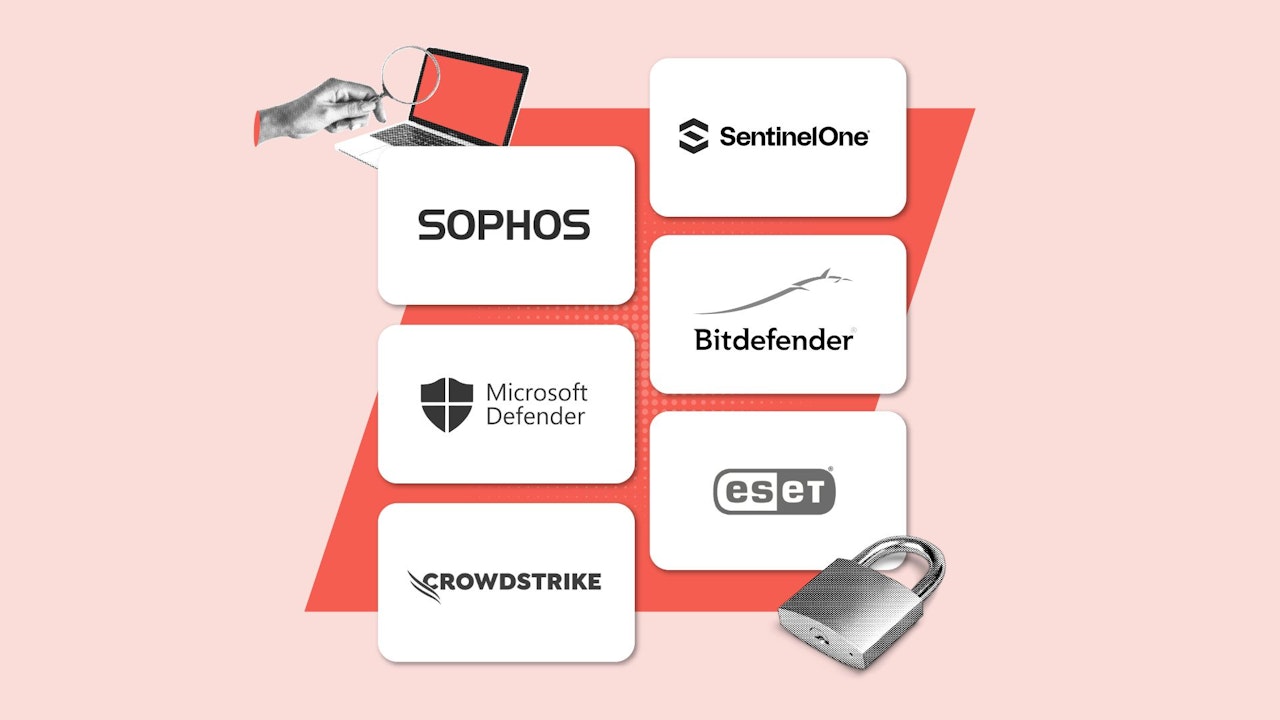
After testing several, in real environments, and talking with companies that have already implemented them, at Softonic we have been able to narrow down the list of candidates to the top five options to protect hybrid environments in the company. Let’s analyze them, compare them, and clarify all the data to answer a simple question: what security solution is the most suitable for our company?
What is the best option?




Why look for alternatives to Microsoft Defender
Microsoft Defender is a benchmark in the market. In fact, we all remember Windows Defender, its younger sibling that protected Windows as a free antivirus until evolving into this powerful platform. Why should we consider looking for alternatives? The main reason lies in the disparity of Defender's features between the Mac and Windows versions, which can leave gaps in security. Defender for Mac, although improved in recent versions, does not have the EDR and ASR capabilities that it offers on Windows, creating an imbalance in the defense of our devices.
Additionally, consider that the unified console of Defender for Business, which works very well in large corporations, is not specifically designed for SMEs. Its learning curve is steep and the automated threat remediation is considerably less autonomous than on specialized platforms.
When our goal is to have a single, simple tool with support for macOS, Windows, and also Linux, we need to look for options that offer zero-day detection, forensic analysis, and automatic response without depending on an internal security expert. Let’s talk about those options.

Alternatives to Microsoft Defender: A quick comparison
Let's start by looking at the five options that we will cover in a few paragraphs with all the detail they deserve, in a summarized way.
|
Tool |
Ideal for |
Price |
Main feature |
|
CrowdStrike Falcon Pro |
Highly sensitive environments |
From €5.99/device/month (Falcon Go) |
Threat Graph-based detection |
|
Sophos Endpoint (with Intercept X) |
SMBs without dedicated security team |
€3.95/user/month (annual payment) |
Ransomware protection with CryptoGuard |
|
Bitdefender GravityZone Business |
Cost-benefit balance |
€3.99/device/month (5 devices) |
Next-Gen Antivirus and anti-exploit layers |
|
SentinelOne Singularity Complete |
Autonomous response |
Between €6.00 and €8.00/endpoint/month |
Instant rollback with Storyline for analysis |
|
ESET PROTECT Entry |
Devices with limited hardware |
€2.99/device/month (5 devices) |
UEFI analysis and cloud sandboxing |
CrowdStrike Falcon Pro: A cloud platform that protects all devices
CrowdStrike Falcon Pro is a benchmark in the EDR market thanks to its cloud-native platform and a single surprisingly lightweight agent capable of protecting Windows, macOS, and Linux. Its Threat Graph offers us complete visibility of every event, facilitating threat visualization and accelerating the investigation of any type of incident.
Key features of CrowdStrike Falcon Pro
Falcon Pro combines all its capabilities into a single agent, which is highly valuable for ensuring unified protection. Additionally, it stands out in the following:
- ML and AI-based malware prevention to block fileless attacks
- Real-time Threat Graph that maps every security event
- Proactive hunting with behavioral indicators
- Integration with APIs for enterprise SIEM and SOAR systems
- Centralized management of policies and audits from a single portal
- Immediate incident response with custom scripts
Pros and cons of CrowdStrike Falcon Pro
Although Falcon Pro excels in detection and response, there are other aspects that we must also consider.
|
Advantages of CrowdStrike Falcon Pro |
Disadvantages of CrowdStrike Falcon Pro |
|
Comprehensive visibility of the entire attack chain |
Considerable cost for small businesses |
|
Unique and lightweight agent covering Windows, macOS, and Linux |
Complex initial setup for inexperienced teams |
|
Advanced hunting and comprehensive Threat Graph |
Some features require higher-tier plans |
|
Automatic and personalized remediation |
Dependence on cloud connection for certain tasks |
|
Global support and active community |
CrowdStrike Falcon Plans and Pricing
CrowdStrike Falcon offers different subscription plans, including its Pro version. They are as follows:
- Falcon Go: €59.99 per device/year. Antivirus, mobile device control, and basic quick support.
- Falcon Pro: €99.99 per device/year. Includes everything above plus centralized firewall management.
- Falcon Enterprise: €184.99 per device/year. Adds EDR, automated threat hunting, and advanced visibility.
- Falcon Complete MDR: Price upon request; includes everything in Falcon Enterprise plus 24/7 managed response by the CrowdStrike team.
Ideal Use Case for CrowdStrike Falcon Pro
Companies where operations are critical and skilled IT teams that need total visibility and an autonomous response system against all types of threats.
CrowdStrike Falcon Pro vs Microsoft Defender
When comparing both software, CrowdStrike Falcon Pro stands out as an advanced solution providing high-level detection with all the advantages of cloud management. It is, therefore, a flexible solution for businesses that do not use or lack Microsoft's operating system.
Defender, on the other hand, is an integrated solution in Windows and thus ideal for those already using Microsoft's operating system. Besides being very easy to use, it is a very powerful option if you have an E5/E3 license.
Sophos Endpoint: An excellent anti-ransomware that goes far beyond a simple antivirus
Sophos Endpoint (with Intercept X) combines the EDR system, anti-ransomware, and deep learning into a single service designed for SMEs seeking simplicity. With CryptoGuard we can automatically reverse malicious encryption, protecting our files without even the need for manual intervention.
Key features of Sophos Endpoint (with Intercept X)
Sophos combines traditional protection with next-generation technologies. It stands out in the following:
- CryptoGuard for anti-ransomware with file rollback
- Deep Learning to detect signatureless malware
- Exploit prevention that blocks unpatched vulnerabilities
- Synchronized Security for quarantine from the same firewall
- Integrated EDR with preconfigured use cases
- Well-designed dashboard with always actionable alerts
Pros and cons of Sophos Endpoint
Sophos stands out for its centralized and easy management of the entire administration part, although there are also other aspects to consider.
|
Advantages of Sophos Endpoint |
Disadvantages of Sophos Endpoint |
|
Simple console for SMEs |
EDR less advanced than industry leaders |
|
Very effective ransomware protection |
Moderate impact on resources of older systems |
|
Automatic coordination with Sophos firewalls |
Occasional false positives in highly heterogeneous environments |
|
Many features included in a single license |
Reporting limitations depending on plan purchased |
|
Technical support with direct channels |
Sophos Endpoint Plans and Pricing
Sophos Endpoint (with Intercept X) has 3 different plans:
- Advanced : Offers threat protection and exposure reduction to guard against breaches, ransomware, data loss, and other current and emerging threats.
- Advanced with MDR: Includes all the features of the Advanced subscription, along with EDR and XDR capabilities.
- Advanced with MDR Complete: Provides fully managed threat detection, hunting, and response 24 hours a day, 7 days a week.
Sophos does not publicly disclose the pricing for its Endpoint protection, so it is recommended to contact the sales team to receive a quote. Based on user feedback, we can inform you that the approximate price is €3.95 per user per month (with annual billing) and includes both technical support and updates.
Finally, it is possible to perform a free trial of the platform and evaluate it before committing to payment. We also recommend visiting Sophos' website to access any possible discounts.
Ideal Use Case for Sophos Endpoint
Organizations without a dedicated security team seeking the full functionalities of a top-tier tool, but with minimal configuration.
Sophos Endpoint vs Microsoft Defender
Sophos Endpoint is a multilayer protection solution that places particular emphasis on threat prevention using artificial intelligence (AI). Some of its key features are centralized management tools, application control, and powerful web protection. All integrated within a single console, Sophos Central. This provides strong assistance for the IT team, who can manage and monitor company endpoints protection from a single panel.
Microsoft Defender is a more modest option but no less preferable. Because it requires no installation being natively integrated into Microsoft 365 and Azure, it offers truly good (and cost-effective) results for all companies already within the Windows ecosystem. For this reason, it is recommended for businesses seeking a balance between cost and ease of management.
Bitdefender GravityZone Business Security: A layered system for the best protection
GravityZone Business Security combines several different layers of defense in a single agent. Machine learning, anti-exploit, and process monitoring come together under one interface to achieve the best scores in independent evaluation labs.
Key features of Bitdefender GravityZone Business Security
Bitdefender's solution offers us, among other things, the following:
- Next-Gen Antivirus with multilayer detection
- Anti-Exploit that prevents attacks on known vulnerabilities
- Encryption management with BitLocker and FileVault from the same console
- Application and USB device controls
- Cloud Sandbox Analyzer for deep analysis
- Preconfigured reports on threats and compliance
Pros and cons of Bitdefender GravityZone Business Security
Bitdefender stands out for its lightweight performance and high detection rates, but it also has other aspects that we must consider.
|
Advantages of Bitdefender GravityZone |
Disadvantages of Bitdefender GravityZone |
|
Top detection results in AV-Comparatives |
Initial policy configuration somewhat complex |
|
Low impact on machine performance |
Full EDR only in the Premium version |
|
Cross-platform coverage with a single panel |
Interface may be dense for non-expert administrators |
|
Centralized management of encryption and protection |
Bitdefender GravityZone Plans and Pricing
GravityZone offers different plans aimed at companies of various sizes. They are the following:
- GravityZone Small Business Security: (€164.99/5 devices/year) Ideal for small businesses seeking hassle-free endpoint security.
- GravityZone Business Security: (€174.99/5 devices/year) Simple but effective security for SMEs.
- GravityZone Business Security Premium: (€399.99/5 devices/year) Active protection against sophisticated threats for larger companies.
- GravityZone Business Security Enterprise: (Contact sales required) Includes EDR with automated endpoint correlation and robust EPP capabilities seamlessly integrated.
- GravityZone XDR: (Contact sales required) Natively correlates all a company's security data to stay ahead of any threat, reducing noise and alert fatigue.
- MDR PLUS: (Contact sales required) GravityZone’s most comprehensive solution. Incorporates the most complete detection and response available on the Dark Web, with specialized intelligence analysts continuously monitoring to safeguard your data and prevent breaches.
All GravityZone plans - except MDR Plus - include a free trial version. This allows evaluating the platform without the need to commit to a purchase. Additionally, interesting discounts are available on their website.
Ideal Use Case for Bitdefender GravityZone Business Security
Companies seeking maximum antimalware protection with controlled and predictable costs and low operational load for the team and devices.
Bitdefender GravityZone Business Security vs Microsoft Defender
Both Bitdefender GravityZone and Microsoft Defender are excellent solutions to protect business endpoints against potential breaches or cyberthreats. Regarding Bitdefender, it stands out for its high performance in malware and ransomware detection, thanks to its security engine recognized in independent tests, and also includes web control, firewall, encryption, and centralized management in a single console.
On the other hand, Microsoft Defender excels by being fully integrated within the Windows ecosystem, saving costs for those businesses already using Microsoft’s operating system. It is, therefore, a more cost-effective and practical option for those seeking ease of deployment and use.
SentinelOne Singularity Complete: Autonomous and Rapid Threat Response
Singularity Complete stands out from other alternatives due to its renowned autonomous response capability based on on-agent intelligence, even if the endpoint is offline. With the STAR module, the system can remediate attack damage with a single click.
Key Features of SentinelOne
SentinelOne excels in response capability, but also for the following:
- Storyline Active-Response (STAR) for instant rollback
- On-agent AI that also works without cloud connection
- Full EDR/XDR with USB and Bluetooth control
- Zero-Trust for granular application control
- Continuous process behavior monitoring
- Native integration with enterprise SOAR and SIEM systems
Pros and Cons of SentinelOne
The platform offers excellent autonomous remediation, but there are other variables we also need to consider.
|
Advantages of SentinelOne |
Disadvantages of SentinelOne |
|
Automatic rollback of the entire attack chain |
High price compared to more basic suites |
|
Protection even offline thanks to on-agent AI |
Steep learning curve for inexperienced administrators |
|
Unified console for EDR and XDR |
Better performance with a specialized team or MSSP |
|
Advanced device control and Zero-Trust policies |
SentinelOne Plans and Pricing
SentinelOne Singularity prices are tied to official partners and MSPs. This means that the price may vary slightly depending on the distributor or country where it is purchased. The average price is usually €7.49 per endpoint per month, subject to the rates of these partners. This can also vary depending on the volume of computers and devices to protect or if we contract SentinelOne as a managed service. For detailed information about exact prices, it is necessary to visit their website.
Ideal Use Case for SentinelOne
Environments that require autonomous remediation systems and must be able to have security orchestration processes.
SentinelOne Singularity Complete vs Microsoft Defender
If we compare both security solutions, we find that their biggest difference lies in the use of artificial intelligence. SentinelOne Singularity emphasizes AI automation, not only detecting but also reversing attacks in a matter of seconds. All this without the need to be connected to the Internet. Therefore, it is the best option if we are looking for automation and resilience.
Microsoft Defender, on the other hand, stands out for its integration capacity and cost savings for all those companies already using Windows. It is therefore a truly competitive cost option and very easy to deploy for users of this operating system.
ESET PROTECT Entry: Security without compromises in usability
ESET PROTECT Entry stands out, above all, for its very low resource impact and for its UEFI scanning, which protects devices even before the operating system boots. Its cloud sandboxing enhances threat detection.
Key features of ESET PROTECT Entry
While it stands out for its low impact on devices, ESET has several key features:
- UEFI Scanner against rootkits and bootkits
- Cloud sandbox for zero-day vulnerability analysis
- Traditional protection with optimized signatures
- Very granular device and application control
- Compliance reports and policy auditing
- Automatic and lightweight updates
Pros and cons of ESET PROTECT Entry
Its lightness makes it ideal for older hardware, although other details should be taken into account.
|
Advantages of ESET Protect |
Disadvantages of ESET Protect |
|
Minimal impact on endpoint performance |
Less modern UI compared to alternatives |
|
Protection from firmware with UEFI Scanner |
EDR and sandboxing only in higher tiers |
|
High granularity in policies and exclusions |
ESET PROTECT Plans and Pricing
These are the main paid plans of ESET Protect, including its Entry version:
- ESET PROTECT Entry: From €211 per year for 5 devices, with advanced antivirus, network protection, device control, and anti-phishing. Security for servers and mobiles as an additional option.
- ESET PROTECT Advanced: Approximately €275 per year for 5 devices. Includes all of the above plus ransomware defense, full disk encryption, and mobile protection.
- ESET PROTECT Complete: Around €287 per year for 5 devices. Adds XDR and protection for cloud applications such as Microsoft 365 or Google Workspace.
- ESET PROTECT MDR: Price upon budget. Includes XDR and a managed detection and response service 24/7 by the ESET SOC team.
Ideal Use Case for ESET PROTECT Entry
Companies with older hardware or a large number of virtualized environments that require an ultra-lightweight agent.
ESET PROTECT Entry vs Microsoft Defender
One of the main differences between ESET Protect and Microsoft Defender is the flexibility of use and cost savings when obtaining efficient protection for your endpoints. ESET’s solution stands out for being a lightweight, multiplatform option that is very easy to use. It offers centralized management of antivirus, firewall, and device control through its powerful cloud console. Therefore, it is ideal whether you have devices with Windows or Mac operating systems.
On the other hand, Microsoft Defender is an option already integrated within the Windows ecosystem. It is, ultimately, a powerful and cost-effective software, though only recommended if your company is already using the Microsoft operating system.
Comparison by Categories
Having looked at the alternatives individually, let’s now look at them from another perspective: let’s compare them in terms of security, implementation, hosting, or scalability to see which one best fits our projects.
Security and compliance
While Defender meets the basic requirements, CrowdStrike and SentinelOne lead in remediation and EDR. Sophos and Bitdefender elegantly balance prevention and detection, and ESET offers us a privacy-first and low-impact approach.
Ease of implementation
Defender installs by default, but its portal is notably complex. Sophos and Bitdefender offer us simpler consoles, ESET an ultra-fast setup, and SentinelOne a single agent with onboard AI.
Customization and integrations
Bitdefender and CrowdStrike stand out here for their APIs and SIEM systems, Sophos for its synchronization with company firewalls, SentinelOne in native SOAR, and ESET for its functional and minimalist dashboard.
Hosting
All the solutions we have seen are SaaS except Defender for Business, which can be integrated on-premise within Azure. CrowdStrike, SentinelOne, and Bitdefender allow us to perform hybrid deployments.
Scalability
SentinelOne and CrowdStrike scale indefinitely by adding endpoints. Meanwhile, Sophos and Bitdefender require additional licenses when expanding.
Price
Defender is already included in Microsoft 365 licenses. The other alternatives range from €2.99 to €8.00 per endpoint/month, depending on the features we configure and the volume of machines to cover.
Among the alternatives to Microsoft Defender, which one to choose?
The choice will always depend on our context, budget, and the technical experience we have. In general terms, however, we can define the following:
- Teams with limited budget: ESET PROTECT Entry for its low cost and surprisingly light performance.
- Large companies: CrowdStrike Falcon Pro or SentinelOne Singularity for their maximum visibility and autonomous response capability.
- Teams that prioritize privacy: ESET and Bitdefender for their focus on local protection and compliance.
Distributed or remote teams: Sophos and Bitdefender for the clarity of their consoles and cross-platform synchronization.
What is the best option?
What is the best solution to protect hybrid environments in your company?
Each alternative we have seen covers different priorities: proactive exploration, simple management, low impact, or automatic responses. Defender for Business provides us with a basic service, but for environments that combine macOS and Windows or where security is critical, choosing specialized solutions like CrowdStrike, Sophos, Bitdefender, SentinelOne, or ESET will allow us to increase defenses while simplifying daily operations.
Testing more than one tool in a real environment is the best way to verify which one adapts to our context. There is nothing better than checking their features and results firsthand. Hopefully, after all the information we have presented, we can focus our attention on a couple of solutions, which considerably narrows down the number of offers in the market. Among these five, or between our two, whichever we choose, we will be taking the most appropriate step to best protect our hybrid infrastructure.