

Email has become the main communication channel for all companies. In an increasingly digital and automated world, practically calling by phone or visiting your clients in person is no longer useful. Despite the rise of instant messaging platforms, email remains the most formal, reliable, and professional way to close deals, send proposals, and maintain contact with clients and partners. Having a robust application is essential to facilitate organization, communication, and collaboration online.
That is why SMEs, especially those working in B2B — that is, those selling products or services to other companies — depend 100% on a reliable email platform to support them. It’s no longer just about hosting to organize everything; it’s about an intelligent and automated environment that helps you go beyond.
In this context, Zoho Mail has gained popularity in recent years due to its low cost, ad-free interface, and privacy promise. It presents itself as an ideal solution for SMEs looking to professionalize their communication without relying on giants like Google or Microsoft. But... is it really the best option on the market?
The short answer is no. Although Zoho Mail is a solid alternative, it is neither the only one nor necessarily the most suitable for all teams. Many companies end up abandoning it due to integration issues, functional limitations, or too closed an ecosystem. Additionally, many organizations want to avoid complications when migrating or managing their email. For this reason, Softonic for Business presents five powerful alternatives, with their respective reviews, that could better fit your needs in 2025, analyzing the main competitors of Zoho Mail in the market.
Which option to choose?
Why look for an alternative to Zoho Mail?
Zoho Mail is one of the most widespread professional email services in the world, especially among SMEs and freelancers. It is part of the Zoho Workplace suite and stands out for being affordable, clean, and ad-free. Undoubtedly, it is a reliable option that many like. But the sector is much broader than sticking to just one option.
The truth is that Zoho Mail's minimalist approach has its downsides. In fact, many companies end up migrating to other platforms for fairly common reasons. We have gathered the main reasons that push users to look for alternatives, and they are as follows:
- Limited integrations. Zoho Mail integrates perfectly with the rest of Zoho’s tools, but outside its ecosystem, things get complicated. Integrating it with external apps or more complex workflows can be frustrating. In an increasingly digitalized business world, integration is key and necessary.
- Unintuitive interface. Although the interface is clean, many users consider it somewhat outdated. Some key functions are hidden or poorly organized, which slows down daily tasks like filtering emails or accessing the calendar. Also, it is far from keeping up with current trends. Overall, it needs updating.
- Mobile sync issues. Zoho Mail’s mobile apps generally work well, but they are not on par with Gmail or Outlook in terms of speed, stability, or design. This can be a problem for teams on the move, who need speed and agility above all.
- Privacy concerns. Although Zoho claims not to scan emails for advertising, some analysts have pointed out that its privacy policy can be ambiguous, especially in combination with other suite products. And this, in 2025, is no longer acceptable.
- Lack of collaboration features. Zoho Mail is an email manager but does not include powerful collaborative editing or advanced productivity tools by default. For that, you need to subscribe to Zoho Workplace or use external apps.
With all this in mind, it is clear that there are more than enough reasons to explore other options. And the best part is that the market is full of them: platforms with better user experience, greater security, or more collaborative features.
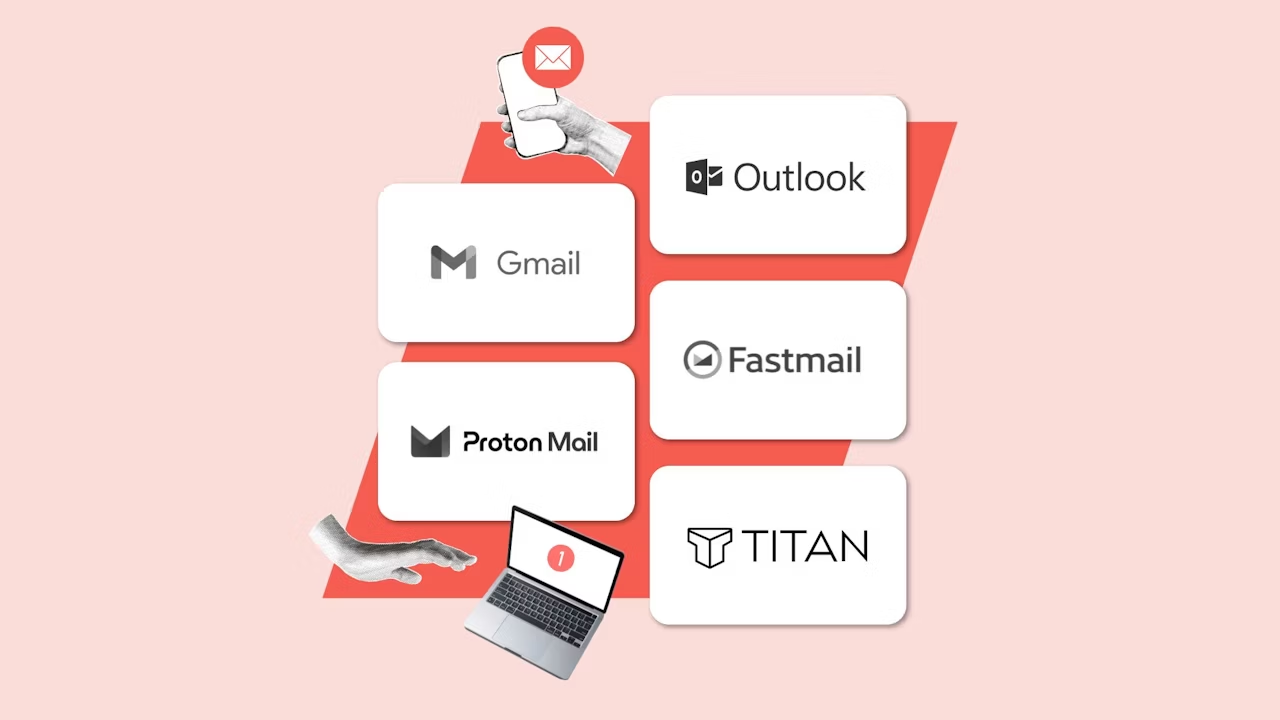
In our comparison, we have selected five platforms that may suit companies needing a solution at their level. These are Google Workspace, Microsoft 365, Proton Mail, Fastmail, and Titan Mail. Which is the best of all? It all depends on you… and your company’s needs.

Comparison Table: What Are the Differences Among the Best Alternatives to Zoho Mail?
Once the main weaknesses of Zoho Mail have been identified, it's time to put the most outstanding market options on the table. If your team needs more than just a clean inbox and a custom domain, there are multiple platforms offering advanced productivity features, enhanced security, or a smoother user experience. Each tool has its own approach, so the key is to choose the one that best fits your structure and priorities.
When comparing these alternatives, we have taken into account several decisive factors: the price per user (especially in companies with many employees), ease of integration with other apps, availability of collaborative features, and the level of data protection they offer. Some, like Proton Mail, bet everything on privacy. Others, like Titan or Fastmail, focus on providing a fast and simple experience, while Gmail and Outlook remain leaders due to their robust and well-known ecosystem.
This summary table includes three key aspects: the estimated monthly price per user, the target audience of each solution, and the functional approach that defines each tool. This way, you can quickly identify which platform best suits your profile and your company's expectations:
|
Tool |
Approximate price per user/month |
Ideal for |
|
Gmail (Google Workspace) |
From €6.80 |
Teams that work in the cloud with many integrations |
|
Outlook (Microsoft 365) |
From €6.72 |
Traditional companies needing advanced office tools |
|
Proton Mail |
From €7.99 |
Organizations that prioritize security and privacy |
|
Fastmail |
From €5 |
Teams looking for speed, minimalism, and domain control |
|
Titan Mail |
From €2 |
SMBs wanting modern features at an affordable price |
Gmail – The Standard for Businesses Living in the Cloud
Gmail, included within the Google Workspace suite, is the most popular business email service worldwide. Millions of companies trust it every day for its combination of simplicity, power, and reliability. It’s no surprise: its interface is intuitive and designed to facilitate managing large volumes of emails with tools like labels, smart filters, advanced search, or automatic replies.
One of Gmail’s strengths is its integrated ecosystem. As part of Google Workspace, it allows immediate access to tools such as Google Drive, Calendar, Docs, Sheets, Meet, or Chat, all with a single account. This seamless integration is especially useful for remote teams, enabling real-time collaboration, simultaneous document editing, or task management from any device.
But, despite its strengths, some aspects should be considered. Although Gmail offers competitive plans, costs can quickly escalate for organizations with many users or high storage needs.
Key Gmail Features
- Automated filters and AI-powered advanced search. Gmail allows precise email organization through custom rules, color labels, and a search function that finds any message, even among thousands, in a matter of seconds.
- Direct integration with Google tools. Everything is connected under one account, making it easy to schedule meetings, share documents, or take notes.
- Real-time collaboration on shared documents. Multiple people can simultaneously edit text files, spreadsheets, or presentations, eliminating the chaos of multiple versions.
- Cloud storage from 30 GB per user, expandable up to several terabytes. This storage is shared between Gmail and Google Drive and is more than enough for most SMEs, with scalable options according to business growth.
- Mobile apps optimized for Android and iOS. Gmail features fast, stable native apps with all the necessary functionalities.
- Spam and phishing protection based on machine learning: Gmail's security system is one of the most advanced in the world, with automatic barriers that block malicious or suspicious emails.
- Ability to use Gmail with custom corporate domains: Companies can have emails like name@yourcompany.com using Google's entire infrastructure. And all without technical difficulties.
Pros and Cons of Gmail
|
Advantages of Gmail |
Disadvantages of Gmail |
|
Intuitive and professional interface: Easy to use, clear, and accessible for any user profile. |
Privacy concerns: Some companies distrust the use of data within the Google ecosystem. |
|
Real-time collaboration: Edit documents, sheets, and presentations with your team without leaving the email. |
Increasing cost as you scale: Higher plans can become expensive for large organizations. |
|
Wide integration with external apps: Compatible with thousands of productivity and automation tools. |
Dependence on the Google ecosystem: May limit flexibility if you use tools outside its suite. |
Google Workspace Plans and Pricing
Google Workspace offers the following plans and pricing in its business version:
- Business Starter: from €6.80/user with monthly billing (30 GB).
- Business Standard: from €13.60/user with monthly billing (2 TB + meeting recordings).
- Business Plus: from €21.10/user with monthly billing (5 TB + more security and retention).
- Enterprise: (contact sales required) Includes 5 TB + DLP features, enterprise endpoint management, classification through artificial intelligence (AI), etc.
Gmail vs Zoho Mail: What are the differences?
Although both Gmail and Zoho Mail are popular options for managing professional email, they are designed for very different types of businesses. Gmail, as part of Google Workspace, is aimed at organizations that value cloud collaboration, integration with other tools, and a very polished user experience. In contrast, Zoho Mail focuses on simplicity, privacy, and low cost, becoming an attractive solution for SMEs that only need a stable and professional email without too many added features.
A key difference lies in the ecosystem. Gmail offers direct access to applications like Google Docs, Sheets, Drive, or Meet, making it a complete productivity suite. Zoho Mail, on the other hand, works better as a standalone email service, although it can also integrate with Zoho Workplace if access to office functions is desired, which involves an additional cost. Additionally, Gmail has a much larger marketplace or external integrations store, which can be decisive if your company uses third-party tools.

Outlook – Top-tier business email with productivity tools
Integrated within the Microsoft 365 ecosystem, Outlook is one of the oldest and most widely used email services in corporate environments. It has earned its place as a standard in many organizations thanks to its power, its integration with Office tools, and its focus on day-to-day productivity. This integration helps optimize business operations by centralizing the management of emails, tasks, calendars, and contacts from a single platform.
One of Outlook's biggest attractions is its combination with classic Microsoft applications, such as Word, Excel, PowerPoint, or Teams. This deep integration allows users to work seamlessly between email and the other tools they already know. Also, thanks to OneDrive, Outlook provides 1 TB of cloud storage per user, facilitating the management and protection of your company’s data.
That said, there are aspects to consider. Although Outlook is very powerful, its learning curve is steeper than that of Gmail or Zoho Mail, especially for users unfamiliar with the Microsoft environment. Additionally, some real-time collaborative features may be less smooth than those of Zoho, and the total cost can increase if opting for plans with full tools included.
Key Outlook Features
- Integrated management of emails, calendars, and tasks. Outlook allows organizing all daily activities from a single interface, with direct access to meetings, reminders, and attachments.
- Native integration with Word, Excel, PowerPoint, and Teams. The Microsoft ecosystem remains the standard in many companies, and Outlook enables seamless work with all its tools without leaving the environment.
- Top-tier desktop and mobile applications. Outlook is available both as a web app and downloadable software, with full versions for Windows, macOS, Android, and iOS.
- OneDrive storage of up to 1 TB per user. Attachments can be managed directly in the cloud, without filling the inbox or relying on external tools.
- Advanced filters, automatic folders, and custom rules. Outlook allows automating actions on received emails, organizing messages by priority, and keeping inboxes clean and structured.
- Enterprise security with anti-phishing protection and encryption. Microsoft offers advanced data protection measures, designed especially for sectors with regulatory requirements.
- Support for corporate domains and centralized administration. Companies can manage all mailboxes, permissions, and settings from a central IT panel.
Pros and Cons of Outlook
|
Advantages of Outlook |
Disadvantages of Outlook |
|
Seamless integration with Office. Ideal for companies already using Word, Excel, or PowerPoint. |
Steeper learning curve. Can be complex for new users. |
|
Advanced management of calendars and tasks, which facilitates daily organization. |
Less agile web apps than Google's: Some actions are slower. |
|
High-level security and compliance. Enterprise protection by default. |
Higher cost if full desktop apps are included. |
Outlook Plans and Pricing (Microsoft 365)
Microsoft Outlook is included within the Microsoft 365 business plans. They are as follows:
- Microsoft 365 Business Basic: from €6.72/user/month.
- Microsoft 365 Business Standard: from €14.04/user/month.
- Microsoft 365 Business Premium: from €24.72/user/month.
Outlook vs Zoho Mail: What Are the Differences?
Outlook and Zoho Mail represent two different philosophies in the world of business email. Outlook is designed for organizations that need a powerful solution, with integrated productivity tools and high security standards. In contrast, Zoho Mail opts for simplicity, privacy, and low cost, making it a very attractive option for SMEs with basic needs.
The most obvious difference lies in the suite that accompanies them. Outlook is not just an email manager: it is the gateway to the entire Microsoft environment, including the online and desktop versions of Word, Excel, PowerPoint, and Teams. This makes it the preferred choice for teams already familiar with the Office environment. Zoho Mail, on the other hand, can operate independently or as part of Zoho Workplace, but does not include such powerful tools by default.
Regarding price, Zoho Mail is much more affordable, but also more limited. Outlook can be more expensive, especially in plans that include desktop apps, but in return offers greater functional depth, better technical support, and a more familiar environment for many companies.
Proton Mail – Extreme security for your email with top-level encryption
Proton Mail has become the global benchmark when it comes to privacy and data protection in email. Developed by scientists from CERN and based in Switzerland, this provider stands out from the rest by offering end-to-end encryption by default. This means that not even Proton can access the content of its users' messages, a guarantee that has made it the preferred choice for companies with critical confidentiality needs who value security in managing business emails.
Unlike platforms like Gmail or Outlook, where privacy is only a promise, in Proton Mail it is the foundation of the entire service. Its infrastructure is hosted in secure data centers beneath Swiss soil and complies with one of the strictest data protection laws in the world. Additionally, it uses SSL certificates to ensure data security in transit. Besides email, the platform includes services such as Proton Calendar, Proton Drive, and Proton VPN, all with the same integrated security philosophy and no tracking.
That said, this security comes at a cost. Proton Mail is more expensive than other basic solutions like Zoho Mail, and lacks real-time collaborative features or extensive integrations with third-party tools.
Key Features of Proton Mail
- End-to-end and zero-access encryption by default. Not even the provider itself can read your emails, ensuring an unprecedented level of privacy.
- Headquartered in Switzerland with strict privacy law compliance. It is governed by Swiss legislation, far from the jurisdiction of the US and EU, which strengthens its independence.
- Sending password-protected or self-expiring emails. You can control exactly who reads what and for how long, so you'll have everything under control.
- Includes Proton Calendar, Drive, and VPN. The entire ecosystem is designed with the same logic of security and anonymity. This way, you'll have a complete ecosystem dedicated to security.
- Clean, modern, and ad-free interface. The user experience is smooth, without distractions or commercial banners. It is a modern tool based on simplicity.
- Secure mobile apps for Android and iOS. With two-step authentication and biometric lock to prevent unwanted access, its apps are also up to the standards Proton promises.
- Custom domain and multiple aliases per user. An ideal service to separate professional identities or enhance spam control.
Pros and Cons of Proton Mail
|
Advantages of Proton Mail |
Disadvantages of Proton Mail |
|
Absolute guaranteed privacy. No one can read your messages, not even the provider. |
Does not include collaboration features in documents. |
|
Located in Switzerland and no ad tracking. This way, it has legal independence from other giants. |
Higher price than other alternatives for SMEs. |
|
Complete ecosystem with VPN, Drive, and private Calendar. Security on all fronts, worry-free. |
Lower compatibility with external tools and automations. |
Proton Mail Plans and Pricing
Proton Mail offers three distinct plans within its business service.
- Essentials: from €7.99/user/month (15 GB of storage, with Proton Calendar and VPN).
- Professional: from €10.99/user/month (with more features, custom domains, and priority support).
- Enterprise: Custom pricing based on number of users and specific needs.
If you wish, it is possible to evaluate Proton Mail thanks to its free 14-day trial version (no need to share your credit card number).
Proton Mail vs Zoho Mail: What Are the Differences?
Proton Mail and Zoho Mail offer very different proposals within the professional email ecosystem. Proton Mail is designed for those who prioritize privacy above all else. Its users are usually in sectors where confidentiality is non-negotiable, such as law firms, healthcare institutions, or media outlets. In contrast, Zoho Mail is an economical, functional option thought for companies that only need a stable email with their own domain.
The most obvious difference is the level of encryption. While Zoho Mail offers standard security through TLS and spam protection, Proton Mail goes further with end-to-end encryption and a zero access model. Also, its location in Switzerland strengthens legal protection.
That said, this added privacy comes with limitations: Proton Mail does not offer collaborative document editing, nor integrations with Google Docs, Microsoft 365, or other business tools. Its focus is on security, not productivity.
Fastmail – Fast, private, and distraction-free email
Fastmail is an increasingly popular alternative for those seeking a swift email service, free of ads and with full control over their information. Headquartered in Australia with over 20 years of experience, this platform distances itself from tech giants and focuses on a user-centered experience, guaranteeing privacy and exceptional performance. Its proposition is simple: to offer fast, reliable, and customizable email without complex ecosystems or forced integrations.
Unlike other services that prioritize office suites or collaborative features, Fastmail puts all its focus on improving the email experience: minimal loading times, powerful filters, ultrafast search, and support for custom domains. Additionally, it facilitates domain registration as part of its offering, allowing comprehensive management of both domains and email from a single platform. It also stands out for its integration with services like 1Password, enabling the creation of protected email aliases and keeping the inbox free from spam.
Regarding technical support, Fastmail offers customer service through a ticket system, ensuring efficient responses to resolve questions and facilitate migration or integration with other tools.
That said, Fastmail is not designed for those who need group productivity tools, such as document editing or integrated video calls. It also does not offer storage as generous as Google or Microsoft. Its focus is on control, speed, and privacy.
Key Features of Fastmail
- Ultra-fast and ad-free interface. The design is optimized to minimize loading time and maximize efficiency, with no banners or intrusive content.
- Advanced search and customizable automatic filters. Allows you to find any message instantly and organize the inbox with detailed rules.
- Support for custom domains and multiple aliases. Each account can have multiple addresses and manage own domains at no extra cost.
- Integration with 1Password to create protected emails. Creates unique aliases to avoid tracking and reduce spam.
- Calendar and contacts included, with CalDAV and CardDAV synchronization. Fastmail not only manages emails but also allows a fully integrated calendar and address book.
- Mobile apps for iOS and Android, with smooth and secure experience. Adapted for professional use and offline features.
- Clear and functional administration panel. It is a tool designed to easily manage multiple accounts, domains, and settings from one place.
Pros and Cons of Fastmail
|
Advantages of Fastmail |
Disadvantages of Fastmail |
|
Outstanding speed and stability: Lightweight interface and minimal loading times. |
Does not include collaboration tools like shared documents. |
|
Privacy and full domain control: Ideal for users who value independence. |
Less storage capacity compared to Google or Microsoft. |
|
Ad-free and distraction-free design: Clean and professional focus. |
Few integrations with other business platforms. |
Fastmail Plans and Pricing
Fastmail offers plans for individual users as well as others designed for businesses and work teams. Among its business plans we find:
- Basic: from €6/user/month (6 GB per account, technical support, shared email like "support@mybiz.com").
- Standard: from €6/user/month (60 GB per account, aliases, calendar, and full support).
- Professional: from €10/user/month (120 GB, message archiving, extended recovery, and more control features).
All plans include a custom domain, multiple addresses, and mobile apps. Additionally, it is possible to try each one for 30 days without commitment or the need to share your credit card number.
Fastmail vs Zoho Mail: What are the differences?
Fastmail and Zoho Mail share some common points: both are independent services that prioritize privacy, efficiency, and an ad-free experience. But they also have clear differences. Fastmail is designed for more technical or demanding users who want speed, control, and a clean email experience. Zoho Mail, on the other hand, aims to offer a more comprehensive solution at the business level, with integration options and a console better suited for large teams.
In terms of features, Fastmail stands out for its performance, customization capabilities, and ultra-light interface. Its filters, advanced rules, and alias tools make it a powerful tool for users managing multiple identities or sensitive emails. Zoho Mail, meanwhile, offers better user administration at the organizational level, integration with other apps from the Zoho suite, and even more competitive pricing for basic plans.
The entry price is similar, but Fastmail offers greater fluidity and privacy right from the start, while Zoho Mail is more competitive if you want to scale with a broader suite. But if you need fast, reliable email without noise and with full control over your domain, Fastmail is an excellent choice.
Titan Mail – Modern Email for SMBs at an unbeatable price
The last on the list is Titan Mail, one of the most interesting emerging solutions in the sector. Specifically designed for SMBs and professionals, it combines a modern interface with advanced features that are usually only available on much more expensive platforms. Unlike other major providers, Titan focuses on the end user experience: it is easy to set up, simple to manage, and designed to help businesses improve their communication with customers.
One of Titan Mail's great assets is its price: many users receive it included with web hosting services like Hostinger or Namecheap. This makes it a particularly attractive option for those starting their online presence. But beyond the cost, Titan stands out for offering very useful features such as read receipts, automatic follow-up reminders, scheduled sending, and reusable templates, all integrated into the inbox.
That said, Titan also has its limitations. It does not include an integrated office suite or advanced collaborative tools. Additionally, its ecosystem is smaller and integration options with external platforms are limited.
Key Functions of Titan
- Read receipts to know when an email is opened. A particularly useful feature for sales and customer service teams, as they can stay informed about when their information is received.
- Scheduled sending and automatic reminders. You can decide when to send a message or when to follow up on one that has not received a response, so nothing is overlooked.
- Reusable customizable templates: Ideal for saving time on repetitive emails or those with similar structures.
- Clean, modern, and 100% professional interface. Designed to facilitate use from any device, with no learning curve or difficulties. The idea is that it serves everyone.
- Integration with video calls from the inbox. Allows making video calls with one click, without leaving the email, something very useful for teams divided across different locations.
- Custom domain and multiple accounts under the same brand. Very easy to configure, even without technical knowledge. Here simplicity is the key to everything.
- Simple admin panel to manage users and permissions. An interface designed for those who do not have an internal IT team.
Pros and Cons of Titan
|
Advantages of Titan |
Disadvantages of Titan |
|
Excellent value for money: Offers advanced features at a very low cost or even free with hosting services. |
No office suite or collaborative document editing. |
|
Modern and easy-to-use design: Clear, fast interface adapted for non-technical users. |
Few integrations with external tools or popular CRMs. |
|
Features designed to improve commercial productivity: Confirmations, templates, tracking. |
Small and little-known ecosystem outside the hosting environment. |
Titan Mail Plans and Pricing
Titan Mail can only be purchased through one of its partners: Wordpress, Hostinger, Name.com, HostGator, Rumahweb, or Namesilo. Each of them has different plans and prices, so it is recommended to visit the website of each platform to obtain an estimated quote.
Titan Mail vs Zoho Mail: What are the differences?
Titan Mail and Zoho Mail compete in the same segment: small businesses that need affordable and functional professional email. But their approach is different. Zoho Mail is more traditional, focused on privacy and stability, with an ecosystem that expands if the customer wishes. Titan, on the other hand, aims to offer a modern experience from day one, with tools designed to improve business efficiency, although without relying on complex office suites.
In terms of features, Titan offers certain practical advantages such as read receipts, scheduled sending, or integrated templates, which are not available by default in Zoho Mail. Additionally, its interface is more visual and modern. On the other hand, Zoho Mail has a more solid structure, a more complete administration panel, and better integration with other business tools.
Where Titan clearly wins is in accessibility. Its price is unbeatable (from €2/month, or even free if obtained through hosting), and it does not require complicated configurations. If you are launching your company and need a fast, professional email that simply works, Titan is an excellent choice.
Comparison by categories: What is the best alternative to Zoho Mail for each function?
Now that you know each of the alternatives to Zoho Mail, you are surely wondering which one is the most suitable for your business. To help you, we have made a selection of use cases and which email service we recommend for each of them:
- Best price: Titan Mail
- Privacy: Proton Mail
- Collaborative tools: Gmail
- Office software integration: Outlook
- Speed and simplicity: Fastmail
- Ease of use and setup: Titan Mail
Quick guide to help you decide: Continue with Zoho Mail or switch?
Below we offer a quick guide to help you choose between one platform or another:
Is your budget minimal? → Titan or Fastmail are unbeatable, with options suitable for any SME or professional.
Looking for collaborative features and massive storage? → Gmail is the ideal option to have everything integrated.
Do you work in a regulated sector or handle sensitive data? → Proton Mail offers legal guarantees and total encryption.
Does your team already use Office? → Outlook will make everything easier with perfect integration, in an environment used by most companies.
Do you want to escape closed ecosystems? → Fastmail or Proton Mail will give you the freedom you desire.
Which option to choose?
Conclusion: What professional email solution do you need in 2025?
Zoho Mail has been for years an excellent gateway to professional email. It's no coincidence: without a doubt, it is a very interesting alternative for small and medium-sized businesses. However, it is not a perfect solution. Its closed ecosystem, integration limitations, and somewhat rigid interface lead many companies to try other platforms.
As you have seen throughout this comparison, there are equally affordable and more powerful alternatives that adapt to new ways of working. They feature cloud collaboration, end-to-end encryption, automation, and other functions like multiplatform access.
Our advice is clear: try several options. Evaluate your team's needs and choose the one that best fits your reality. Each offers something that will surely fit better or worse with your team. Find out what you really want and take action. Because in 2025, having a good email is no longer just a matter of price… it is a matter of agility, privacy, and growth.