

OpenVPN is both a virtual private network (VPN) protocol and SaaS solution that provides secure remote access, encryption, and network tunneling for businesses. While it may be slightly slower than other VPN protocols due to its more complex code, this allows OpenVPN to support stronger encryption and more sophisticated tunneling processes.
Additionally, OpenVPN is SOC 2 (Type 2) and HIPAA compliant, ensuring it meets high standards for security and privacy. It is compatible with a wide range of operating systems, including Linux, Windows (XP/Vista/7 and higher), OpenBSD, FreeBSD, NetBSD, macOS, and Solaris.
OpenVPN offers a self-hosted option (OpenVPN Access Server) for organizations that prefer to manage their own infrastructure, as well as a cloud-based VPN-as-a-Service (CloudConnexa) for easier deployment. It’s also available as an open-source project, allowing users to set up a fully customizable VPN, though that requires technical expertise.
The self-hosted option is ideal for businesses that want full control over security, customized network configurations, and unrestricted server bandwidth while potentially lowering long-term costs. That said, managing a self-hosted VPN requires IT expertise, ongoing maintenance, and dedicated infrastructure, which can be resource-intensive compared to using a managed VPN service.
When choosing a VPN, it’s important to weigh multiple factors like security protocols, speed, ease of use, price, scalability, and level of technical expertise required. To help guide your search, we’ll share features, pros, and cons of OpenVPN alternatives so that you can understand your options and choose the right solution for your business.
¿Qué opción elegir?





.jpg)


OpenVPN Alternatives
Open-source, self-hosted VPN solutions like OpenVPN Access Server give businesses full control and flexibility, if IT is prepared for the task or training is an option. However, smaller or less-technical businesses may find the challenges of open-source options overwhelming or too costly. Managed solutions may work better in those cases.
As businesses grow, VPN management becomes more complex. Advanced solutions, like NordLayer or Harmony SASE, are worth considering when the limitations of VPN solutions interfere with networking requirements or you are seeking more robust security solutions.
These OpenVPN alternatives include open-source, self-hosted options, managed solutions, and advanced solutions, so you can find the right option for your business needs.
|
Company |
VPN Protocol |
Encryption |
Open-Source Option |
Self-Hosted Option |
Pricing |
|
OpenVPN |
OpenVPN |
AES-256-GCM |
Yes |
Yes |
OpenVPN Access Server: Starting at $14 connection/month CloudConnexa: Starting at $7 connection/month |
|
WireGuard |
WireGuard |
ChaCha20 |
Yes |
Yes |
Free, but must pay for hosting |
|
Netgate pfSense |
IPsec, OpenVPN, WireGuard, L2TP |
Protocol dependent; AES-CBC, AES-256-GCM, ChaCha20 |
Yes, pfSense Community Edition |
Yes |
Netgate appliance: Starting at $189 Cloud: Starting at $0.01/hr Software: Starting at $129/year |
|
Tailscale |
WireGuard |
ChaCha20 |
Yes, using Headscale |
Yes, using Headscale |
Starter: $6 user/month Premium: $18 user/month Enterprise: Custom pricing |
|
SoftEther VPN |
SoftEther VPN Protocol, OpenVPN, L2TP/IPsec, MS-SSTP, L2TPv3/IPsec, EtherIP/IPsec |
Multiple including RC4, AES-128, AES-256, DES, Triple-DES |
Yes |
Yes |
Free, but must pay for hosting |
|
Netbird |
WireGuard |
ChaCha20 |
Yes |
Yes |
Free: $0 user/month Team: $5 user/month Business: $12 user/month |
|
ZeroTier |
ZeroTier Secure Sessions Protocol (ZSSP) |
256-bit Salsa20 |
Yes, Business Source License |
Yes, with limitations |
Basic: Free Essential: $5/month + $2/extra device Premium: $250/month + discounted extra devices Enterprise: Custom pricing |
|
Twingate |
NA |
TLS/SSL connections |
No |
No |
Free: $0 user/month Teams: $5 user/month Business: $10 user/month Enterprise: Custom pricing |
|
GoodAccess |
IKEv2/IPSec, OpenVPN |
Multiple including AES-256-GCM, 2048 bit RSA keys, SHA256 |
No |
No |
Essential: $9 user/month Premium: $14 user/month Enterprise: Custom pricing |
|
NordLayer |
OpenVPN, NordLynx (WireGuard), IKEv2/IPSec |
AES-256 and ChaCha20 |
Limited, only NordLayer on Linux |
No |
Lite: $8 user/month Core: $11 user/month Premium: $14 user/month Enterprise: from $7 user/month |
|
Harmony SASE |
WireGuard, OpenVPN |
ChaCha20, AES-256 |
No |
No |
Contact for pricing |
Wireguard
Price: Free codebase, but must pay for hosting
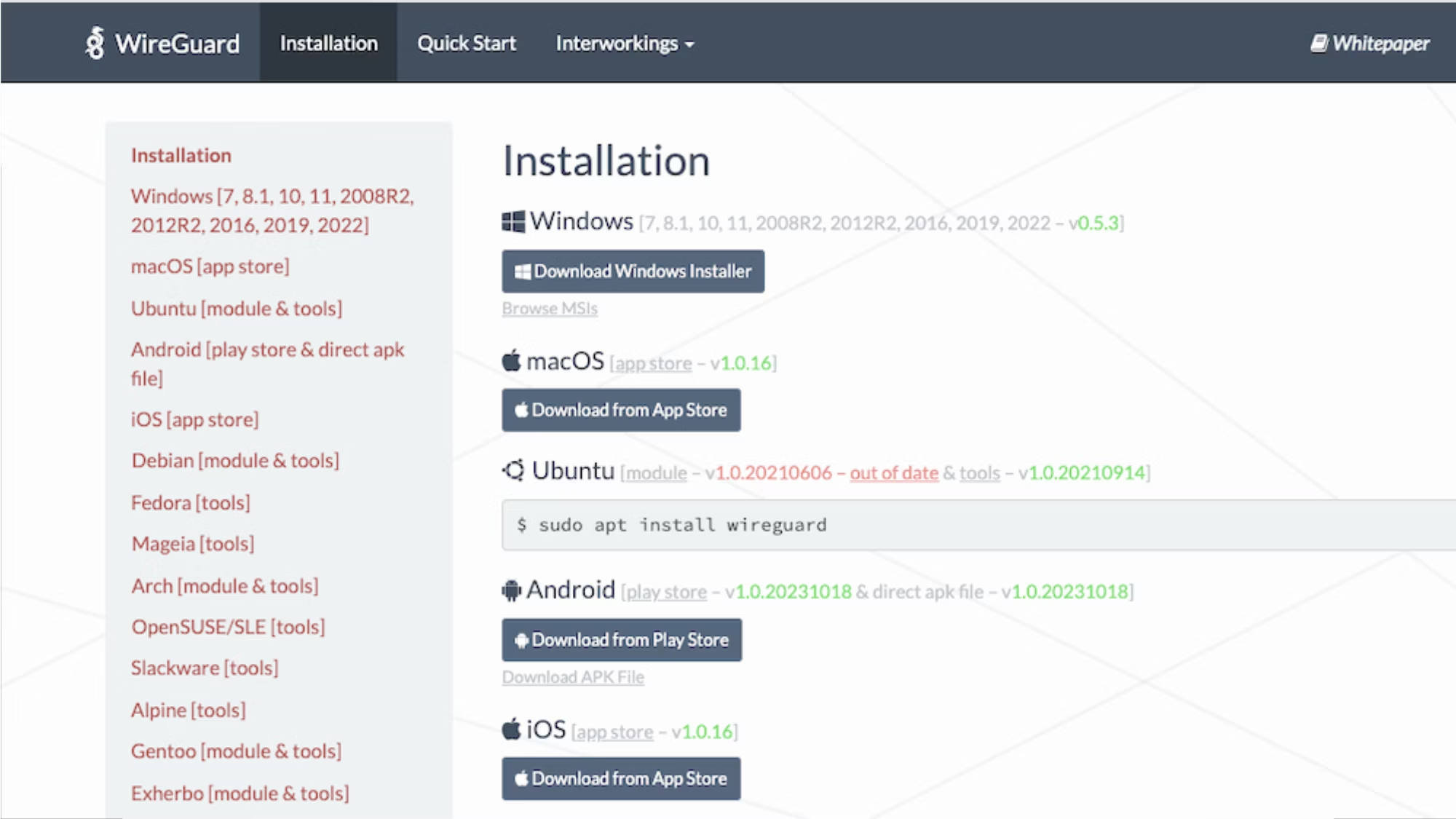
Like OpenVPN, WireGuard is an open-source, self-hosted VPN solution. It’s known for its minimal codebase of about 4,000 lines compared to OpenVPN’s 70,000. This streamlined code makes WireGuard easier to audit, maintain, and ultimately faster than OpenVPN.
However, Wireguard also has its limitations. Because it’s not managed by a third-party service, users are responsible for handling the setup, configuration, and ongoing maintenance themselves, which requires a higher level of technical skill. If you’re worried about manual setup, WireGuard Easy (WG-Easy) is an open source admin UI that makes the setup process easier and can be used in conjunction with a Docker container. There are also services that allow you to rent pre-configured WireGuard servers.
Since WireGuard primarily focuses on simplicity and speed, it doesn't include built-in obfuscation or IP-masking features. The protocol uses static IPs, which can expose the user's real IP during roaming or network transitions unless additional measures, like firewalling or third-party obfuscation tools, are used to protect privacy.
Overall, WireGuard is a good option for businesses that want control over their security and a high-performance VPN, provided they have the technical expertise to set up and maintain it.
Pros
- Low latency: The lightweight code base makes it faster than OpenVPN and easier to audit.
- Strong security: It uses modern cryptographic protocols, including ChaCha20 for encryption, Curve25519 for key exchange, and BLAKE2s for hashing.
- Open-source code: Users can customize and modify the code to suit their specific needs.
Cons
- Lacks dynamic IP management: The platform uses static IPs, which may be more susceptible to attacks and IP exposure.
- Manual configuration required: You must host, configure, and maintain the VPN yourself.
- Limited built-in features: Unique features have to be configured, unlike established third-party VPNs that offer built-in options like automatic server switching, kill switches, split tunneling.
Netgate pfSense
Price: Netgate appliance starting at $189; cloud starting at $0.01/hr; software starting at $129/year
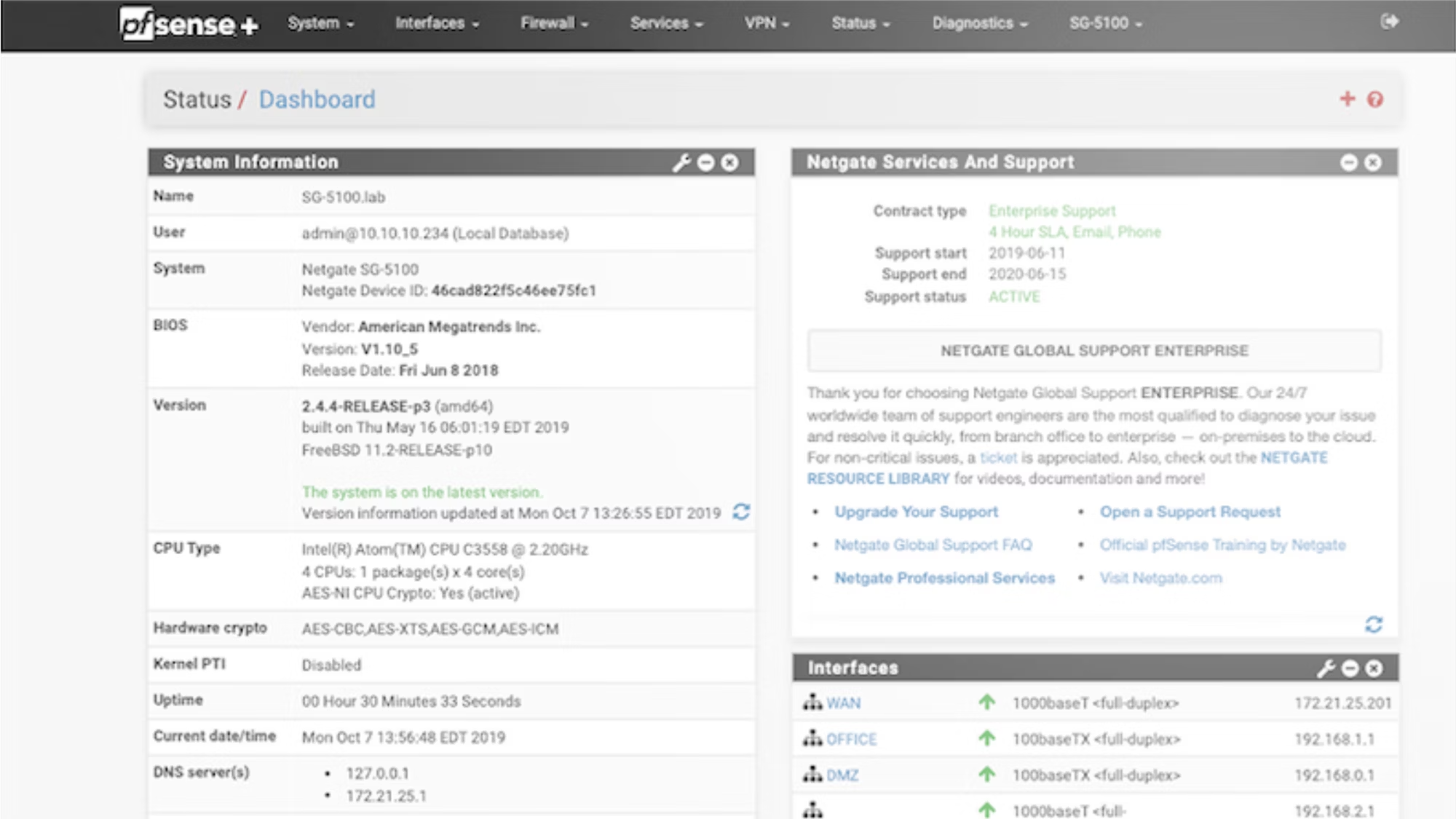
pfSense® Plus is a firewall, router, and VPN solution. It has three offerings:
- Netgate routers that come pre-loaded with pfSense® Plus, which are ideal for on-premise deployments
- A cloud offering available on Amazon AWS and Microsoft Azure for virtualized firewall and VPN use
- Software that offers self-hosted deployments on third-party hardware
The free open-source pfSense Community Edition is also an option. However, you have to configure it yourself and it has fewer support features.
pfSense® offers multiple security protocols such as IPsec, OpenVPN, WireGuard and L2TP, allowing you to choose the best for your needs. It also provides advanced network security features, such as attack prevention, network monitoring, and system reporting. That said, like other self-hosted options, it requires technical knowledge to properly configure and maintain.
If you need a comprehensive self-hosted network security solution beyond a traditional VPN and can handle the technical requirements, pfSense® Plus is a strong choice.
Pros
- Comprehensive network security: pfSense® Plus includes multiple features, such as firewall, VPN, attack prevention, and network monitoring.
- Flexible deployment: The software is available as Netgate appliances, cloud-based (AWS/Azure), or self-hosted software on third-party hardware.
- Supports multiple VPNs protocols: It supports IPsec, OpenVPN, WireGuard, and L2TP.
Cons
- Manual updates and maintenance are required: Users must handle updates, patches, and troubleshooting for self-hosted deployments.
- Limited support on non-Netgate hardware: Netgate hardware is most compatible, while other brands may require additional configuration, lack official support, or experience performance issues.
- Complex configuration: You must be familiar with firewall configuration and networking concepts to properly set up pfSense® Plus.
Tailscale
Price: Starter $6 user/month, premium $18 user/month, and custom enterprise pricing
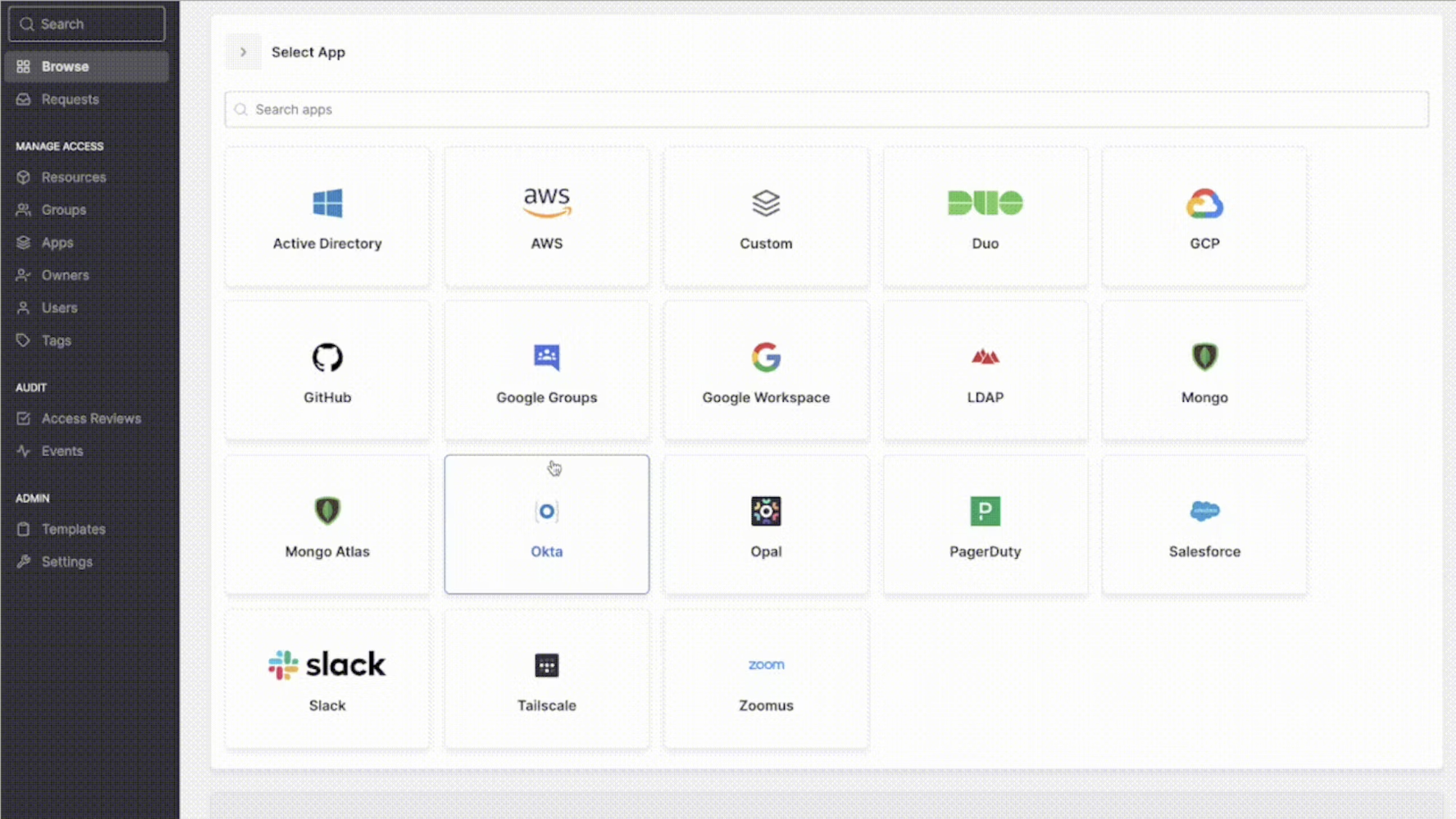
Tailscale is a mesh VPN that’s easy to configure and deploy. It’s known for its user-friendly interface and speed thanks to the WireGuard protocol. It’s available on all major platforms including Mac, iPhone, iPad, Windows, Android, and Linux.
Though many Tailscale alternatives are on the market, key differentiators include the ability to set up more granular access controls than legacy VPNs and simple configuration.
Tailscale creates an overlay network, only routing traffic between devices running the program and avoiding your public internet traffic. If you want Tailscale to route your public internet traffic, you have to manually create an exit node.
All plans offer valuable capabilities, but more advanced features like regional routing, individual user restrictions, user and group provisioning, and device posture integrations are only available with higher-tier plans.
Tailscale provides a managed option and has open source clients for open source operating systems like Linux and Android. Additionally, Headscale provides an open-source, self-hosted implementation of the Tailscale control server.
Pros
- Extremely easy setup: Tailscale is known for its straightforward setup process, allowing users to quickly create a secure mesh network without much technical expertise.
- Built-in MFA and SSO: It supports multi-factor authentication and integrates with identity providers like Okta, Google, and Microsoft.
- Alternative to manual Wireguard setup: Tailscale simplifies the traditionally complex WireGuard configuration process, while maintaining the protocol's speed and security.
Cons
- Must manually add exit nodes: You must manually add exit nodes if you want Tailscale to route your public internet traffic, which is an additional configuration step.
- No free tier for business: Business plans start at $6 user/month, and low tiers provide fewer access controls.
- Advanced features require expertise: Features like subnet routing require some expertise to set up and manage.
SoftEther VPN
Price: Free codebase, but must pay for hosting
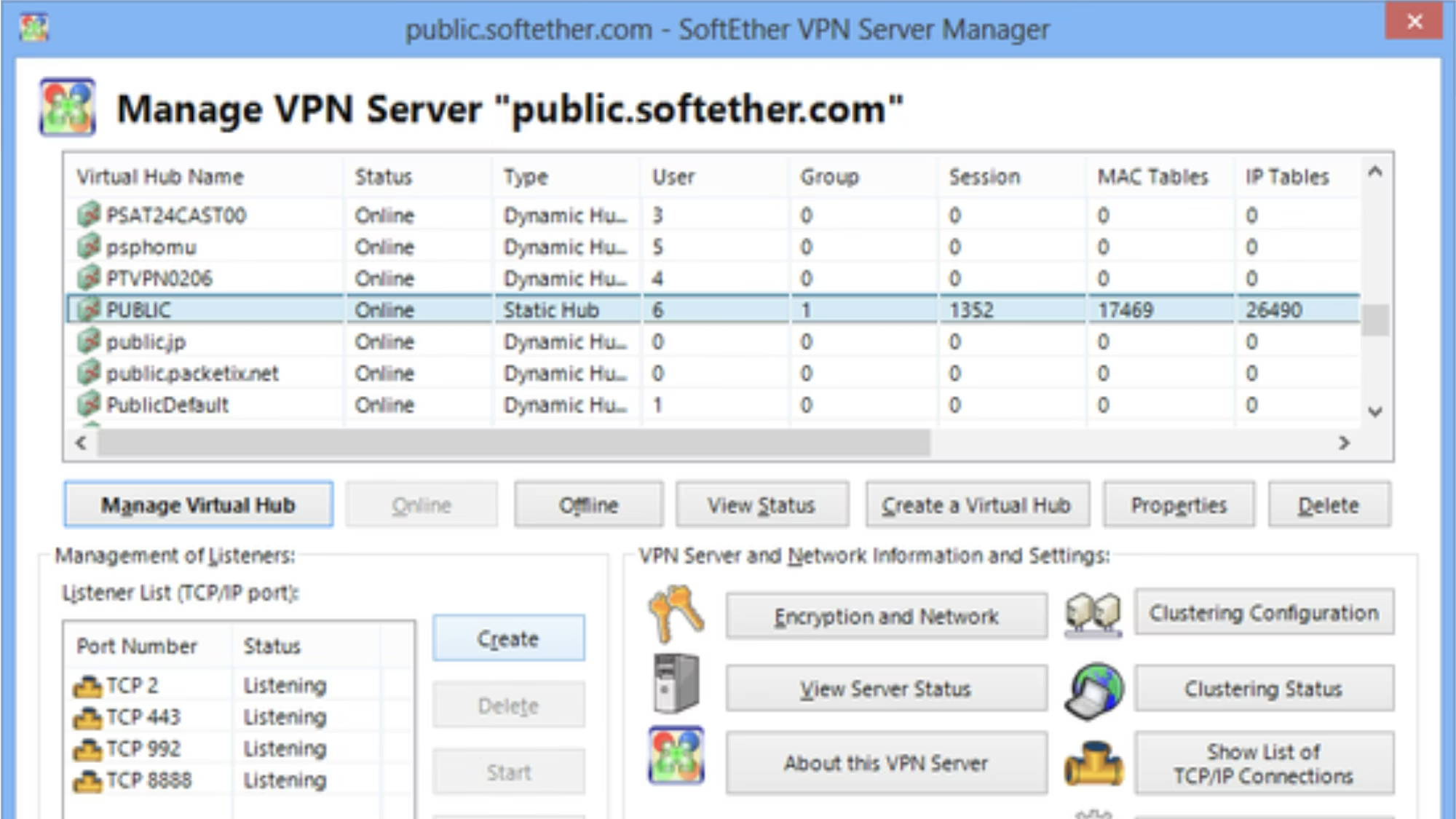
SoftEther VPN is an open-source, cross-platform, multi-protocol VPN that prides itself on being faster than OpenVPN. It enables the deployment of site-to-site and remote access VPNs and is able to bypass firewalls.
SoftEther runs on Windows, Linux, Mac, FreeBSD, and Solaris and can work on smartphones, tablets, or PCs using the L2TP/IPsec server function. It supports multiple VPN protocols, including SoftEther VPN protocol, OpenVPN, L2TP/IPsec, MS-SSTP, L2TPv3/IPsec, and EtherIP/IPsec and it can emulate other VPN solutions.
The platform comes with advanced features like NAT traversal, dynamic DNS, and Secure Socket Layer (SSL) encryption to promote secure connections.
Best of all, it’s free for both personal and commercial use. But, like the other self-hosted options, users must handle their own server infrastructure, which requires technical expertise for installation and maintenance.
And unlike some of its competitors, SoftEther doesn’t provide additional features like threat protection and monitoring, which some enterprise businesses may want. There’s also no dedicated mobile client, which can make setup more difficult for employees who aren’t tech-savvy.
Pros
- Supports multiple VPNs protocols and cipher algorithms: The platform supports SoftEther VPN protocol, OpenVPN, L2TP/IPsec, MS-SSTP, L2TPv3/IPsec, and EtherIP/IPsec, and multiple cipher algorithms, making it more versatile than some of the other options.
- Free and open-source: There’s no software cost, though you’ll need your own server to host it.
- High speed and low latency: According to one study, it’s 4 times faster than Microsoft's PPTP VPN and 13 times faster than OpenVPN.
Cons
- Complex to setup: SoftEther requires technical knowledge to configure and update. Additionally, the GUI isn’t as modern as some competitors.
- No mobile client: The VPN must be set up using iPhone and Android built-in VPN clients.
- Limited features: It’s a fast VPN but doesn’t provide features like threat protection or monitoring that enterprise businesses may need.
NetBird
Price: Free plan for up to 5 users/month; $5 user/month for team; $12 user/month for business
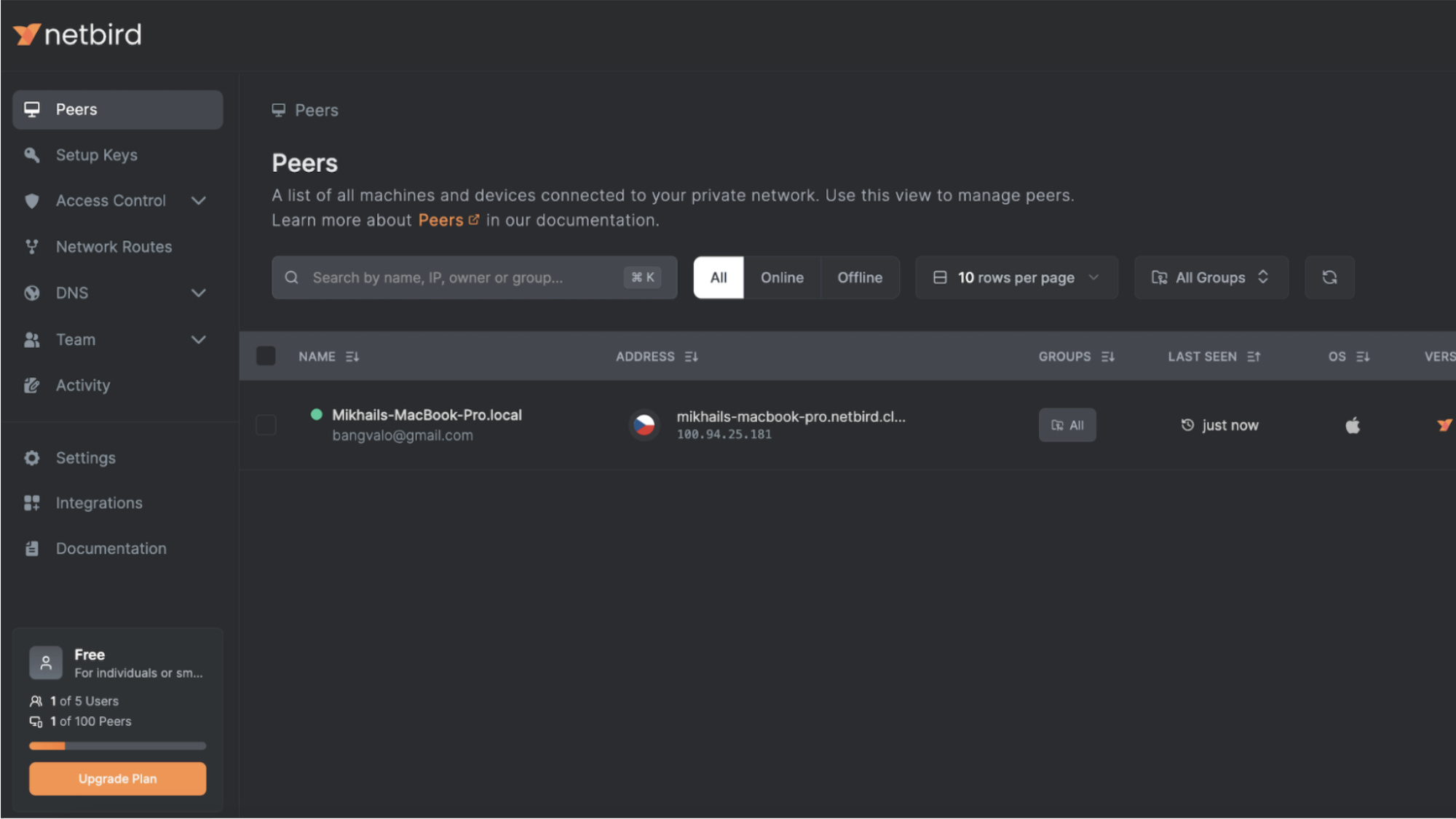
NetBird is a WireGuard-based VPN that has both self-hosted and managed options. Its open-source code has a permissive BSD-3 license, allowing businesses to adapt it for their needs and use it on self-hosted deployments.
It uses a peer-to-peer-architecture, which reduces the reliance on a central server for data routing and benefits scaling. If P2P connections fail, it falls back to turn servers, which may impact performance or latency.
Businesses that opt for the self-hosted version must install and maintain all the components and back up and secure the data. The cloud-hosted version is simpler to set up and maintain and has additional features like event streaming, user and group provisioning, and peer approval.
The business plan allows user and group provisioning from IdP, device approvals, device controls, posture checks, access and connections logging, and activity events streaming. However, compared to competitors, NetBird has fewer features, supports fewer integrations, and offers limited log streaming options.
Pros
- Easy-to-use hosted setup: Netbird simplifies deployment with a streamlined hosted setup, so it’s easy to configure things and get started.
- Self-hosted or cloud-based options: Having the choice between self-hosted or cloud-based deployment options means more flexibility for your company, and makes the program suitable for multiple business infrastructures.
Cons
- Lacks advanced features: NetBird has fewer enterprise-focused features and access controls aren’t as granular.
- Newer solution with room for growth: Wiretrustee became Netbird in 2022. As a newer solution, it isn’t as established or comprehensive as other competitors.
ZeroTier
Price: Basic is free; essential $5/mo + $2/device; premium $250/month + discounted pricing/device; custom enterprise pricing
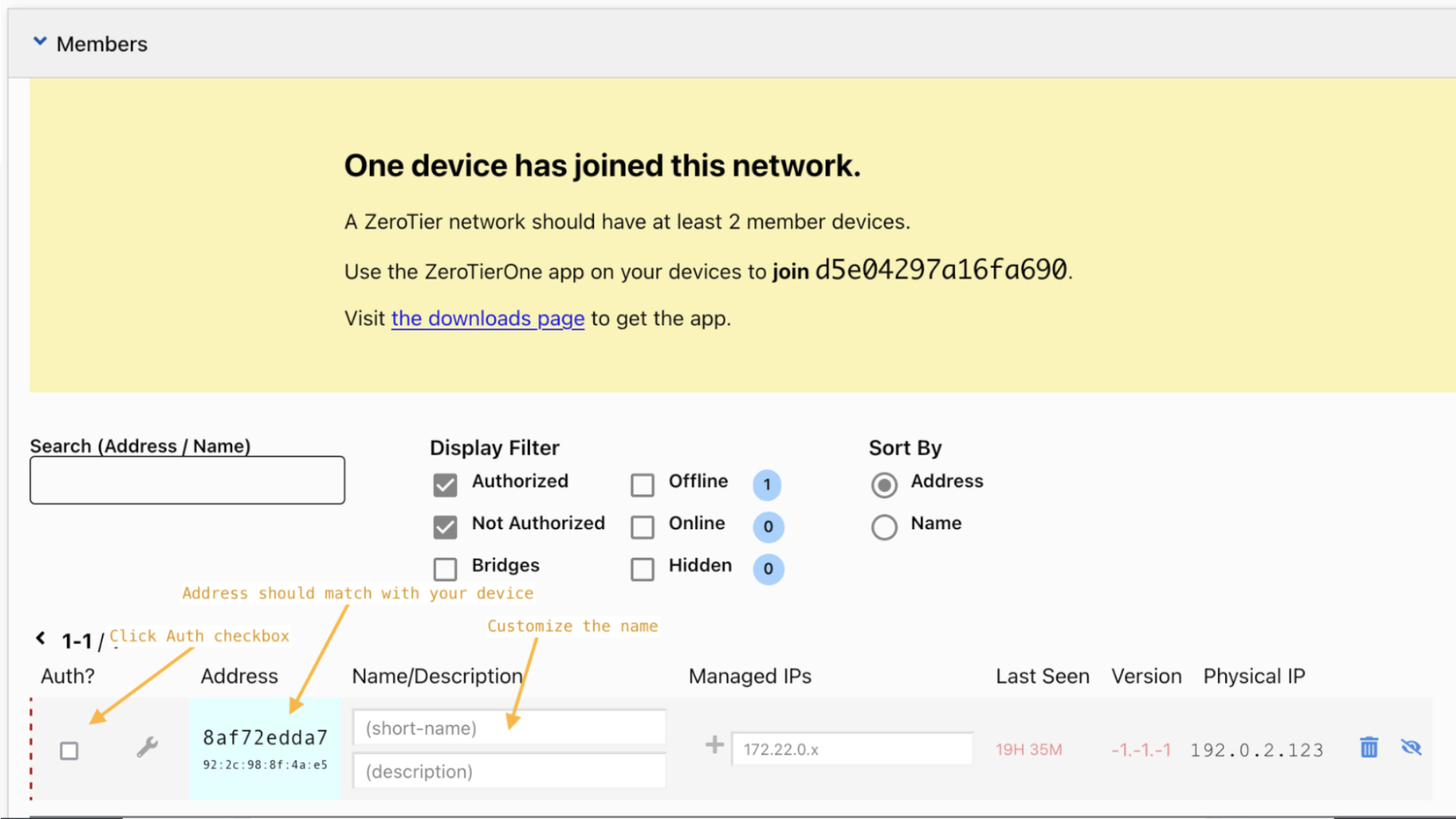
ZeroTier is a software-defined network (SD-WAN) solution. Instead of the more conventional server-based system traditional VPNs use, it uses a peer-to-peer system that improves connectivity, simplifies network management, enables more granular access control, and scales easily. Its custom protocol has two virtualized layers: VL1 is a secure peer-to-peer network and VL2 is an Ethernet emulation layer.
The solution is a good option for managing large, distributed networks, especially for businesses with multiple sites or devices.
The open-source version of ZeroTier has a Business Source License, meaning you face limitations on how you can use the code. ZeroTier also has self-hosting limitations. For VL1, ZeroTier hosts the roots, and while you can use your own, they will only provide support to remove their roots for enterprise customers. Additionally, while you can self-host controllers, ZeroTier doesn’t provide a WebUI.
Pros
- Easy to set up: Networks are easily set up and managed through a centralized interface.
- Seamlessly integrates devices across multiple sites: This makes it a good option for managing large, distributed networks.
Cons
- Open-source and self-hosting limitations: Limitations on code alterations and how the software is deployed may restrict advanced customization and enterprise-level features.
- Manual iInternet routing configuration: It doesn’t have native internet traffic routing, requiring manual configuration for routing public traffic.
- Coordinates nodes through central servers: ZeroTier relies on central servers to coordinate nodes, which may raise concerns about performance bottlenecks and security vulnerabilities.
Twingate
Price: Free plan for up to 5 users/month; $5 user/month for teams ; $10 user/month for business; custom enterprise pricing
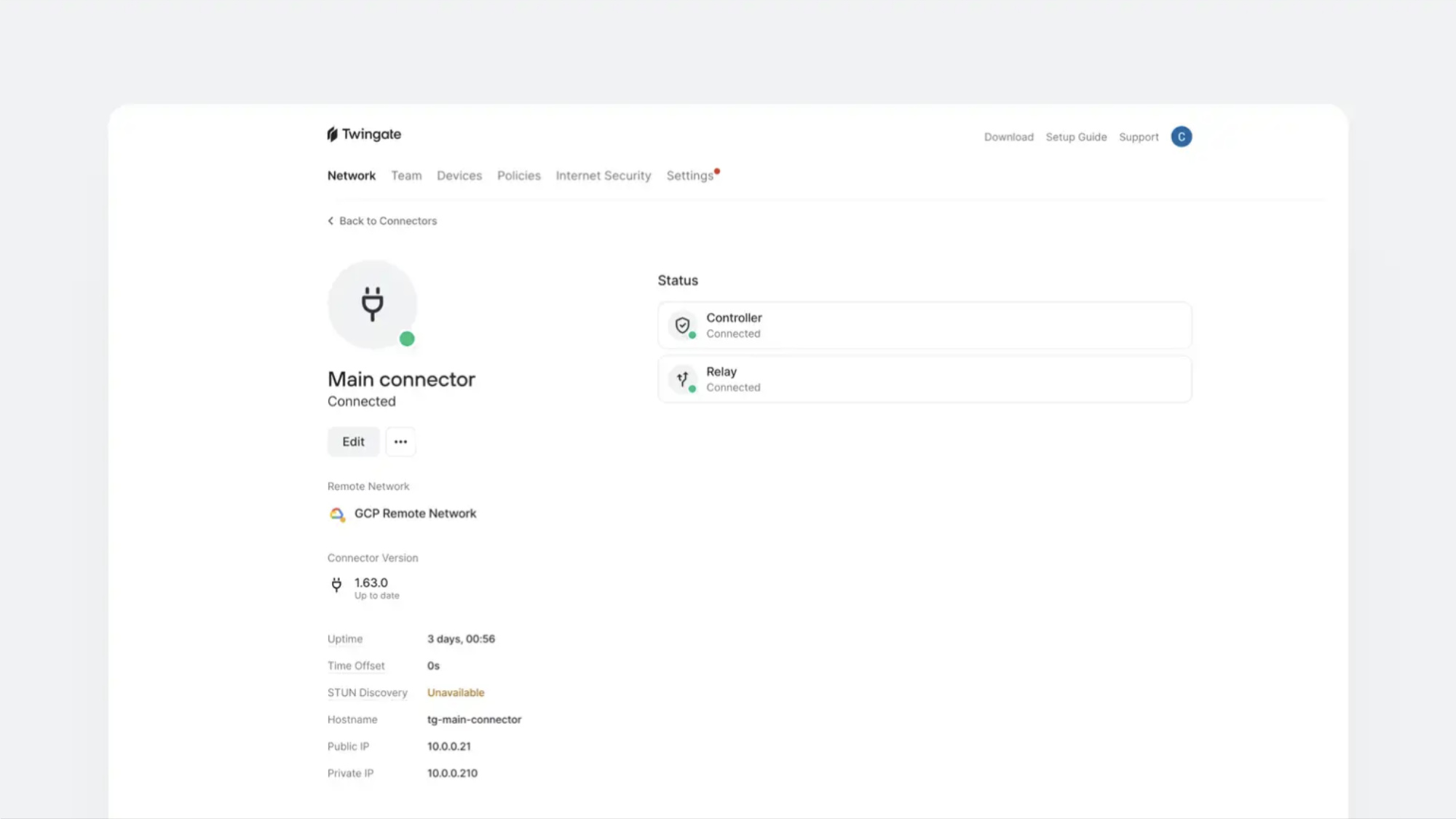
Twingate is an easy-to-deploy software-based ZTNA. It provides more nuanced network security than a VPN through granular application-level access controls. It also provides customizable DNS filtering, allowing you to block access to sites and review DNS log data. Twingate supports split tunneling, which redirects only some traffic through its network. This may improve latency and reduce bandwidth.
A study by Twingate found that their platform slows down internet speed less than comparable self-hosted offerings from OpenVPN and Wireguard because of Twingate’s lighter processing burden.
That said, while Twingate has less latency and many desirable features, its lower-cost plans come with relatively sparse functionality. The teams plan supports limited integrations and access controls and only retains logs for seven days. DNS filtering, content filtering controls, security filtering controls, and network-level DNS filtering are all only available on Business and Enterprise plans for an added fee.
Pros
- Easy setup, though not as intuitive as some competitors: Twingate has a pretty straightforward, user-friendly setup process.
- Flexible network deployment: The solution provides adaptable network deployment options, accommodating different infrastructure needs and integration scenarios.
- Easy to manage access for vendors and contractors: Access controls make managing and securing access for external parties simple.
Cons
- Incompatible with some other VPN and ZTNA solutions: You might run into incompatibility issues with certain existing VPN and ZTNA solutions, making integrations tricky.
- No open-source or self-hosted option: Businesses must rely on Twingate’s infrastructure, which may not meet the needs of organizations requiring full control over their network or custom configurations.
- Extra costs for more advanced features like DNS filtering: Advanced features, such as DNS filtering, are offered as add-ons, costing more than the base subscription.
GoodAccess
Price: $9 user/month for essential; $14 user/month for premium; custom enterprise pricing
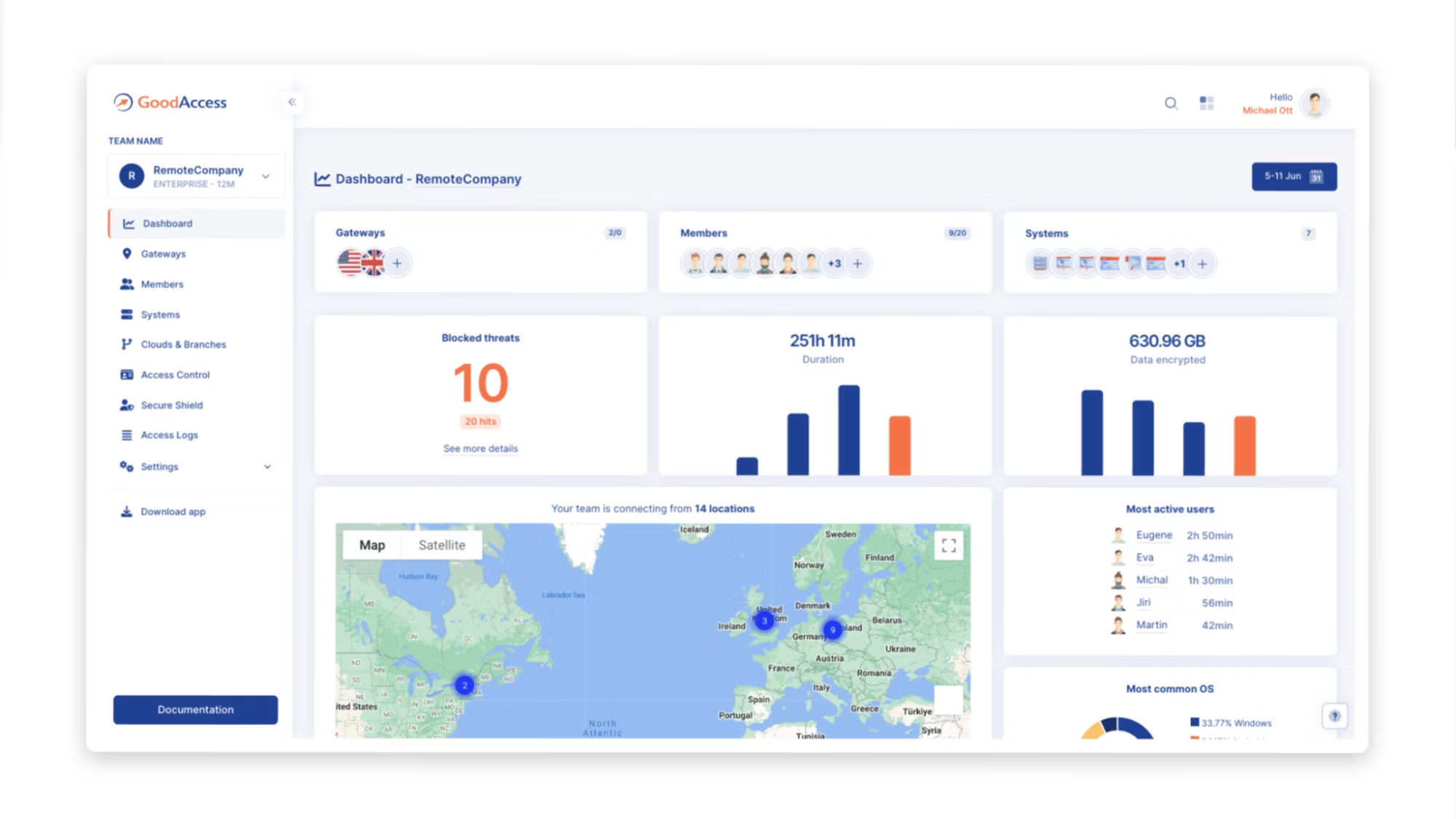
Self-branded as “zero-trust architecture as a service,” Good Access provides a cloud VPN with static IP whitelisting through its essential plan and full zero-trust architecture for multi-site and cloud businesses, including SSE, SDP, and ZTNA, through its premium tier.
The business VPN provides a dedicated VPN gateway, secure web gateway, split tunneling, a user-friendly control panel, quick setup, and more. And if you need more robust security features, the premium plan has a threat blocker, DNS filtering, and more granular access control. You can test out an interactive demo here.
It markets itself as a solution for small and medium-sized businesses. Adoption can be pretty quick — one review mentioned that a large-scale deployment took about a week. But if you’re part of a large enterprise company or need a scalable solution, GoodAccess might not be the best choice. It’s worth noting that reviews have also mentioned issues and glitches with its apps.
Pros
- Easy to set up: You can get started quickly with no technical expertise needed.
- Compatible with many platforms: GoodAccess is compatible with Windows, macOS, Android, iOS, Linux, and Chrome.
- Uses zero trust principles: The premium tier enforces least privileged access, obscures user identities, and continuously logs activity.
Cons
- More expensive than other options: The lowest tier is more expensive than competitors, without additional functionalities.
- No open-source or self-hosted options: This limits customization and control for businesses that prefer on-premise or fully customizable security solutions.
- Less advanced security features than some other options: While GoodAccess has some more advanced features like zero-trust access controls and activity logging, it lacks deeper security capabilities that competitors like NordLayer have.
NordLayer
Price: Lite starting at $8 user/month up to Premium $14 user/month; custom enterprise offers from $7 user/month
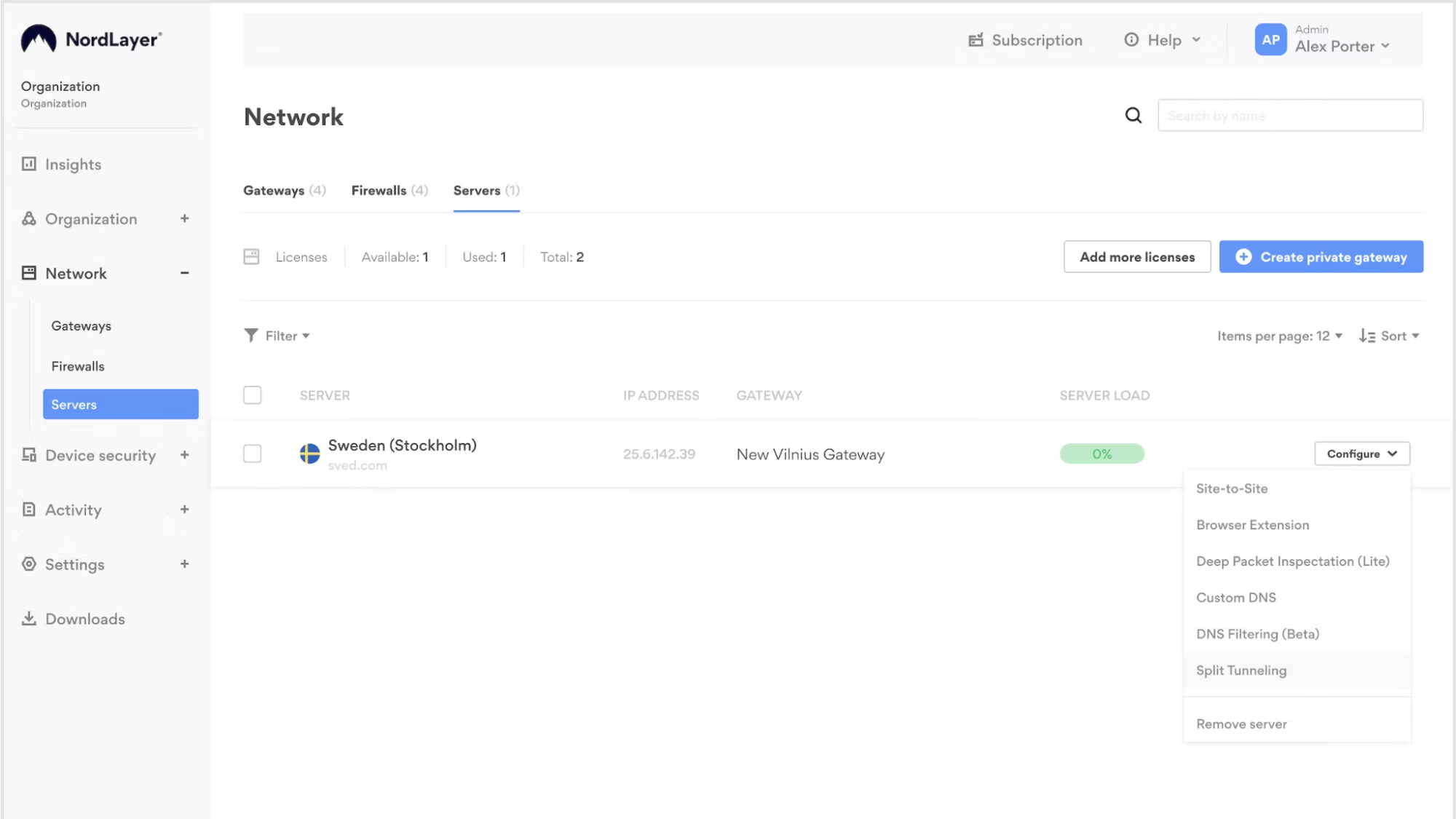
Fast and easy to set up, NordLayer is a network security option with 30-plus shared VPN locations. Once you set up an admin account and connect to one of their servers, you can add your team members to the platform through the Control Panel.
NordLayer’s VPN feature is an always-on VPN that offers many features like split tunneling, a browser extension, IP allowlisting, and site connectors. In addition to acting as a VPN, NordLayer provides a host of other network security solutions, such as zero trust network access that allows for more advanced access control, threat protection, and threat intelligence.
While NordLayer doesn’t provide a complete open-source option, it does offer an open-source Linux application and provides manual configuration options in the Control Panel, reflecting the company’s commitment to transparency and community collaboration.
NordLayer is a good option for businesses that want easy setup, scalability, and more advanced network security solution but don’t require full control over server hosting or extensive custom configuration.
Pros
- Easy setup and management: Admins can quickly set up accounts, connect to secure servers, and manage employees from a centralized Control Panel.
- Comprehensive security features: NordLayer goes beyond a traditional VPN with more advanced access controls and features.
- Threat protection and intelligence: DNS filtering, web protection, and deep packet inspection (DPI) help identify and stop threats.
Cons
- No self-hosted option: Unlike OpenVPN or WireGuard, NordLayer does not allow businesses to self-host their VPN infrastructure.
- Higher cost than some competitors: Low-cost plans have limited features, and higher-tier options may be costly for smaller teams compared to basic VPN alternatives.
- Less customization: Businesses requiring full control over server hosting or highly customizable configurations may find it restrictive.
Harmony SASE
Price: Contact for pricing
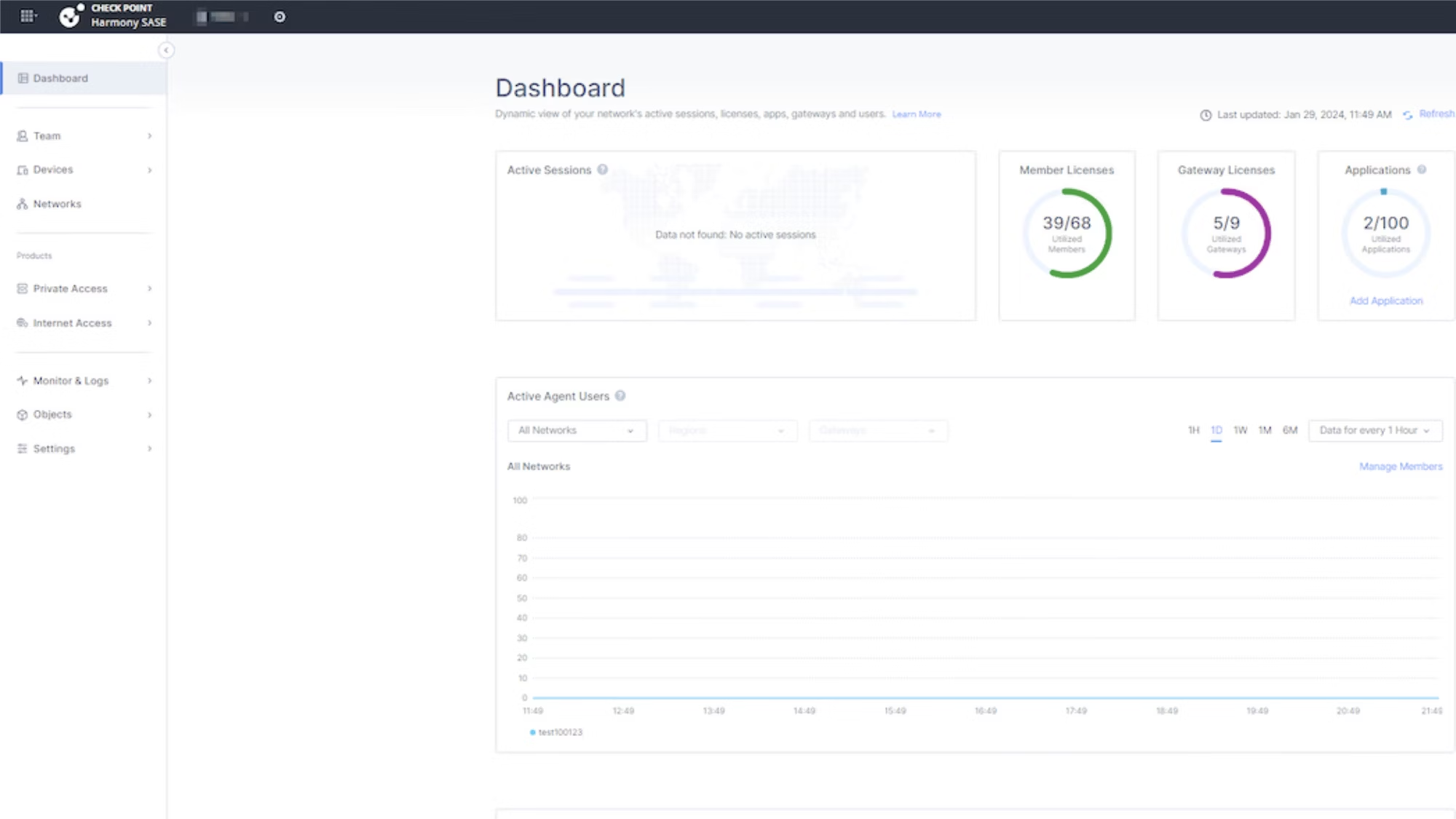

Harmony SASE (formerly Perimeter 81) is a cloud-based SASE solution that integrates a VPN, ZTNA, SWG, FWaaS, and advanced threat protection into a single platform. It allows you to create a VPN tunnel between your gateway and resources using IPSec site-to-site, OpenVPN, or WireGuard.
The platform secures network and internet access by integrating with existing edge devices to enforce access rules, using an agent for full network access and a web portal for application access, while also providing built-in web security through its Secure Web Gateway. Key features include software-defined perimeter (SDP), secure cloud and network access, automatic wifi security, dedicated IP addresses, and role-based access control.
While Harmony SASE has many features available, many are add-ons, including DNS filtering, web filtering, malware protection, thread extraction, and more, which can mean costs add up quickly. Pricing isn’t listed on the website, so you have to contact the vendor for a custom quote.
Additionally, it requires a minimum of 10 users for the essentials plan and 50 for the enterprise plan, making it less suitable for smaller teams.
Pros
- Unified security stack: Harmony SASE combines multiple network security features like a VPN, ZTNA, SWG, FWaaS, and advanced threat protection.
- Fast internet security. It boasts 2x faster internet security with on-device protection.
- 30-day trial period: Many competitors only have a 14-day trial period.
Cons
- Lack of pricing transparency: You have to contact Harmony SASE for more pricing information, but many say that it’s a pricey solution.
- Customer support issues: Users have reported issues with timely customer support and scheduling customer support sessions.
- Higher number of minimum users than competitors: Plans have a minimum of 10 to 50 users, depending on the tier. Most competitors only require five minimum users or even fewer.
¿Qué opción elegir?
How to Evaluate VPNs and Alternative Solutions
Choosing the optimal network security solution hinges on a thorough assessment of your company’s unique needs and available resources. The ideal business VPN should align with your operational requirements, offering the right balance of security, performance, and manageability.
Self-hosted solutions empower businesses with complete control, and the open-source nature of some solutions allows for extensive customization. However, self-hosted, open-source options demand a significant amount of technical expertise and ongoing maintenance to operate.
Weigh the following elements to assess your internal resources and determine the best solution:
- Budget: VPN costs vary based on whether you choose a self-hosted or third-party solution. Self-hosted options have higher upfront costs for infrastructure and maintenance, while managed services have recurring subscription fees.
- Ease of use: Managed VPN services offer user-friendly dashboards and automated updates, while self-hosted solutions require IT expertise for setup, maintenance, and troubleshooting.
- Scalability: A self-hosted VPN can scale with additional hardware investments, while managed solutions may require a pricing plan upgrade.
- Access controls: Traditional VPNs allow users to access the network after connection has been established. Modern VPN solutions may provide more granular access control and SASE support advanced security and zero trust network access.
- Impact on company network: VPNs can slow down network performance, especially if bandwidth is limited or servers are overloaded. It’s important to understand the impact on your infrastructure.
- Security requirements: Businesses with strict compliance requirements like HIPAA or GDPR may need a VPN or SASE solution that supports advanced encryption, logging policies, and audit capabilities.
- Customer support: Consider the expertise of your team and how much support they’ll need. Some solutions only offer community-based support, while others have dedicated support teams available 24/7.
- Demos and trials: Managed solutions may offer demos and trials that can help you determine if the solution is a good fit for your business.
Ultimately, your choice of platform depends on what your business needs, what your capabilities are, and where your security priorities lie. Thoroughly evaluate each option’s features, scalability, and ease of management to ensure it aligns with your short- and long-term goals and provides all the protection your network requires.