

Tailscale is an easy-to-configure mesh VPN built on the WireGuard protocol, allowing users to create secure, encrypted connections between devices and networks without the need for traditional VPN servers.
It provides seamless peer-to-peer connectivity and identity-based access controls through the app, making it a good option for secure remote access with minimal setup. But it isn’t necessarily the best fit for everyone. You may be seeking a Tailscale alternative if you want a better self-hosting option or a more advanced and scalable enterprise-level plan.
You can choose from many network security solutions to safeguard your infrastructure, data, and devices, especially if your team is remote or distributed, but two of the most common secure network access solutions are virtual private networks (VPNs) and Zero-Trust Network Access (ZTNA).
We’ll share the pros and cons of Tailscale and its alternatives to help you make an informed decision.
¿Qué opción elegir?
.jpg)
Tailscale Alternatives Table of Contents
While Tailscale is known for its ease of use and robust security, there are several alternatives available that offer unique features and capabilities.
- NordLayer: A comprehensive cloud-based network security solution with robust security features and remote-access capabilities
- NetMaker: A mesh VPN with managed and self-hosted options that prioritizes high performance at an affordable cost
- NetBird: A user-friendly, managed or self-hosted VPN solution that simplifies network connectivity with minimal configuration
- Twingate: A Zero Trust Network Access (ZTNA) solution that replaces traditional VPNs by providing secure, granular access to private resources without exposing them to the internet
- Harmony SASE: A comprehensive Secure Access Service Edge (SASE) that combines Zero Trust, secure web gateways, and cloud security to deliver comprehensive protection
- Zscaler: A cloud-based SASE platform delivering secure internet and private application access with AI-driven segmentation and clientless access options
Types of Secure Network Access Solutions: VPN vs. ZTNA
The two most common types of secure network access for businesses are virtual private networks (VPN) and zero-trust network access (ZTNA). They both provide secure network access, but how they do so differs. VPNs create a broad, persistent tunnel to the network, while ZTNA enforces per-session, application-specific connections.
According to Martin Brinkmann, founder of Ghacks, VPNs are often better suited for smaller organizations with fewer employees and lower security risks. ZTNAs, on the other hand, offer improved security and scalability — which comes at a higher cost and may require more expertise.
Virtual Private Network (VPN)
VPNs create secure, encrypted connections between employees’ devices and your company’s network. Legacy VPNs typically provide complete network access, while modern VPNs may have access controls. Two of the most prevalent types of VPNs are traditional hub-and-spoke VPNs and mesh VPNs. Hub-and-spoke VPNs provide centralization and simplified security, which also means there’s a single point of failure — if the hub goes down, the whole network gets disrupted. You might also run into latency issues and bandwidth bottlenecks.
Mesh VPNs use a decentralized overlay network where devices connect directly to each other, and traffic flows directly between them. This makes them more resilient and scalable and reduces latency. However, managing these networks — and keeping them secure — is a more complex task. Tailscale, NetMaker, and Netbird are all mesh VPNs, which allow them to scale without overloading the network and minimize latency.
Zero-Trust Network Access (ZTNA)
ZTNAs are the ideal choice for businesses that require robust security, granular access controls, and a scalable solution. They also use encrypted connections, but follow zero trust principles, enforcing stricter access controls. ZTNAs operate on a “never trust, always verify” model, meaning that users may be re-authenticated multiple times within a session, especially when accessing different applications or sensitive resources.
Unlike legacy VPNs, which grant broad network access after authentication, ZTNAs enforce least-privilege access, allowing users to reach only the specific applications and resources they are authorized for.
While ZTNAs are more difficult to set up and potentially more costly, they allow companies to create more granular access controls, which heightens security, and improve scalability. Some companies, like Twingate, offer individual ZTNA solutions, while others, like Harmony SASE, offer more comprehensive SASE solutions.
A ZTNA is a component of the secure access service edge (SASE) model. If you are a large enterprise that requires a more comprehensive solution than Tailscale, a SASE solution may fit your needs.
Comparing Tailscale and Its Alternatives
These secure network solutions range from basic VPNs to more comprehensive SASE solutions, with options for all businesses, from small to enterprise-level. Comparing these products side by side will help you determine the best platform for your business.
|
Solution |
Type of Network Solution |
Cost |
Security Protocol |
|
Tailscale |
VPN |
Starter: $6 user/month Premium: $18 user/month Enterprise: custom pricing |
WireGuard |
|
NordLayer |
VPN + SSE capabilities |
Lite: $8 user/month Core: $11 user/month Premium: $14 user/month Enterprise: from $7 user/month |
OpenVPN, NordLynx (WireGuard), IKEv2/IPSec |
|
Netmaker |
VPN |
Community: free Pro: $1/device |
WireGuard |
|
NetBird |
VPN |
Free: up to 5 users and 100 machines Team: $5 user/month Business: $12 user/month |
Wireguard |
|
Twingate |
ZTNA |
Starter: free Teams: $5 user/month Business: $10 user/month Enterprise: custom pricing |
TLS v1.2 |
|
Harmony SASE (Perimeter 81) |
SASE |
Essentials: $8 user/month Premium: $12 user/month Premium Plus: $16 user/month Business: Custom pricing |
OpenVPN, WireGuard, IPSec |
|
Zscaler |
SASE |
Contact for pricing |
TLS |

-
Tailscale
Key features
- WireGuard encryption: Tailscale uses WireGuard protocol to promote fast, secure connections.
- Simple configuration: There’s no need for manual firewall or NAT traversal setups.
- Peer-to-peer networking: The solution allows devices to communicate directly when possible.
- Identity-based access control: It integrates with SSO providers like Google, Microsoft, and Github.
- Cross-platform support: The platform works on Windows, macOS, Linux, iOS, and Android.
Pricing
- Starter: $6 user/month
- Premium: $18 user/month
- Enterprise: Custom pricing
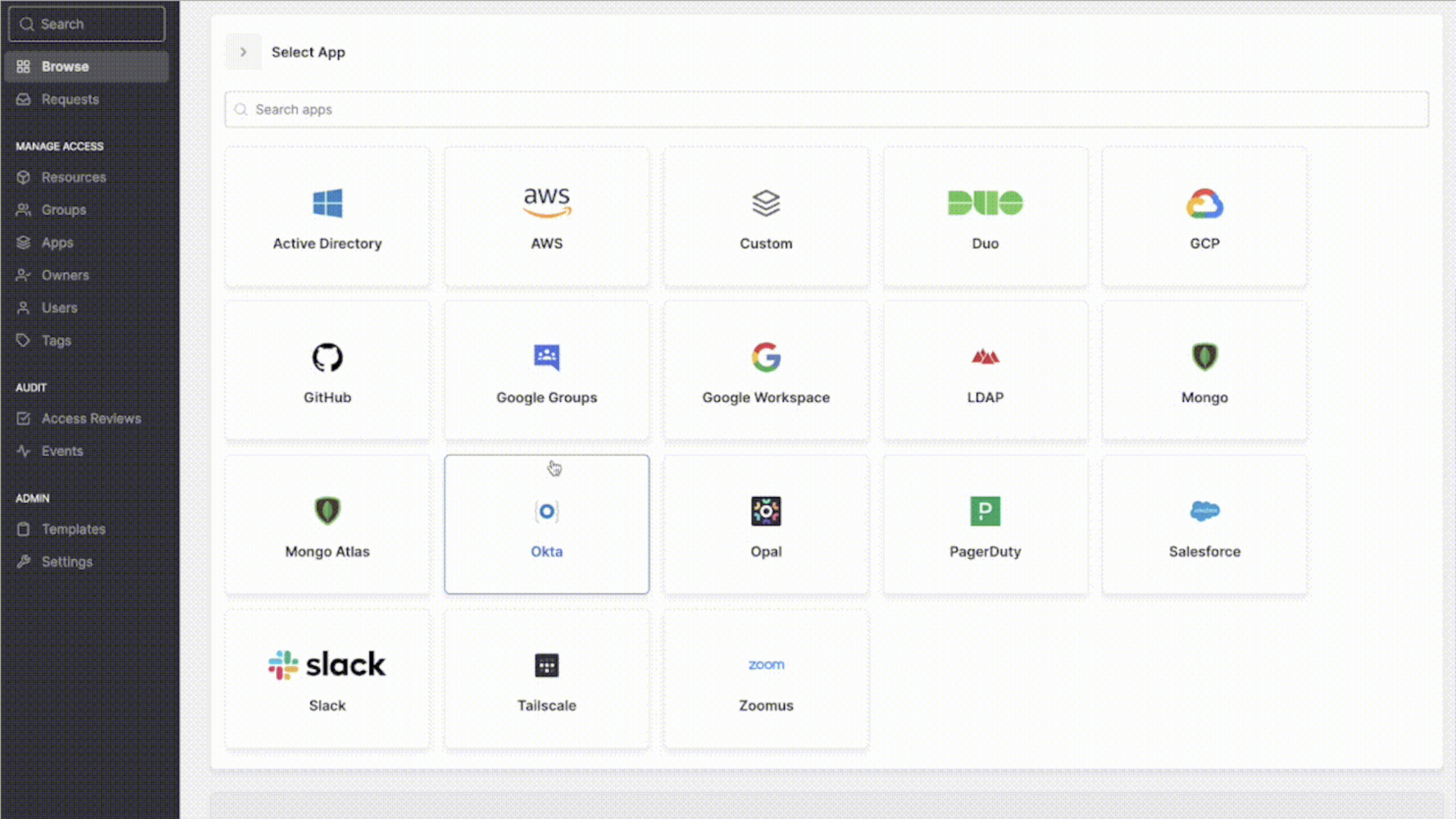
Tailscale is a zero-config mesh VPN designed to simplify remote access and internal networking. It uses WireGuard for end-to-end encryption, which is faster and more secure than many other VPN protocols.
One of its main benefits is its low barrier to entry. Setup is simple: You just log in and configure tailnet, selecting the devices you want to add. To connect devices to the network, you must download the app on your devices and login using an identity provider like Google or Github or a passkey.
Tailscale is available on all major platforms including Mac, iPhone, iPad, Windows, Android, and Linux. And unlike legacy VPNs, Tailscale is “able to provide least-privilege access enforcement at the node level.” It allows you to set up access control lists and grants, providing more granular control instead of complete network access.
It also has a self-hosted option via Headscale. While this requires more IT expertise to set up, it’s a good option for businesses that want full control over their infrastructure, while still benefiting from WireGuard security and mesh networking features.
Pros
- Easy to deploy and manage: There’s no complex setup required — setup is as easy as installing and authenticating the client on each device.
- Includes a self-hosting option: You can host on your own server through Headscale.
- Uses zero-trust principles: Unlike legacy VPNs, there’s more verification and granular access controls.
Cons
- Each device must install the app: This requires more individual effort to set up.
- You must manually add exit nodes: To route public internet traffic you must set a device as an exit node.
- No free tier for business: Business plans start at $6 user/month.
-
NordLayer
Key features
- Comprehensive network security solutions: NordLayer provides a suite of tools that enhance overall network protection, including features like firewall as a service (FWaaS), secure web gateway (SWG), and cloud access security broker (CASB).
- Zero-trust framework: The platform enables granular access control by requiring continuous verification for every user and device.
- Flexible user provisioning: Integrations with Okta and Entra ID make it easy to automate onboarding and offboarding.
- Fixed IP on dedicated server: This is useful for whitelisting IP addresses or providing team members with dedicated IP addresses that only they can access.
- High-speed servers: Servers perform at up to 1 Gbps.
Pricing
- Lite: $8 user/month
- Core: $11 user/month
- Premium: $14 user/month
- Enterprise: From $7 user/month
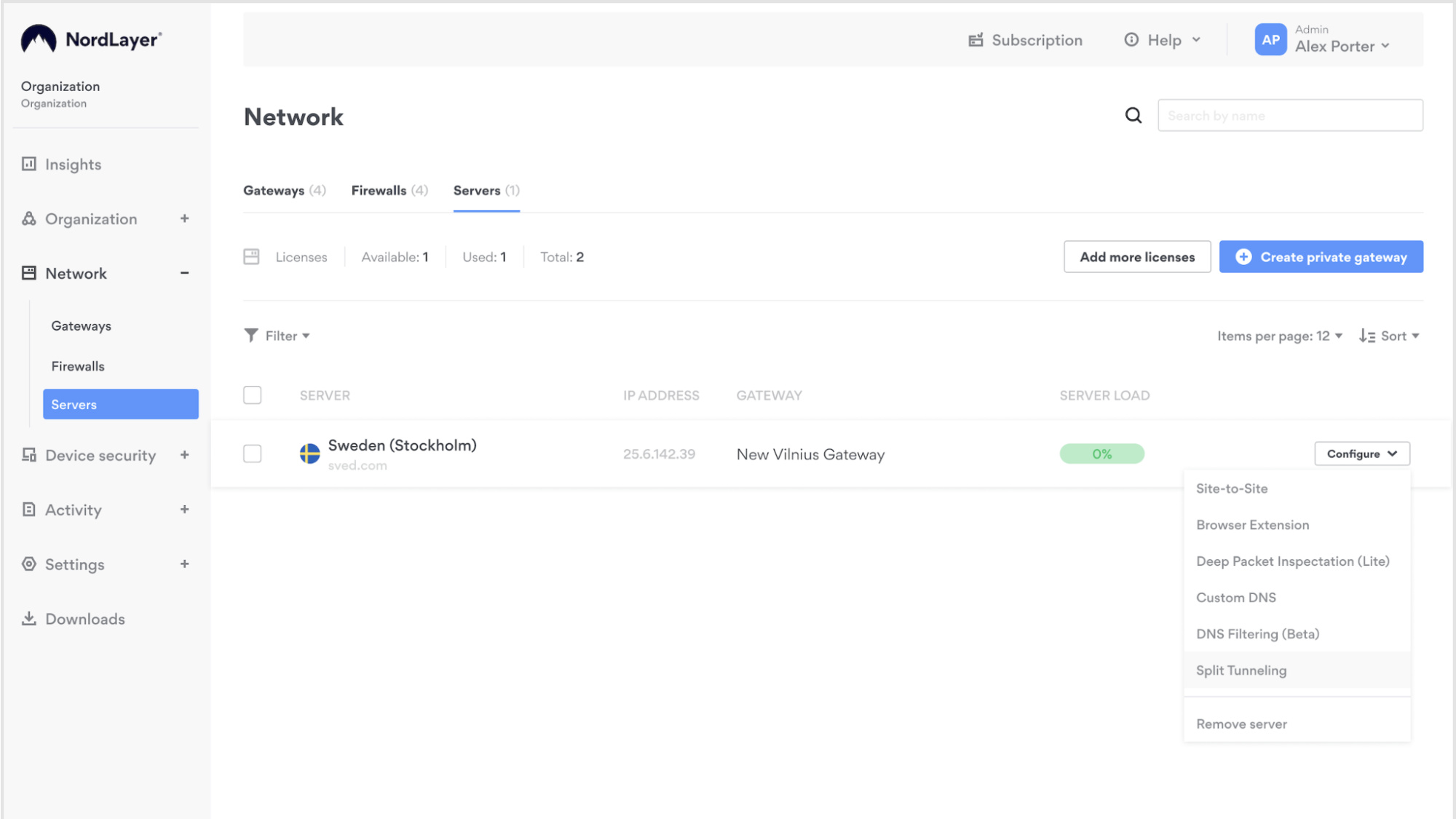
NordLayer is a more comprehensive cloud-based network security solution than Tailscale. In addition to offering a VPN, it includes SSE components like ZTNA, SWG, CASB, and FWaaS.
It also includes options to add a password manager, threat intelligence, and threat protection.
Known for quick deployment, a user-friendly Control Panel, and intuitive features, this solution even offers 24/7 support to users.
NordLayer has many integrations like Google Workspace, Okta, IBM Cloud, and AWS, allowing it to fit into your existing tech stack. Plans are also highly customizable with add-ons to fit your company’s needs. NordLayer also plans to launch an enterprise browser, offering companies even more security and control to combat increasingly prevalent cybersecurity challenges.
Pros
- Scalable: NordLayer’s architecture is designed to grow with your business, easily accommodating growing networks without the need for extensive reconfiguration.
- 24/7 customer support: The solution comes with round-the-clock, tech-minded support, ensuring users get the help they need as soon as they encounter issues, minimizing workflow interruptions.
- Easy setup and maintenance via the Control Panel: NordLayer’s Control Panel offers a user-friendly interface that simplifies the process of setting up and maintaining the system, easing your IT burden.
- Customizable plans with many security features: The solution offers customizable plans, so you can tailor it to your company’s specific security needs.
Cons
- Lite plan has limited capabilities: NordLayer’s Lite plan, while affordable, has limitations on features that may not meet every company’s needs.
- FIve-user minimum: Its business plans often have a five-user minimum, which can be a barrier for very small businesses or individual users who don’t need that many connections.
- More expensive than other options: Compared to other VPN providers, NordLayer’s pricing is on the higher side, especially for larger teams and those who need advanced features.
-
NetMaker
Key features
- WireGuard-based networking: The solution uses WireGuard for fast and secure connections.
- Self-hosted or managed options: It allows you to host your own networking infrastructure or connect with experts that help manage the process.
- Open source: You can modify the source code and tailor the VPN to your specific business needs.
- Mesh and site-to-site networking: NetMaker supports both peer-to-peer mesh networks and site-to-site configurations.
- External network access: You can gain access to external networks through the egress gateway.
- Dynamic access control: You can configure granular access policies for different users and devices, enhancing security.
Pricing
- Community: Free
- Pro: $1/device
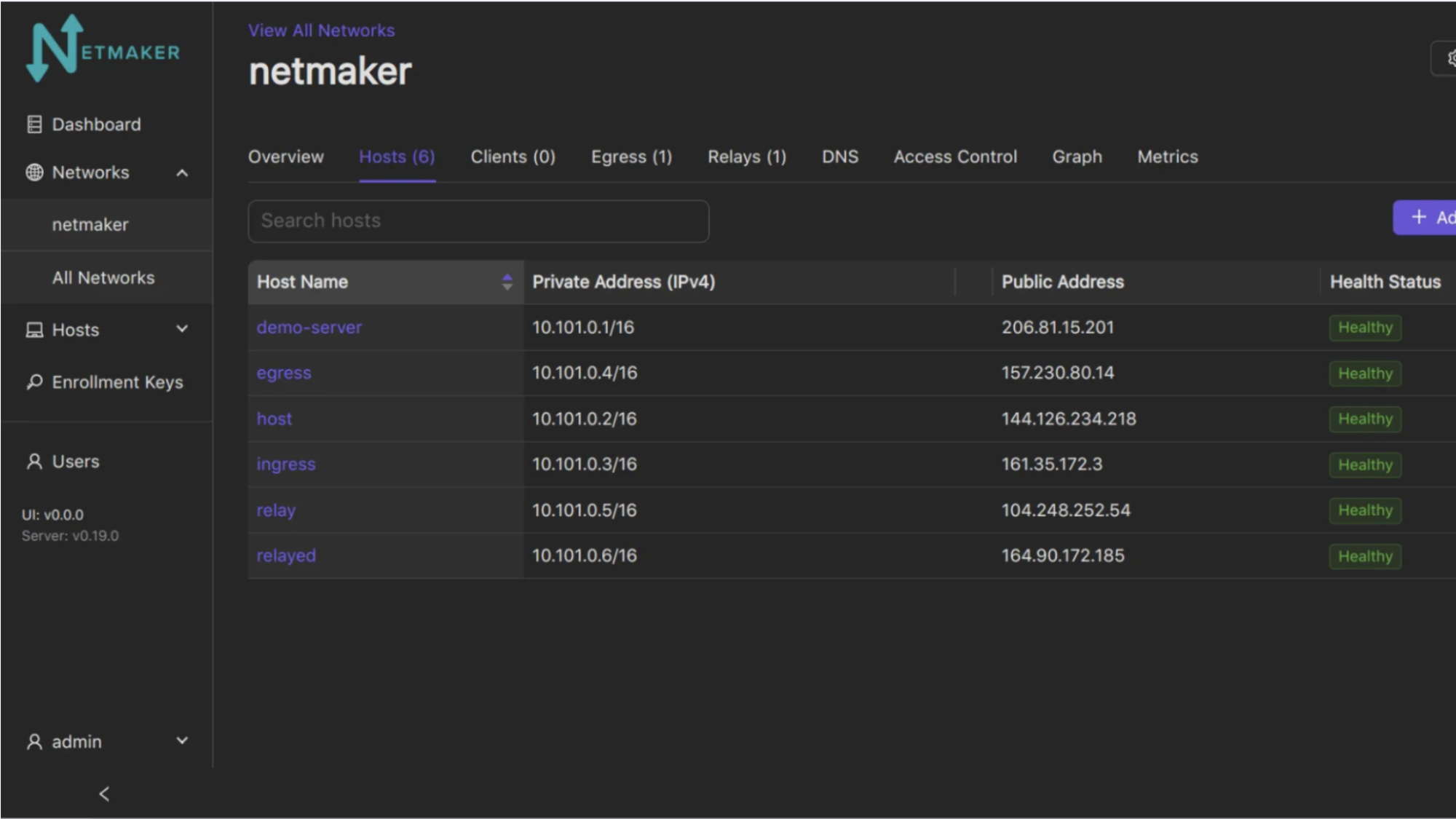
Netmaker is a WireGuard-based VPN, designed for businesses looking for an open-source alternative to cloud-based VPNs like Tailscale and NordLayer. It also recently launched a SaaS solution, which offers the same high-performance networking without the burden of self-hosting.
The more established self-hosted option gives organizations complete control over their network infrastructure, making it a strong choice for those with specific compliance or security requirements.
One of Netmaker’s key advantages is its support for both mesh and site-to-site networking, allowing users to create flexible and scalable networks. It also connects to Kubernetes, making it a popular choice for DevOps teams looking to secure containerized applications.
Pros
- Self-hosted and open source: Unlike Tailscale, Netmaker doesn’t require a third party for self hosting. This gives users complete control over their network infrastructure and data, enhancing privacy and security. The open-source nature allows you to customize it to your needs.
- High performance on speed tests: Netmaker consistently demonstrates high performance in speed tests, providing users with fast and reliable connections, which is essential for bandwidth-intensive applications.
- Affordable: It only costs $1/device, making it very cost-effective for businesses and individuals.
Cons
- More technical setup than competitors: Netmaker requires a higher level of technical expertise for setup compared to competitors. Users who want to deploy the self-hosted option need to be comfortable with command-line interfaces and network configurations, a potential barrier for those with limited technical skills.
- Resource intensive: Running a self-hosted VPN requires additional server resources. Users need to allocate sufficient CPU, RAM, and storage to ensure optimal performance, which can increase operational costs.
-
NetBird
Key features
- Zero configuration for hosted option: You can automatically configure your devices, distributing WireGuard public keys and assigning IPs.
- Self-hosted or managed options: Users can choose between self-hosting or using NetBird's managed service.
- WireGuard-based networking: Netbird uses WireGuard for secure and high-speed connections and can take advantage of kernel modules on platforms like Linux.
- Zero-trust architecture: The platform implements strong authentication and access-control policies.
- Access control: Control access to resources using groups and access policies.
Pricing
- Free: Up to 5 users and 100 machines
- Team: $5 user/month
- Business: $12 user/month
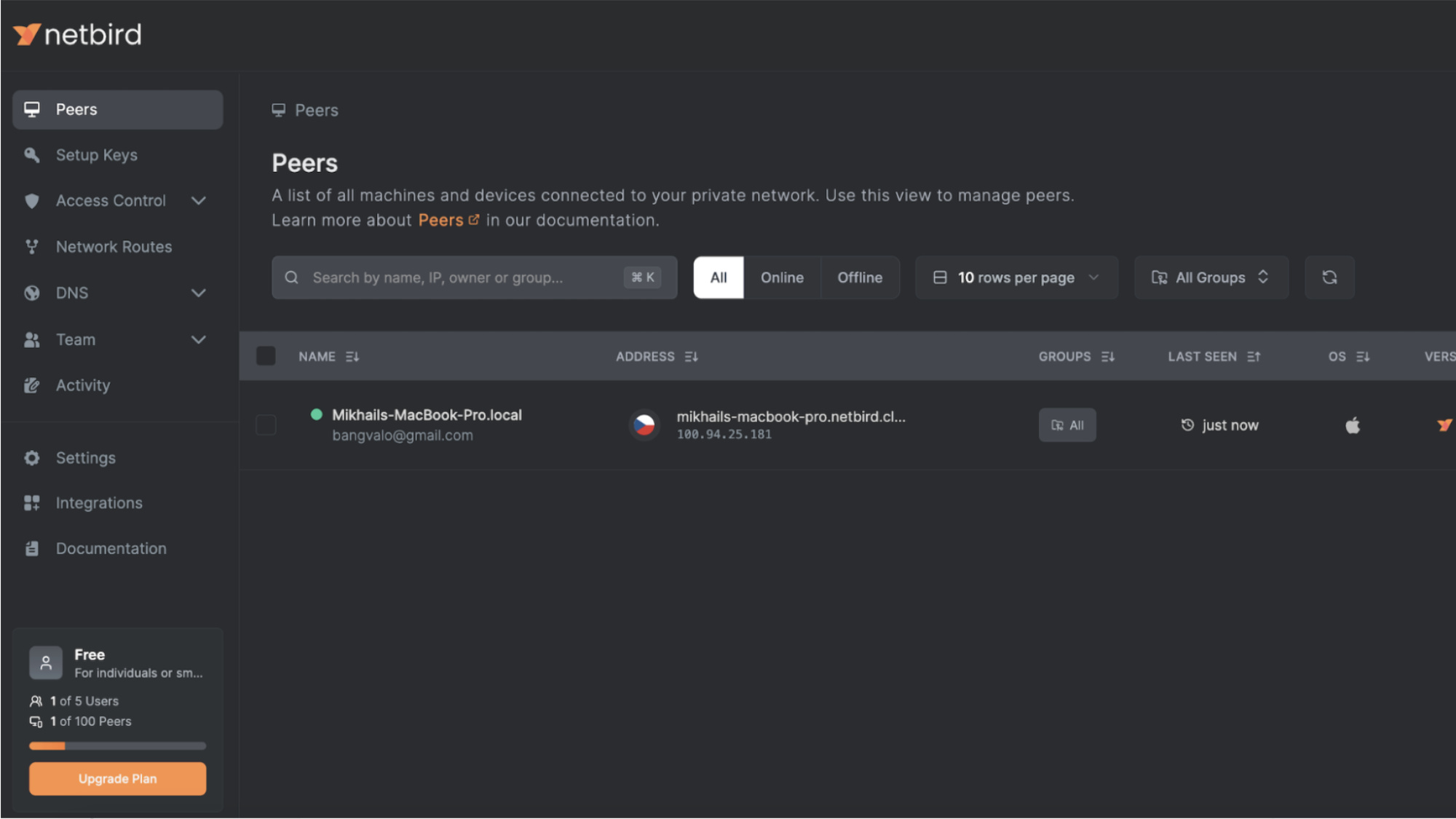
NetBird is a WireGuard-based VPN designed for ease of use and security. It’s able to run kernel WireGuard on platforms like Linux to improve speed and save power. An open-source solution, it offers both self-hosted and managed options, making it a flexible choice for businesses.
NetBird follows a zero-trust model, meaning that access is granted based on identity rather than network location. Like NetMaker, it allows you to establish networking between Kubernetes pods and external services or other clusters.
Pros
- Easy hosted setup: NetBird offers a straightforward hosted setup, making it simple to deploy and manage, which is especially beneficial for users who prefer a hands-off approach to network infrastructure.
- Flexible hosting options: NetBird provides flexible hosting options, allowing users to choose the deployment model that best suits their needs.
Cons
- Lacks advanced features: NetBird has fewer enterprise-focused features and access controls aren’t as granular.
- Android app issues: Users have reported issues with Android app usability.
-
Twingate
Key features
- Zero trust architecture: The framework assumes nothing is safe and requires verification of user identity with each access request.
- Identity-based access control: You can connect with single sign-on through popular identity providers like Google Workspace, Entra ID, and Okta.
- Granular permissions: You can define access to individual resources with custom policies and groups.
- Split-tunneling support: This helps remove nonessential traffic from the company’s private network.
- Integrates with your tools: The platform integrates with major IdPs, MDM/EDRs, SEIMs, and DOH providers.
Pricing
- Starter: Free
- Teams: $5 user/month
- Business: $10 user/month
- Enterprise: Custom pricing
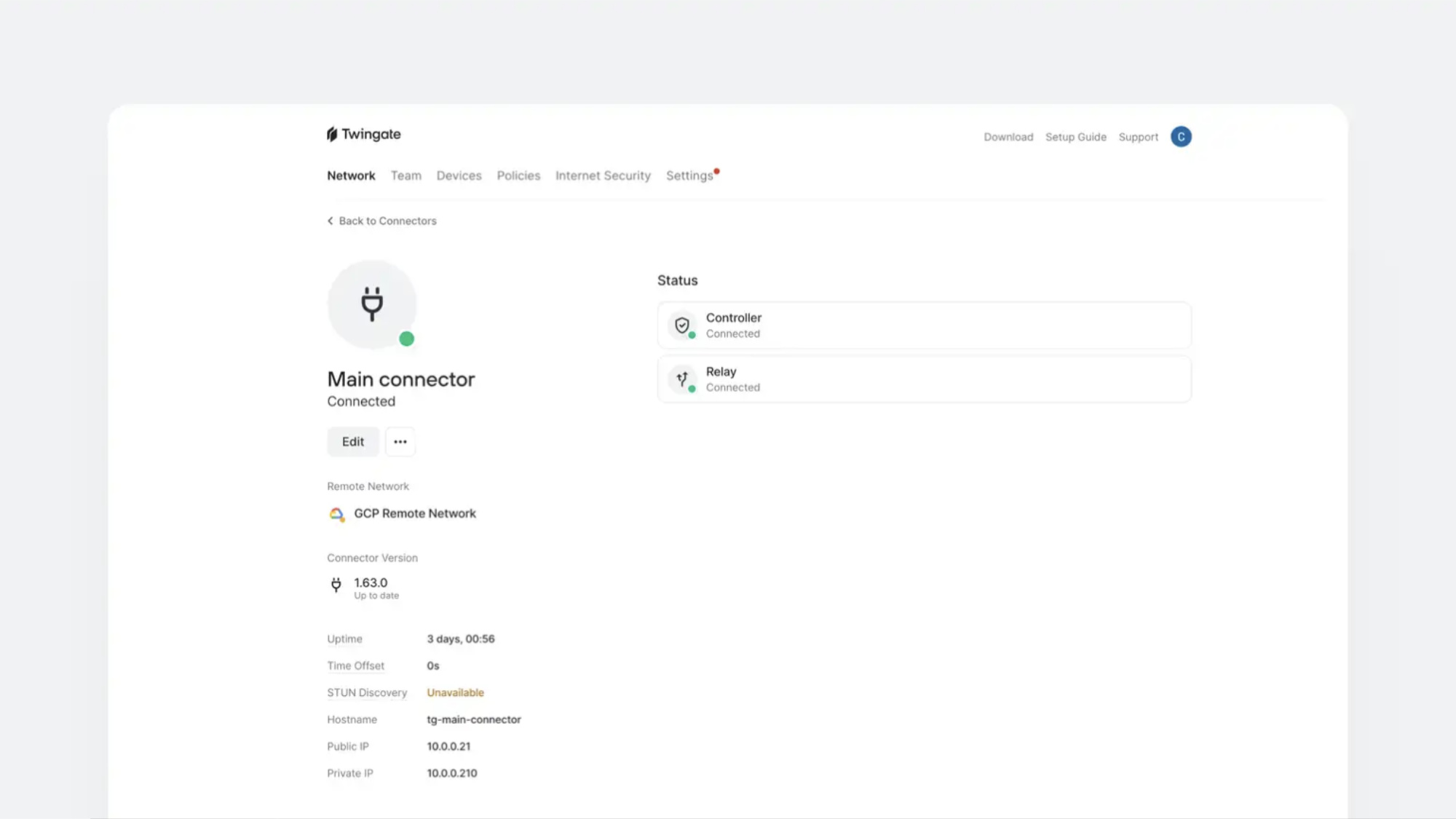
Twingate is a ZTNA solution that provides a more secure and efficient alternative to traditional VPNs. However, it is not a full SASE solution like other competitors. It doesn’t provide features like FWaaS or CASB.
It can be deployed without any changes to network infrastructure. Once you create an account, you will establish a remote network and define resources that users can access. From there, create a connector for the network. Connectors aren’t accessible from the public internet.
Twingate allows you to deploy as many direct networks and connectors that you need based on your network architecture. Traffic is routed from the users’ devices to the resources they are accessing. Data is secured over TLS/SSL connections and encrypted using AES-256 or better.
Pros
- Easy setup: Twingate is designed for ease of use, allowing for quick deployment and configuration, which simplifies the process of establishing secure network access.
- No public IP exposure: Twingate eliminates the need to expose public IP addresses, significantly reducing your attack surface and enhancing security.
- Doesn’t require you to open ports on your firewall: TwinGate operates without requiring the opening of firewall ports, minimizing the risk of unauthorized access and simplifying network security configurations.
- Flexible network deployment: Twingate offers flexible network deployment options, accommodating various infrastructure needs and easily integrating into existing environments.
Cons
- Not a full SASE solution: Twingate focuses on secure access but lacks additional security features like Firewall-as-a-Service (FWaaS).
- Twingate Client must be installed: Users have to install the TwinGate Client to access the network.
- Incompatible with some other VPN and ZTNA solutions: TwinGate is known to be incompatible with certain other VPN and ZTNA solutions, requiring careful consideration during network integration.
-
Harmony SASE (Perimeter 81)
Key features
- SASE architecture: The platform combines security functions like Secure Web Gateway (SWG), and Zero Trust Network Access (ZTNA) into a unified, cloud-native solution.
- Global network backbone: The 70+ points of presence (PoPs) reduce latency and ensure reliable high-speed connectivity for remote and cloud access.
- Security-focused SD-WAN: The solution optimizes and manages network traffic to improve cloud connectivity, while preventing zero-day, phishing, and ransomware attacks.
- Activity monitoring: The monitoring dashboard makes it easy to view user activity by network and detect unusual activity.
- Dedicated servers and IP addresses: You can create static IP addresses that are only accessible by specific groups and members.
Pricing
Pricing isn’t available on the vendor’s site. According to G2, the plans are as follows:
- Essentials: $8 user/month
- Premium: $12 user/month
- Premium Plus: $16 user/month
- Business: Custom pricing
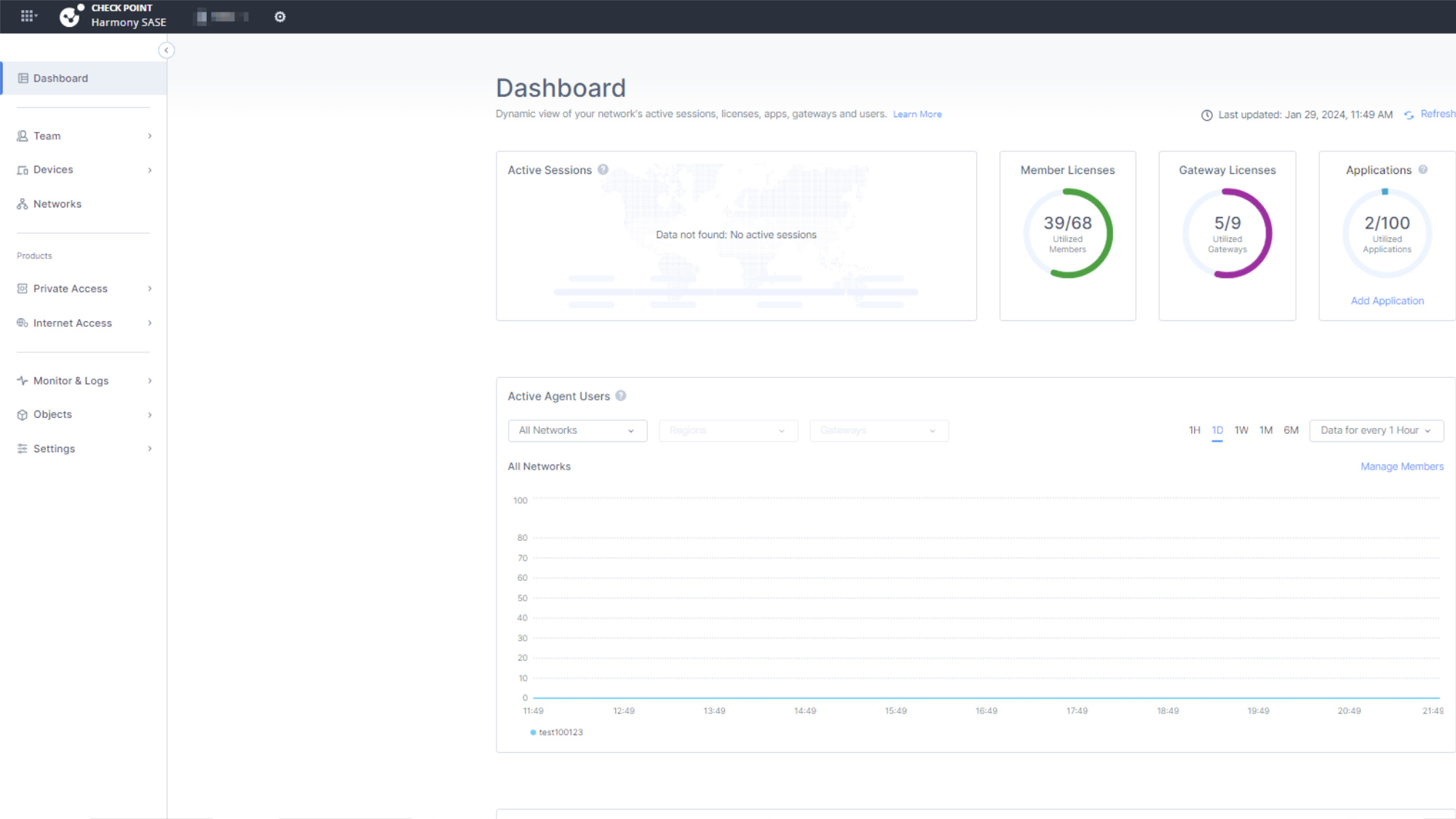
Harmony SASE (formerly Perimeter 81) is a cloud-based SASE solution that integrates a VPN, ZTNA, SWG, FWaaS, and advanced threat protection into a single platform. It offers global private backbone connectivity, reducing reliance on public internet routes and improving performance. Its setup also ensures faster internet security and lower latency.
Harmony SASE allows you to create a VPN tunnel between your gateway and resources using IPSec site-to-site, OpenVPN, or WireGuard. Once it’s set up, there are multiple configuration options, including an “always on” feature.
Harmony SASE supports Zero Trust security policies, requiring continuous verification of users and devices before granting access. It integrates with major identity providers (Okta, Google, Azure AD), allowing businesses to implement SSO and MFA for stronger authentication.
Pros
- Advanced security features: Harmony SASE provides a comprehensive suite of advanced security features, including zero trust network access (ZTNA), secure web gateway (SWG), and cloud access security broker (CASB).
- Scalable: Harmony SASE is built to scale with your organization’s growth, allowing you to easily add or remove users and resources as needed.
- 30-day trial period: Many competitors only have a 14-day trial period, while Harmony SASE offers prospective users a whole 30 days to test the product.
Cons
- Lack of pricing transparency: You won’t find a clear pricing structure on their website. You have to contact them for more information.
- Customer support issues: Users have reported issues with timely customer support and scheduling customer support sessions.
-
Zscaler
Key features
- Comprehensive SASE solution: Zscaler includes ZTNA, SWG, CASB, FWaaS, and DLP in a single platform.
- Zero Trust Network Access (ZTNA): The platform enforces least-privilege access with continuous verification.
- AI-powered threat detection: It uses machine learning to identify and mitigate security threats in real time.
- Data loss prevention (DLP): This solution prevents sensitive data from being shared or leaked outside the network.
Pricing
Contact the vendor for pricing.
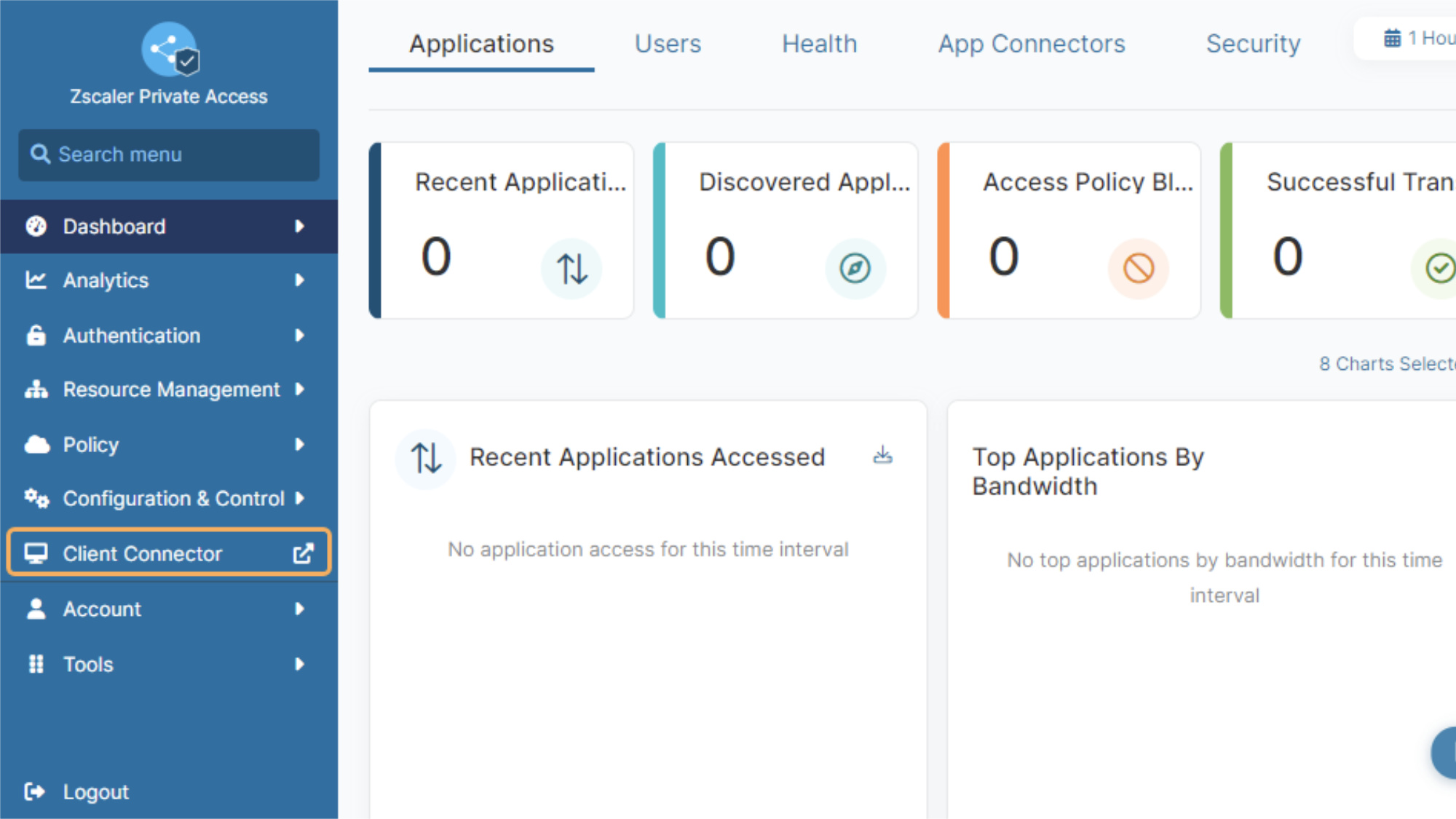
Zscaler is a cloud-based SASE platform designed to replace traditional network security models. It allows you to bundle security services based on your needs. Like the other SASE platforms, it has options to include ZTNA, SWG, CASB, FWaaS, and more. The Zscaler Tunnel uses TLS connection and AES256-GCM encryption.
Zscaler emphasizes its efforts in AI innovation. Zscaler Private Access (ZPA), for example, is their VPN alternative, providing granular access control. It uses AI-powered app segmentation to generate recommended segments and policies. It also ensures secure, agentless browser-based access on unmanaged devices, which is useful for contractors or partners.
ZPA is compatible with Windows, macOS, Linux, Android, and iOS platforms. It can support a wide range of IdPs including Gemalto, Okta, and Onelogin.
Pros
- Customizable security options: You can purchase Zscaler Private Access as a standalone product or bundle it with other security options.
- Clientless access: It provides secure, browser-based access for third-parties, eliminating the need for client installations and simplifying access management.
- AI-segmentation: Zscaler leverages AI-driven segmentation to enhance security by dynamically adapting access controls based on user behavior and threat intelligence.
Cons
- Latency and connection issues: Some users report slow or dropped connections and ISP outages.
- Configuration learning curve: Configuring Zscaler can be complex and comes with a steep learning curve, posing challenges for organizations with limited IT resources.
- Lack of transparent pricing: You must contact the vendor to learn more about plans and pricing.
¿Qué opción elegir?
What to Consider When Choosing a Network Security Solution
Selecting the right network security solution is a crucial part of protecting one of your organization’s most valuable resources: your data. With a variety of options available, each offering its own unique strengths and weaknesses, the best choice for you will come down to your specific needs.
Here’s what to consider when comparing solutions:
- Ease of deployment: VPNs are easier to set up and maintain. However, they may not provide the functionality you need. It’s also essential to consider your IT department’s expertise and if you will require a third party for setup and maintenance.
- Scalability: ZTNAs offer excellent scalability and performance, due to service or application-specific access. VPNs are often difficult to scale, and the addition of new VPN workers may impact the performance of the network.
- Speed and latency: The performance of your network security solution directly impacts productivity. Look for solutions that offer low latency and high-speed connections so you never have to worry about accessing critical resources when you need them.
- Granular access: Each solution has various levels of granular access control, which allows you to define precise permissions for users and devices based on their roles and responsibilities. ZTNAs typically offer more granular access controls.
- Managed or self-hosted service: Managed services offer convenience and reduce the burden on your IT team, while self-hosted solutions provide greater control over your network infrastructure.
- Pricing model and budget: ZTNAs are usually more expensive to implement and maintain. This needs to be weighed against the advantages, especially regarding security and scalability.
- GDPR, HIPAA, SOC 2 compliance: Ensure that the solution you choose complies with relevant industry regulations, like GDPR, HIPAA, and SOC 2, to protect sensitive data and maintain compliance.
By evaluating factors like these, you’ll be able to narrow down your options to the solution that provides the best fit for your business setup, keeps everyone connected, and, most of all, secures your data against mounting cybersecurity threats. Also, bear in mind that a solution that fits your needs now may not fit your needs in the future, so opting for one that grows with you is always a plus.
If you’re looking for a network security solution, there are plenty of Tailscale alternatives that can suit your needs.