

Creating a website is much more than just adding a few texts and nice images to a pre-designed template. Especially when it comes to ecommerce. Your website is your company's second home after the office or physical store. It is the complete image you project to the outside world. It’s how you are known, why, and in what way. In mid-2025, settling for anything that just makes your company look professional is no longer enough; you must take care of every little detail to ensure it truly fits what you are selling.
All this starts, first of all, by choosing a good website creation tool. The usual choice at first is WordPress. It has been the number one option for managing all kinds of websites for years, from personal blogs to large ecommerce portals. Its open-source nature, large community, and the ability to add practically any function through plugins make it a very versatile solution.
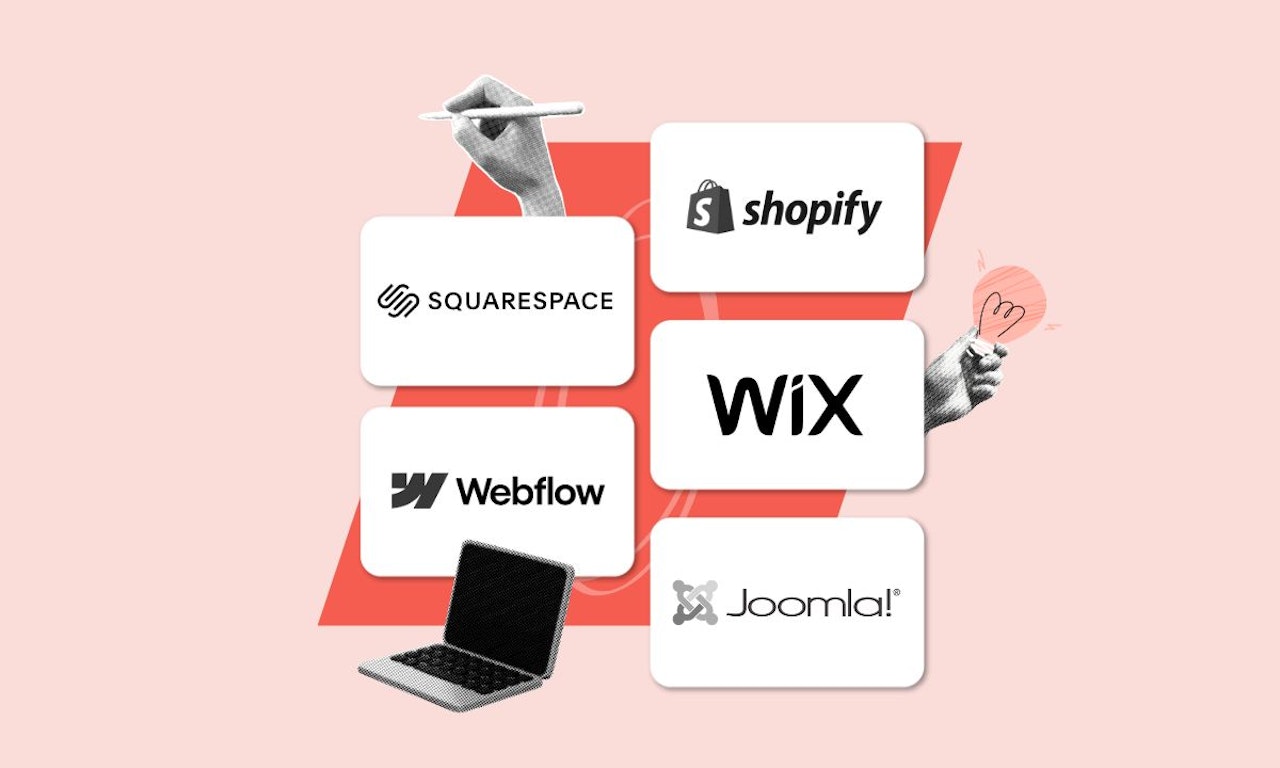
However, it is not always the most suitable option. More and more SMEs are looking for simpler platforms, with less technical maintenance and that include everything needed to work right from the start. But if you’re at that point, you can stay calm: there is life beyond WordPress. In this guide developed by Softonic for Business, we compare the 5 best alternatives to WordPress: Wix, Squarespace, Shopify, Webflow, and Joomla. Which one best suits your needs?
Which option to choose?
.jpg)



Why look for an alternative to WordPress?
Thinking about WordPress is something too ethereal. Yes, it is the most widely used web platform worldwide, hosting 40% of active websites today. However, in practical terms, this only means that it is a platform without focus; where anything goes and everything depends on the specific developer. It is a portal that can be complex and whose customization can be a headache for companies.
That is why many companies and professionals are starting to look for alternatives that go beyond WordPress. From tools more focused on ecommerce to independent professionals seeking something practical and simple, many people look for alternatives to move their stores or portfolios away. Among others, the reasons why they want to escape WordPress are:
- Constant maintenance. WordPress is a self-managed service. That is, you have to take care of hosting, updates, security, backups… and, moreover, everything works through external services. It is a headache and can become a continuous expense of time and money.
- Excessive dependence on plugins. Even adding basic functions like forms, analytics, or SEO requires installing multiple plugins, with the risks of incompatibility or security vulnerabilities that entails.
- High learning curve. Although it has all kinds of pre-designed templates, customizing a site in WordPress, especially if you want something outside the standard, usually requires knowledge of HTML, CSS, or even PHP. It is not for everyone.
- Unclear costs. Although the software is free, the expenses associated with premium plugins, themes, technical maintenance, or support can greatly increase the cost. Even though it’s not the most expensive platform on the market, it brings a feeling of price uncertainty that is not for everyone.
Taking this into account, there are plenty of reasons to look beyond WordPress. In the industry, there are dozens of tools waiting for you to leave this option and try other alternatives, and surely there is one that perfectly fits your team’s needs.
That is why we have selected in our comparison five platforms that can be useful for companies needing a commercial intelligence solution. These are Wix, Squarespace, Shopify, Webflow, and Joomla. Which one is the best? It all depends on your company… and the image you want to give.
Comparison table: Which alternative suits you best?
|
Platform |
Ideal for... |
Approx. price/month (from) |
Main advantage |
|
Wix |
Businesses seeking total ease |
€17/month |
An all-in-one platform with no technical maintenance |
|
Squarespace |
Creatives and visually focused businesses |
€16/month |
Professional templates + integrated management |
|
Shopify |
Online stores and scalable ecommerce |
€5/month (Starter Plan) |
Best solution for selling online |
|
Webflow |
Designers seeking visual control |
€14/month |
Precise design without the need to code |
|
Joomla |
Technical teams with complex websites |
€5/month |
Flexible and multilingual open-source CMS |
Wix: Create your professional website in minutes without knowing how to code
Wix is one of the most popular website builders on the market. It has been gaining popularity for more than a decade, as it started as a perfect option for beginners who wanted something free without losing professionalism. Its path has remained similar, although lately it has been much more optimized. Its greatest strength is its drag-and-drop editor, which allows you to build web pages without a single line of code and in just a few simple steps.
In addition to all this, Wix integrates email and email marketing functions, facilitating automation and campaign management directly from the platform. Therefore, it is an ideal option for SMEs, freelancers, or anyone who wants to launch their site quickly and without technical complications.

What makes it different from WordPress?
Unlike WordPress, Wix does not require any type of installation. Nor additional hosting services or constant maintenance. Everything in Wix is included on the platform. Furthermore, most features — such as forms, SEO, online store, or bookings — come integrated, without the need to install additional plugins.
Pros and cons of Wix
|
Advantages of Wix |
Disadvantages of Wix |
|
Extremely easy-to-use visual editor |
Less flexibility for highly customized developments |
|
Hosted solution: no maintenance, backups, or updates |
Commission on online sales in e-commerce plans |
|
Visual templates adaptable for all types of businesses |
Limited storage on the cheapest plans |
|
Integrated features: SEO, bookings, analytics, ecommerce |
The mobile app has limitations reported by some users |
Wix Plans and Pricing
Wix uses a monthly subscription model with different plans that cater to the needs of every type of user, from freelancers to large companies. All their paid plans include hosting, technical maintenance, automatic updates, and top-level technical support, making it a very attractive alternative for those who want to avoid unexpected costs associated with WordPress (such as external hosting or premium plugins).
|
Plan |
Approximate Price |
Ideal for... |
|
Free |
0 €/month |
Personal use, testing, or simple websites with Wix ads |
|
Light |
From 17 €/month |
Personal portfolios, informational websites, or basic landing pages |
|
Core |
From 29 €/month |
SMEs seeking SEO features, analytics, and light ecommerce functions |
|
Business |
From 36 €/month |
Businesses needing online sales without limits or external commissions |
|
Business Elite |
From 149 €/month |
Companies with high volume, advanced needs, and priority support |
|
Enterprise |
Custom price |
Corporations, global brands, or agencies with multisite management and tailored needs |
Who is Wix for?
Wix is a highly recommended tool for SMEs, entrepreneurs, and marketing teams who value simplicity, professional design, and time-saving on technical tasks. Wix stands out especially in projects that require launching a functional website quickly, with full visual control and no hassle in configuration or maintenance.
Squarespace: The best option if design is your priority
Although WordPress has very interesting templates that can enhance the design of your website, generally design enthusiasts choose other platforms to take their styles a step further.
Among all the options we recommend, Squarespace stands out in web design and makes it easy to create visually appealing websites, being the most aesthetic alternative and the one that best meets these needs.
It is, therefore, an ideal option for designers, artists, photographers, portfolios, and businesses that want to make a visual impact, as well as for professionals managing portfolios and galleries for clients. But that doesn’t mean everything is based on design. It also includes ecommerce platform, email marketing, SEO, and bookings from a single panel. All integrated to make it as easy as possible for you.
What is the difference from WordPress?
Unlike WordPress, Squarespace offers a closed and consistent ecosystem: you don’t have to worry about plugins, external themes, or unstable integrations. Everything is made to work well from the start. Also, it doesn’t require constant updates or the need to manually update everything. It is a much simpler way to create your website, even though it allows for much less customization at a general level.
Pros and cons of Squarespace
|
Advantages of Squarespace |
Disadvantages of Squarespace |
|
Visually striking templates |
Less flexibility in advanced design |
|
Clear and very easy-to-use interface |
Fewer integrations than WordPress |
|
All-in-one platform (hosting, security, store) |
No permanent free plan |
|
Integration with email marketing and booking tools |
Some plans can be expensive for basic features |
Squarespace Plans and Pricing
Unlike WordPress, Squarespace follows a clear pricing structure, tiered, and easy to follow. It suits both personal projects and growing businesses seeking a strong digital presence with a high visual component. Additionally, all plans include hosting, premium templates, SSL certificate, integrated SEO tools, and 24/7 technical support.
|
Plan |
Approximate Price |
Ideal for... |
|
Personal |
From €16/month |
Personal pages, portfolios, visual blogs, or simple informational sites |
|
Business |
From €22/month |
Small businesses needing commercial features, email marketing, and forms |
|
Commerce Basic |
From €27/month |
Online stores with direct sales, physical or digital products, and no Squarespace fees |
|
Commerce Advanced |
From €49/month |
Advanced ecommerce with subscriptions, abandoned cart recovery, automated shipping, etc. |
Additionally, all plans include powerful design templates, visual editor, and mobile optimization. Starting from the Business plan, features such as e-commerce, integrations with marketing tools, and custom code are unlocked. The Commerce plans, on the other hand, remove sales commissions that are applied in the Business plan and offer a more professional solution for growing online stores.
Who is Squarespace for?
As we have been pointing out Squarespace is the best ally for design champions. It is a highly recommended platform for creative businesses, design studios, boutique shops, artists, visual entrepreneurs, and any company that prioritizes aesthetics, consistency, and the end-user experience. Squarespace is especially useful if you want to maintain a flawless design without relying on developers or technical managers. Additionally, it makes it very easy so you don’t have to be on top of your website all day.
Shopify: The king of ecommerce to activate your online store in minutes
If Squarespace is the best friend of designers, Shopify is for all those who have an online store. The creation platform is 100% designed for digital commerce; built from scratch to sell, with features ranging from payment gateways to inventory management, marketing, reports, and much more. Therefore, if what you are creating is an online store, it is best to explore it before deciding on WordPress or other options that perhaps do not reach the same level in terms of buying and selling.
What differentiates it from WordPress?
Obviously, WordPress is also very useful for online stores. Through its WooCommerce plugin, many online businesses have built top-level e-commerce platforms that operate on a huge scale. However, Shopify goes a step further. It offers a much more powerful and, moreover, simple solution. Everything in Shopify is designed so that you can sell easily and without issues; that is, without the need to configure plugins, payment systems, or security manually.
Pros and cons of Shopify
|
Advantages of Shopify |
Disadvantages of Shopify |
|
Platform specialized 100% in ecommerce |
Not ideal for content-focused websites or portfolios |
|
Great scalability and performance for online businesses |
Applies fees if you don't use its payment system |
|
Excellent integrated app store in its system to expand functions |
Its prices are higher than other generalist builders |
|
Includes its own fast and secure hosting service |
Not as intuitive as solutions like Wix or Squarespace |
Shopify Plans and Pricing
Shopify uses a tiered pricing system that adapts to the growth of your online store, from entrepreneurs taking their first steps to large digital businesses. All their plans include hosting, payment gateway, shopping cart, inventory management, analytics, and 24/7 customer support. The higher your plan, the more advanced customization, automation, and scalability tools you get.
|
Plan |
Approximate Price |
Ideal for... |
|
Starter |
From €5/month |
Entrepreneurs who sell on social media or through payment links |
|
Basic |
From €36/month |
Small online stores that need a catalog, order management, and web store |
|
Shopify |
From €95/month |
Growing businesses with sales teams, physical points of sale, and higher order volume |
|
Advanced |
From €359/month |
Large businesses with international shipping, custom reports, and advanced rates |
It should be noted that Shopify applies transaction fees if its own payment system (Shopify Payments) is not used. However, its plans include everything needed to manage a professional ecommerce from a single platform: from store design to payment management, shipping, discounts, products, and analytics.
Who is Shopify designed for?
Shopify is, as we have been saying, an ideal option for businesses that sell products online (physical or digital) and seek a professional, fast, secure, and scalable solution. It is especially powerful for businesses that prioritize performance, stock control, marketing, and the internationalization of their ecommerce. Even so, it is also ideal for other options; for example, if you plan to integrate physical stores with your online store.
Webflow: All the power of coding websites… without having to write a single line of code
A somewhat lesser-known but equally interesting option is Webflow. It is a very powerful visual builder that allows designing websites with millimetric precision, with results equivalent to a hand-coded website in HTML/CSS/JS, but without needing to program a single line of code. In this way, where others bet on extreme simplicity, Webflow bets on pixel-perfect customization. It is ideal, therefore, for designers, freelancers, and agencies who want to differentiate themselves through their design or with proposals that go beyond the classic templates of WordPress, Wix, or others.
What makes it different from WordPress?
Although it is not the simplest platform on the market, the truth is that Webflow makes it very easy for you to achieve great and highly personalized results through its own visual editor. You don't need to have extensive technical knowledge to achieve great results with Webflow, something that might be the case with WordPress. Additionally, it offers full control over the site's design and structure.
Pros and cons of Webflow
|
Advantages of Webflow |
Disadvantages of Webflow |
|
Complete design freedom without the need to code |
Steeper learning curve than Wix or Squarespace |
|
Excellent for responsive design and animations |
Less focused on marketing features than other platforms |
|
Integrated dynamic CMS to manage complex content |
Some features require more expensive plans |
|
Fast hosting with CDN and built-in security |
Does not include email marketing or advanced ecommerce by default |
|
Easy-to-use interface that simplifies site creation and management, even for users without technical experience, and tools to manage clients and share protected galleries |
Webflow Plans and Pricing
Webflow offers plans designed both for informational sites and complex projects with CMS or ecommerce. Unlike other visual builders, its main feature is that it combines technical power and professional design without requiring coding knowledge. Its pricing system adapts to the type of website you want to build (static, dynamic, or store), and each plan includes fast hosting with CDN, SEO tools, and advanced visual editing.
|
Plan |
Approximate Price |
Ideal for... |
|
Basic |
From €14/month |
Informational sites without a database (landing pages, portfolios, small businesses) |
|
CMS |
From €23/month |
Blogs, magazines, or websites with dynamic content managed from an easy panel |
|
Business |
From €36/month |
Companies with high traffic and advanced performance and SEO needs |
|
Ecommerce |
From €27/month |
Small or medium online stores (up to €195/month on advanced plans) |
Starting from the CMS plan, the dynamic content management system is unlocked, ideal for editorial teams. Business plans increase capacity and performance, while Ecommerce plans allow managing catalogs, payments, inventory, promotions, and shipping.
Who is Webflow designed for?
Webflow is a platform especially recommended for designers, creative agencies, and companies that want a modern, fast, fully responsive website optimized for mobile devices, without the limitations of closed templates.
Webflow excels in projects where aesthetics, animation, and visual control are key. That is, it is ideal for standing out without relying on developers, also being a suitable platform for creative projects and media outlets.
Joomla: The open-source CMS for programming complex websites
Finally, we end with a very different alternative from the rest, but one that can undoubtedly also be an interesting option for those who are not satisfied with WordPress options. Joomla is an open-source CMS; that is, it is like WordPress, but with more built-in features from the start and better prepared for multilingual sites or complex structures. It is ideal for users with technical knowledge or IT teams. It is not for beginners, but it allows you to go beyond what you see.
What differentiates it from WordPress?
It is true that both WordPress and Joomla are open-source CMS. However, Joomla includes features that go further: advanced user management, access control (ACL), native multilingual support, and an architecture more oriented towards deep customizations without relying so much on plugins.
Joomla offers extensive customization options and built-in tools for managing clients, making it easier to adapt the site to specific needs and manage customer relationships. Overall, it can be somewhat more difficult to use, but it also allows you to go further in terms of precise customization.
Pros and cons of Joomla
|
Advantages of Joomla |
Disadvantages of Joomla |
|
It is a free service, with a large support community |
Its interface is more technical and less user-friendly than WordPress |
|
Powerful for complex corporate or institutional websites |
Requires own hosting and technical maintenance |
|
Good support for multilingual sites |
Steeper learning curve for users without prior experience |
|
Allows advanced roles and granular content control, plugin integration, and advanced front-end control |
Smaller extension ecosystem than WordPress |
Joomla Plans and Pricing
Joomla is a completely free open-source CMS, which means there are no costs associated with its use or download. However, as with WordPress, the actual cost depends on the elements you decide to integrate: web hosting, templates, extensions, and, in many cases, custom web development. It is a very powerful option for technical teams or companies seeking total flexibility, but it requires active management and technical knowledge to get the most out of it.
Who is Joomla designed for?
Joomla can be useful for many types of developers, but the most important thing is to know that it requires a technical team behind it. Therefore, it is recommended for companies, institutions, or developers who want to create complex websites, with multiple user levels, languages, permissions, and custom extensions. Joomla is not the simplest or most visual option, but it is extremely powerful in expert hands.
Comparison by categories: What is the best alternative to Wordpress for your company?
|
Category |
Best option |
|
Ease of use |
Wix |
|
Best design |
Squarespace |
|
E-commerce features |
Shopify |
|
Full design control |
Webflow |
|
Complex multilingual sites |
Joomla |
|
All-in-one platform |
Wix / Squarespace |

Quick guide: Continue with WordPress or switch?
- Are you overwhelmed by technical maintenance? → Wix or Squarespace. If you want to create your website and forget about it, without having to constantly check if plugins are updated correctly or if any errors have appeared in the theme you chose, it’s best to go with these options that prioritize simplicity above all. Additionally, both platforms facilitate connection with other services and tools, allowing easy integration that improves your site's functionality.
- Do you sell products online? → Shopify. Its own name says it: Shopify is a solution born to solve the problems of all those businesses that want to sell online. While WordPress can offer a similar service through plugins, what Shopify does goes further. And, above all, much more simply.
- Are you a designer and want total control over your aesthetics? → Webflow. Forget about templates that don’t fully convince you but you have to accept anyway. With Webflow, you can achieve great visual results easily and, above all, with the possibility of tweaking the smallest detail so it’s exactly how you want it.
- Do you have technical knowledge and your site is complex? → Joomla. This might be your best alternative if you’re looking to raise the level and have a strong technical team unafraid of challenges. Its platform is open source and free, allowing you to play with its possibilities to impressive limits.
- Are you looking for simplicity and speed? → Wix. If you want something quick, effective, and uncomplicated, you might find everything you’re looking for in Wix. Without a doubt, it’s a very interesting option for freelancers or beginners, although it might fall short when it comes to scaling.
In all cases, optimization for search engines is fundamental, as a good SEO strategy will allow your website to gain visibility and attract more organic traffic.
Which option to choose?
Conclusion: Which website builder does your business need?
From the beginning of the comparison, we have made it clear that WordPress is a great tool. No wonder it is the favorite among the vast majority of websites. However, it is only ideal if you have programming knowledge or a technical team to handle everything. But if what you want is to focus on your business and not on the technology behind it, there are alternatives that offer ease, control, and scalability without headaches. Choosing the right platform is essential for the success of your project, as each solution must adapt both to the specific development needs and to the type of website you want to create and manage.
Each platform presented here has its strengths. Some are designed for beginners who want to forget about problems. Others advocate for much greater customization than what you can find in WordPress. Others are designed for online businesses from their most basic aspect… Either way, the best advice is what we always say: Try it yourself! The good thing is that they all offer free trials or demo versions, so you can spend some time comparing and decide for yourself.