

4.4
Free
CapCut
CapCut: Your journey to creative freedom
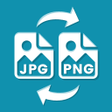
JPEG PNG Image File Converter is a program that can change pictures from one format to another. Images in PNG, GIF, BMP, and JPEG formats can be opened and edited in this program. When converting to JPEG, customers have the option of using either the ".jpg" or ".jpeg" file extension. It's important to remember that saving an image as a JPEG will make any translucent areas seem white. Background Eraser and PhotoLayers are two examples of tools that save images as PNG files. However, with the help of this program, users can change the format of these photographs to JPEG. With this option, users who plan on converting their photographs to a new format can do so quickly and easily.
Join our community to discover and share great apps together!
Register in less than a minute for free
Free
CapCut: Your journey to creative freedom

Free
Free-to-use modding platform

Free
Quickly download your favorite videos

Free
A free XAPK tool

Free
Versatile file transfer app

Free
Start Some Video Chats With OmeTV

Free
A free program for Android, by Handy Tools Apps.

Free
Create Heartfelt Videos with AI Magic
Free
A free app for Android, by AppsForIG.

Free
Polaro Camera (QM Camera) - Create Your Best Shareworthy Pictures on Social Media

Free
A full version program for Android, by GOO TECH.

Free
A free program for Android, by BG.Studio.
Free
Add geotags to your photos
Free
Leica Camera Watermark: Add a Touch of Class to Your Photos

Free
Robust mobile image editor

Free
Photo Curves - A Quick and Easy Way to Get Great Results

Free
Enhance Photos with CWM Camera Watermark Frame

Free
Customizable photo home screen widget
Free

Free
Free
Free

Free
Free

Free
Free
Free
Free

Free

Free
Loading next article