
4.4
Free
CapCut
CapCut: Your journey to creative freedom
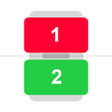
Split Screen - Dual Window For Multitasking is a handy tool that lets you use multiple screens on one device. It allows you to use different programs at the same time, and you can even drag things between the screens. It's perfect for those who need to do two things at once, such as when you're browsing the web or working on a document.
How to use Split Screen - Dual Window For Multitasking:
To use this application you need to enable the split-screen service. When you do that, it will redirect you to the settings, where you need to enable the app. After that, it will ask you to enable the accessibility service. To continue using the app, you need to click on ok.
After you've done that, you will be able to use the different options of this application, like the back button, home button, floating button, and setting.
This file will be downloaded from an external source.
I could not find the download link from the external landing
Install helpJoin our community to discover and share great apps together!
Register in less than a minute for free
Free
CapCut: Your journey to creative freedom

Free
Free-to-use modding platform

Free
Quickly download your favorite videos

Free
A free XAPK tool

Free
Versatile file transfer app

Free
Start Some Video Chats With OmeTV

Free
eDoklady: A New Era in Identity Verification
Free
Control Center Pro: Stylish Control Center for Android

Free
Moon Truyen - A Web Browser Comic Reading App

Free
A free program for Android, by Artem Kh.
Free
Microscope Smart Zoom Camera: Magnify and Stabilize Your Images
Free
Effortlessly Locate Your Phone with Clapping

Free
A travel and vehicle document storage tool

Free
Measure your smartphone’s true performance

Free
App-cloning mobile app

Free
IMB GFX TOOL: Enhance Your Gaming Experience

Free
Injector Origin Customization Tool

Free
A free app for Android, by VIPAPP.
Loading next article